SECTION 7
7-16
IDENTIFICATION PLATES
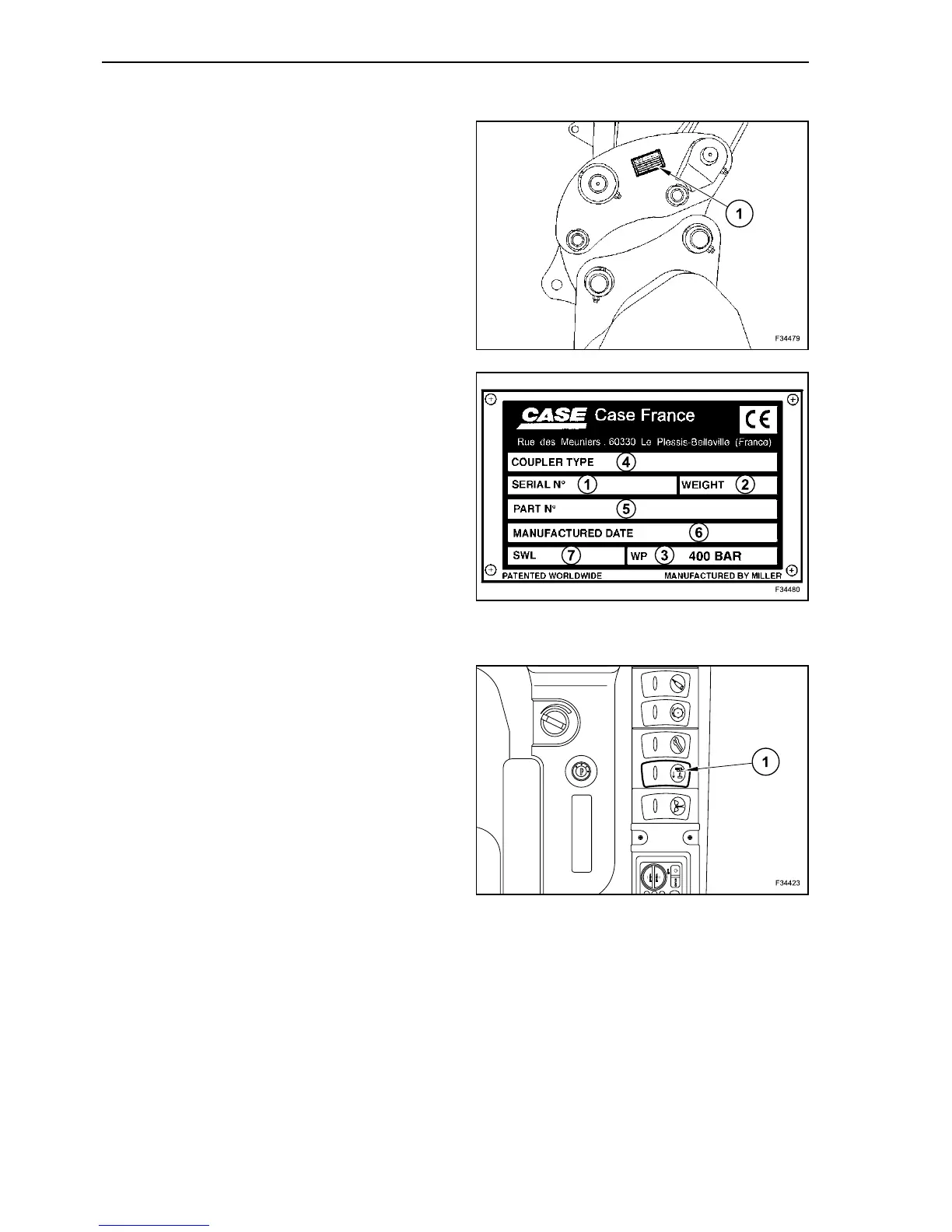
When ordering spare parts or when needing infor-
mation or assistance, it is always necessary to give
the local Dealer all references as regards the type
(4) and the serial number (1) of the relevant quick
coupler.
This and other information (below) is reported on
the plate (A) located on the quick coupler side.
1. Serial number
2. Weight
3. Operating pressure (400 bar)
4. Machine type
5. Serial number
6. Date of manufacture
7. Lifting force
CONTROL SWITCH
On the control panel to the right of the cab seat, is
installed switch (1) for quick coupler control.
Quick coupler activation (locking) by depressing
blank face of switch (1).
Quick coupler deactivation (unlocking) by depress-
ing symbol face of switch (1).
21
22
23



 To Next Page