SECTION 7
7-24
CLAMSHELL BUCKET OPERATION
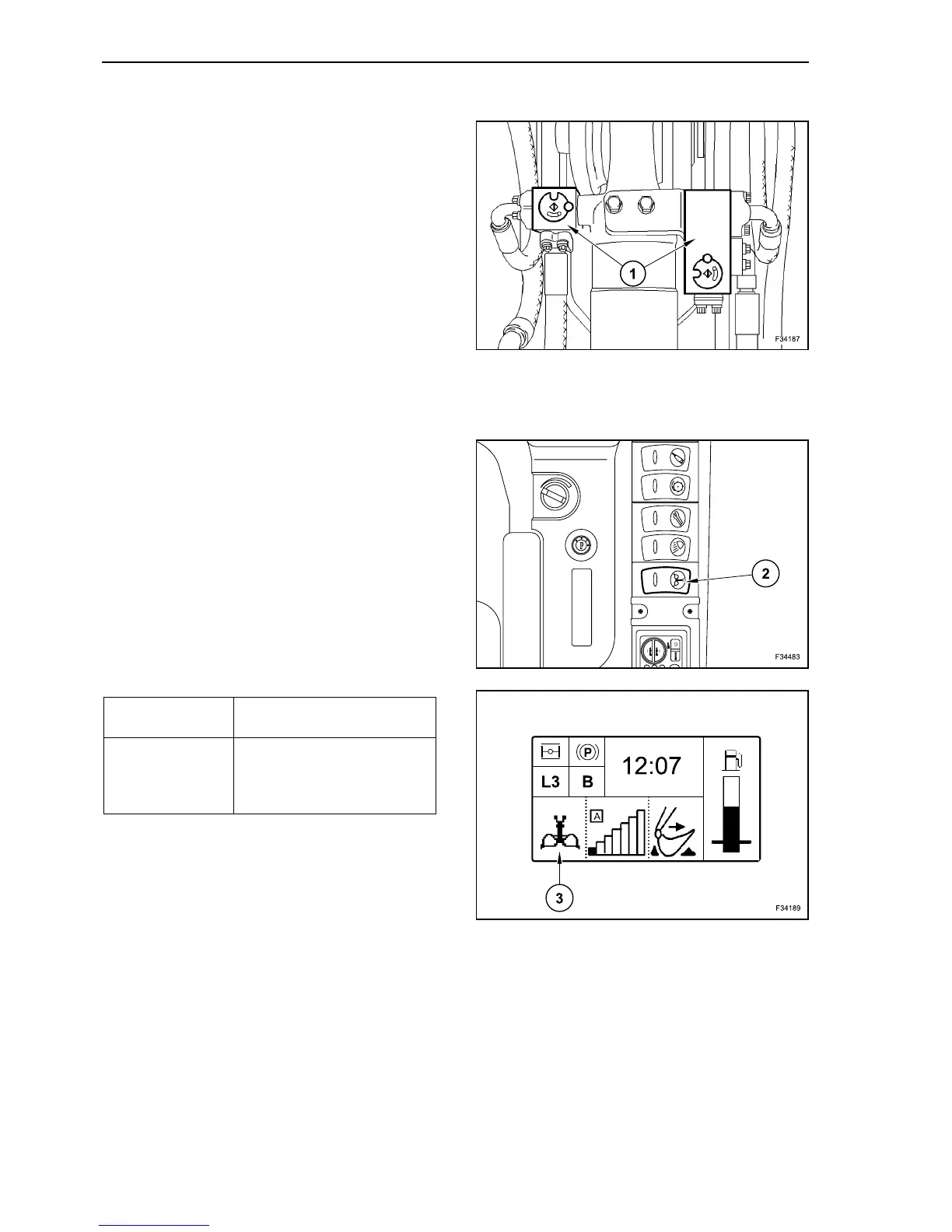
Set to vertical position the marker grooves on the
valves’ squares (1).
SWITCHING OVER OF VOLUME FLOW FROM
STANDARD BUCKET TO CLAMSHELL
By means of switch (2) the machine can be
switched over from backhoe operation with unlim-
ited volume flow in the working pumps, to grab oper-
ation with presettable independent volume flow
rates for opening and closing of the clamshell.
The volume flow rates/speeds for opening and clos-
ing of the clamshell can be set via the display inde-
pendently of one another.
43
Standard bucket Depress the blank face of the
switch (2).
Clamshell bucket Depress the symbol face of
the switch (2).
The display shows the clam-
shell symbol (3).
44
45



 To Next Page