ATTACHMENTS
7-37
Open the tank cover.
Protect the tank filler from penetration of dirt.
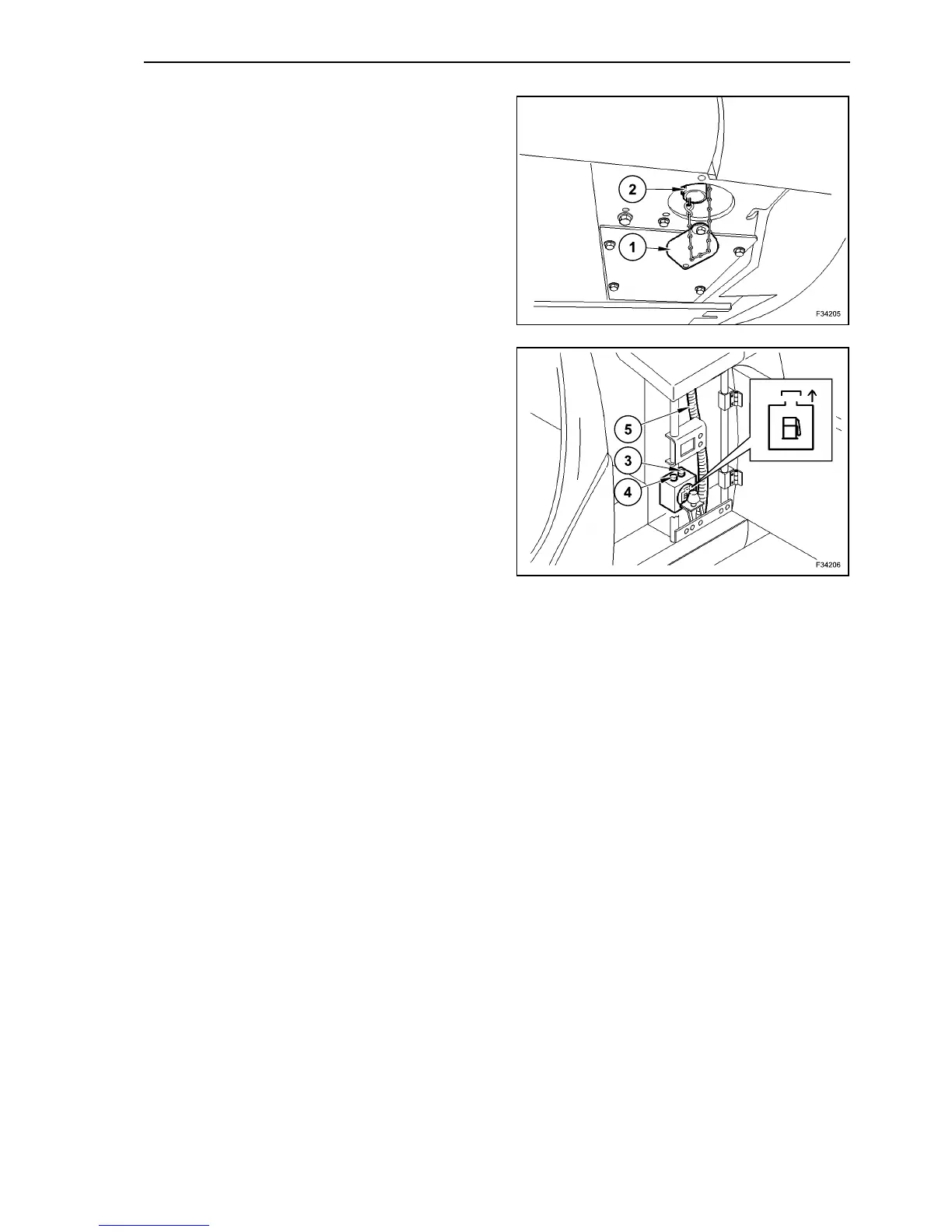
Disassemble cover (1) of maintenance opening,
placed under the refuelling system.
Connect intake hose (2) to large spare container.
Turn the ignition key to position “I”.
Activate the pump with green button (3) on the same
pump.
The pump deactivates by means of red button (4) on
the same pump.
The pump disconnects automatically when the fuel
tank is full.
If the pump runs dry for a long time, it could get
damaged or broken.
For this reason insert the pump only when you need
to refuel.
62
63



 To Next Page