ASXPRESS PLUS Rapid Sample Introduction System Operator’s Manual
Chapter 6: Installing the Valve/Pump Module
75
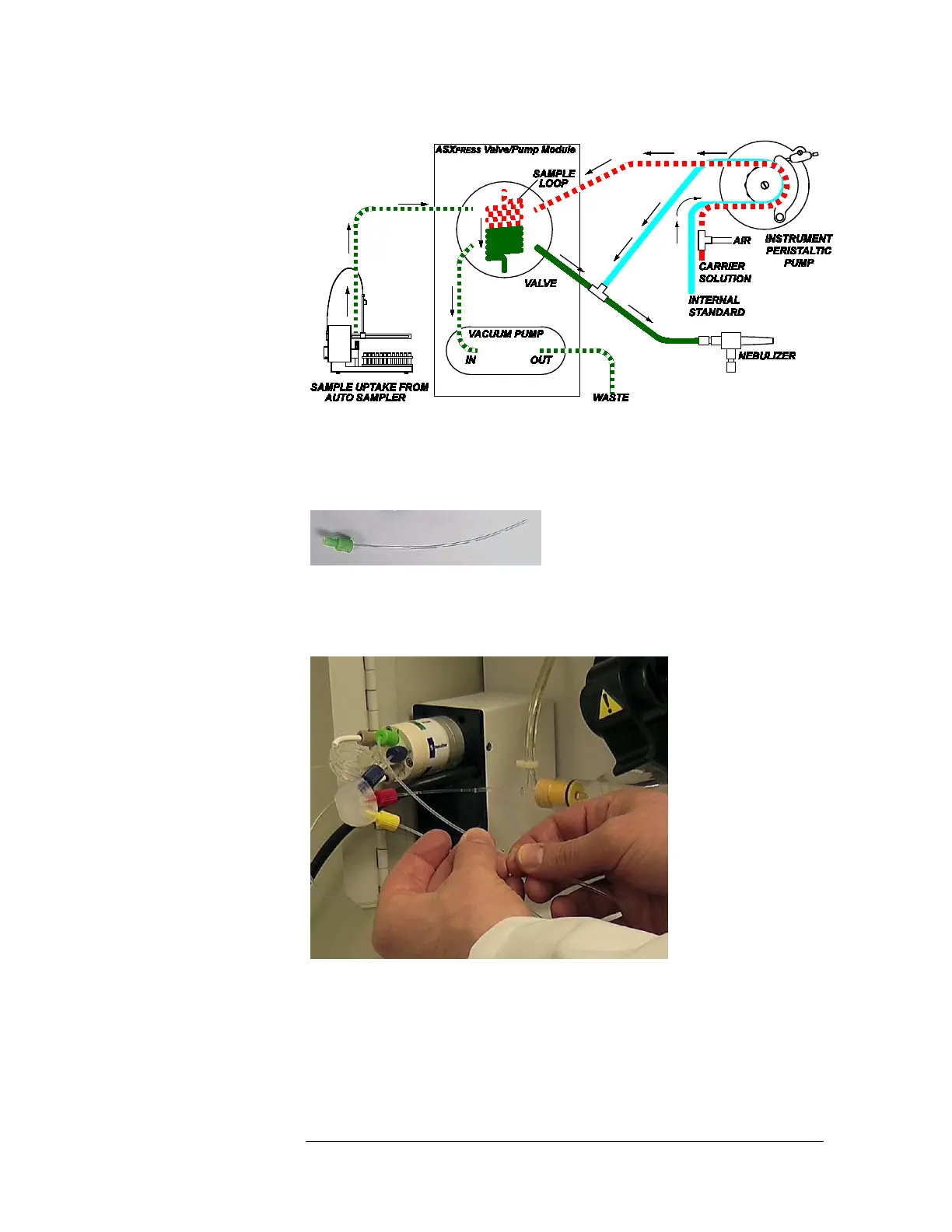
Figure 6-10 Flow Diagram with Internal Standard and Passive Bubbling Tee
(Carrier Solution Bubbles Added Before the Instrument's Peristaltic Pump)
1 Attach a short length of tubing to the green fitting which comes with the
valve/pump module.
2 Connect the green fitting to port #6 of the valve/pump module.
3 Connect the other end of this line to the output of the carrier solution output of
the instrument's peristaltic pump.
Figure 6-11 Connecting the Output of the Instrument Peristaltic Pump to
the Valve
4 Place the white tube of the bubbling tee in the hole of the bottle of
rinse/carrier solution.



 To Next Page