Using Internet Setup
134 Check Point UTM-1 Edge User Guide
Configuring a Dialup Connection
Note: To use this connection type, you must first set up the dialup modem. For
information, see Setting Up Modems on page
145.
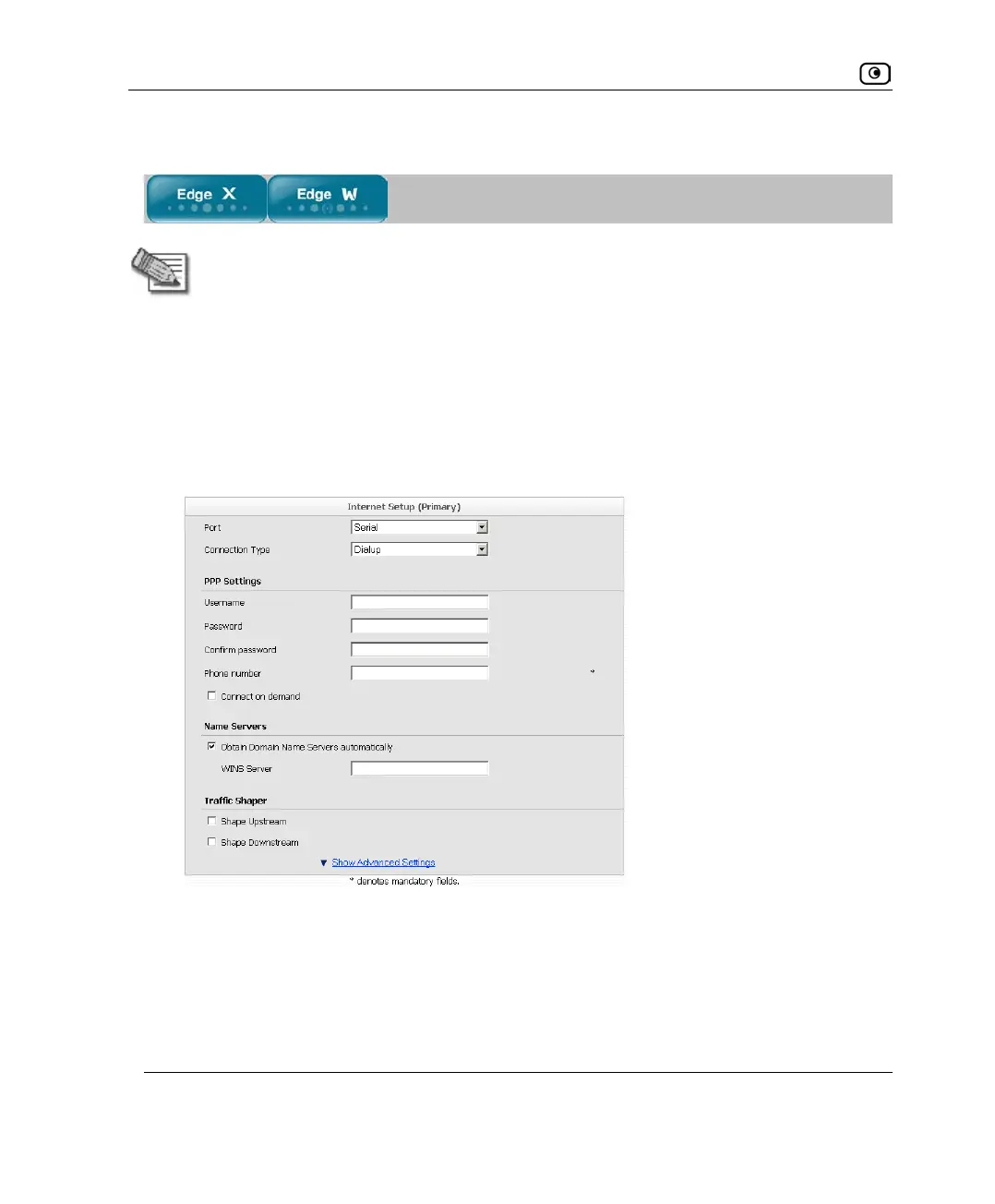
1. In the Port drop-down list, do one of the following:
• To configure a Dialup connection on the Serial port (using a connected RS232
modem), select Serial.
• To configure a Dialup connection on a USB port (using a connected USB
modem), select USBModem1.
The Connection Type field displays Dialup.
2. Complete the fields using the relevant information in Internet Setup Fields on
page
136.















 To Next Page