Setting Up Dialup Modems
150 Check Point UTM-1 Edge User Guide
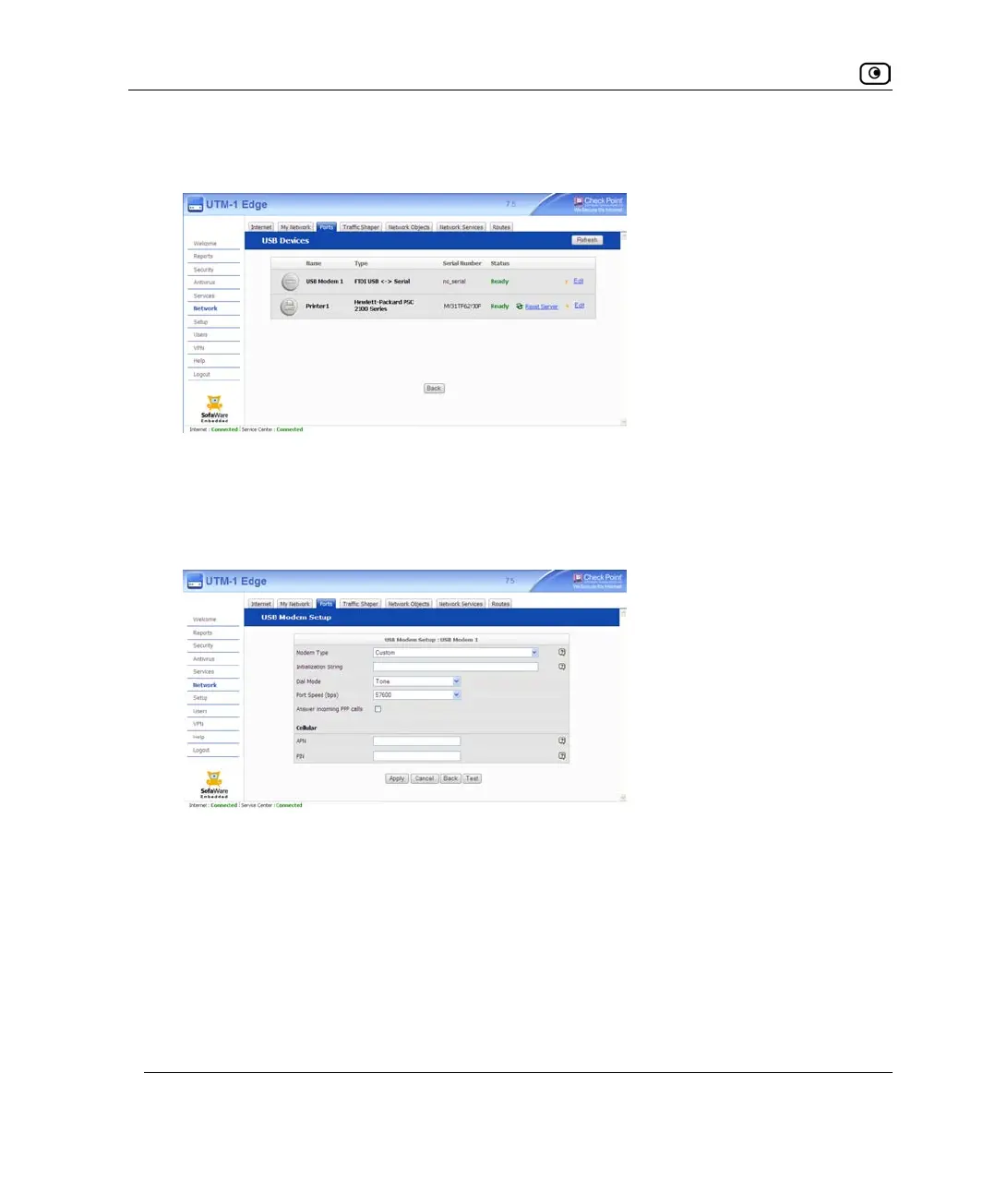
The USB Devices page appears. If the UTM-1 appliance detected the modem, the
modem is listed on the page.
If the modem is not listed, check that you connected the modem correctly, then click
Refresh to refresh the page.
4. Next to the modem, click Edit.
The USB Modem Setup page appears.
5. Complete the fields using the information in USB Dialup Fields on page
151.
6. Click Apply.
7. To check that that the values you entered are correct, click Test.
The page displays a message indicating whether the test succeeded.
8. Configure a Dialup Internet connection on the USB port.
See Using Internet Setup on page
113.















 To Next Page