Configuring Network Settings
184 Check Point UTM-1 Edge User Guide
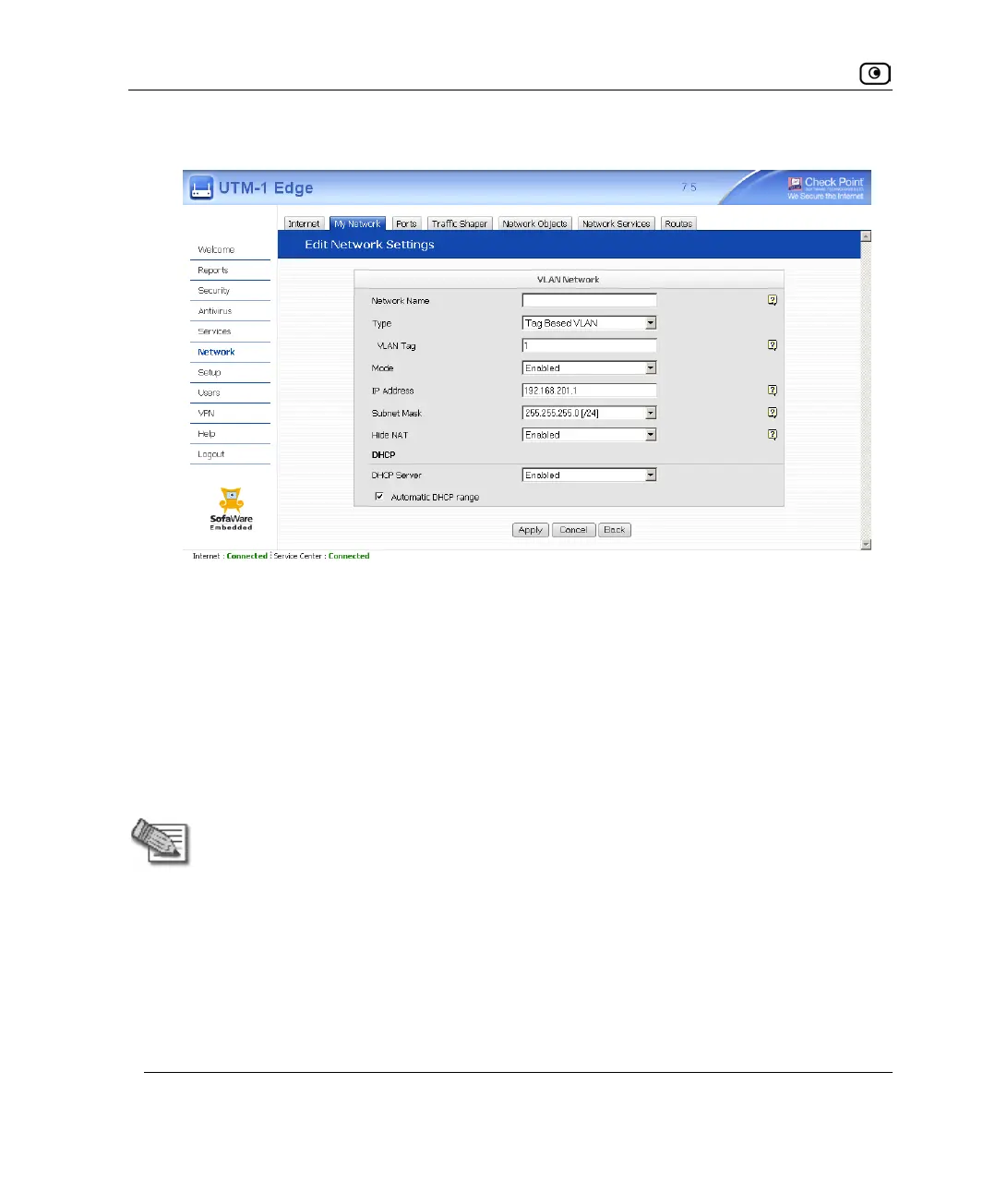
The Edit Network Settings page for VLAN networks appears.
3. In the Network Name field, type a name for the VLAN.
4. In the Type drop-down list, select Port Based VLAN.
The VLAN Tag field disappears.
5. In the Mode drop-down list, select Enabled.
The fields are enabled.
6. In the IP Address field, type the IP address of the VLAN network's default
gateway.
Note: The VLAN network must not overlap other networks.
7. In the Subnet Mask field, type the VLAN's internal network range.
8. If desired, enable or disable Hide NAT.
See Enabling/Disabling Hide NAT on page
163.
9. If desired, configure a DHCP server.
See Configuring a DHCP Server on page
164.















 To Next Page