Configuring Wireless Networks
Chapter 10: Working with Wireless Networks 279
WEP
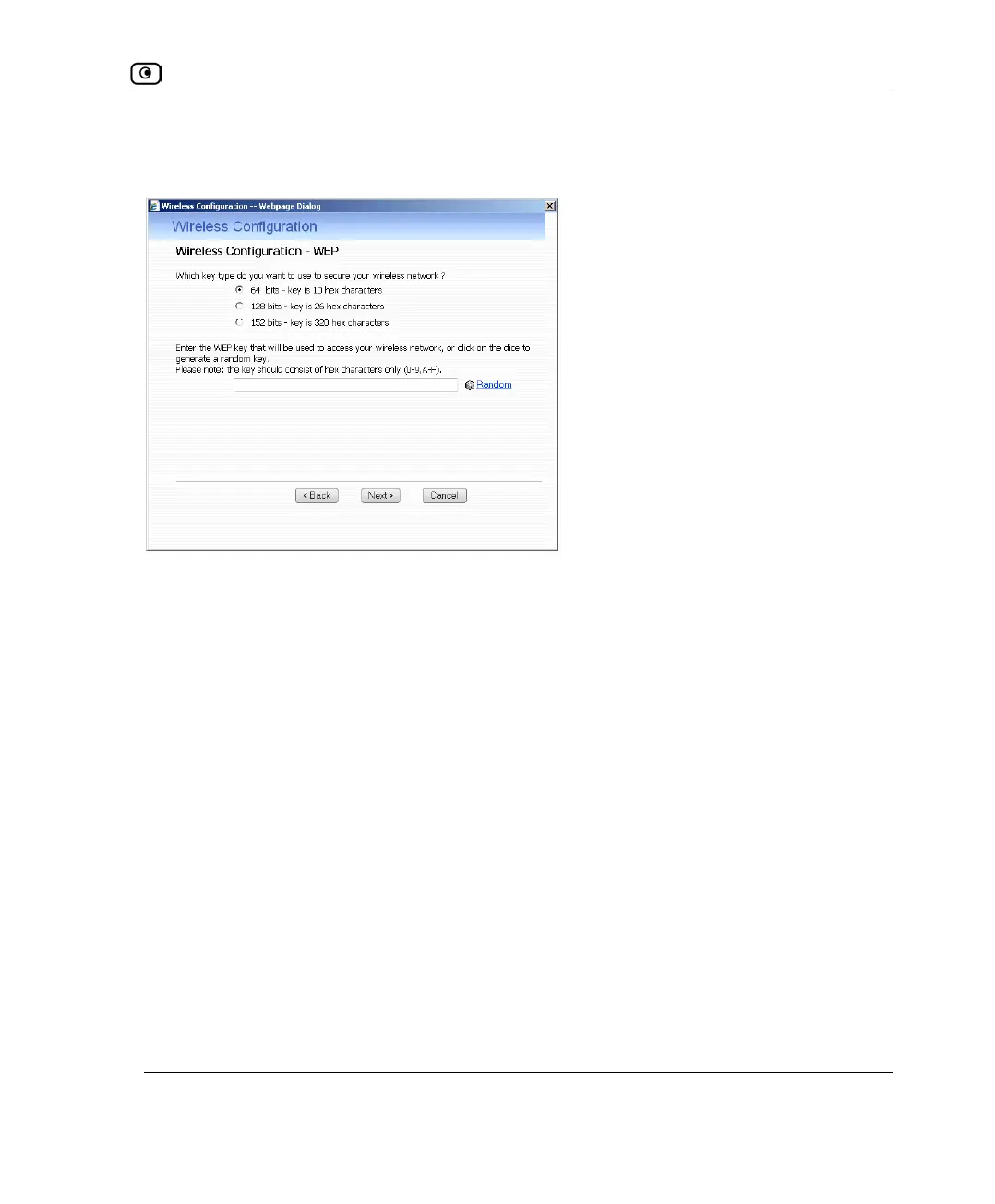
If you chose WEP, the Wireless Configuration-WEP dialog box appears.
Do the following:
1. Choose a WEP key length.
The possible key lengths are:
• 64 Bits - The key length is 10 hexadecimal characters.
• 128 Bits - The key length is 26 hexadecimal characters.
• 152 Bits - The key length is 32 hexadecimal characters.
Some wireless card vendors call these lengths 40/104/128, respectively.
Note that WEP is generally considered to be insecure, regardless of the selected key
length.
2. In the text box, type the WEP key, or click Random to randomly generate a
key matching the selected length.
The key is composed of characters 0-9 and A-F, and is not case-sensitive. The wireless
stations must be configured with this same key.
3. Click Next.
The Wireless Security Confirmation dialog box appears.















 To Next Page