Configuring Wireless Networks
Chapter 10: Working with Wireless Networks 281
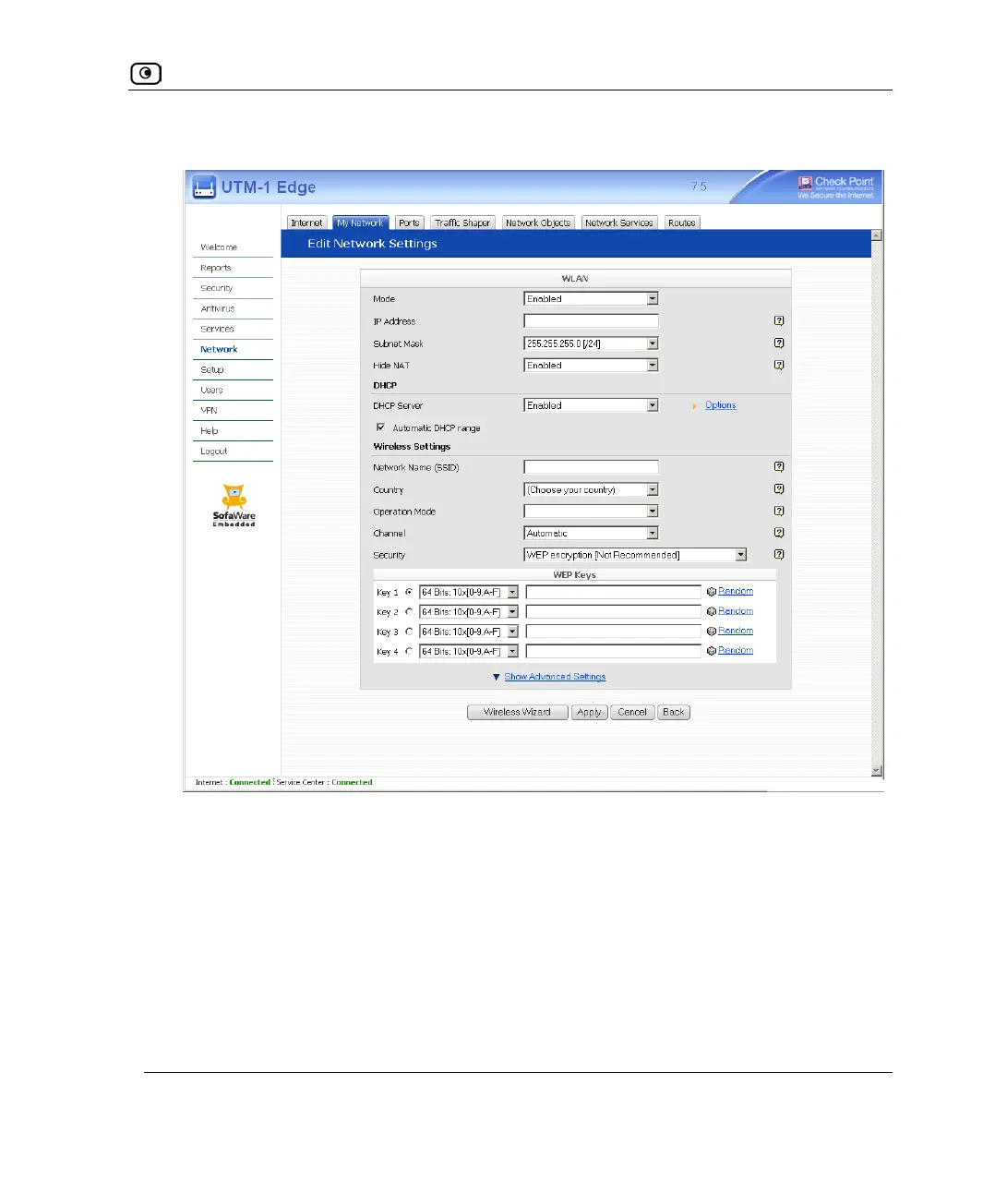
The Edit Network Settings page appears.
5. In the Mode drop-down list, select Enabled.
The fields are enabled.
6. In the IP Address field, type the IP address of the wireless network network's
default gateway.
The wireless network must not overlap other networks.
7. In the Subnet Mask field, type the wireless network’s internal network range.















 To Next Page