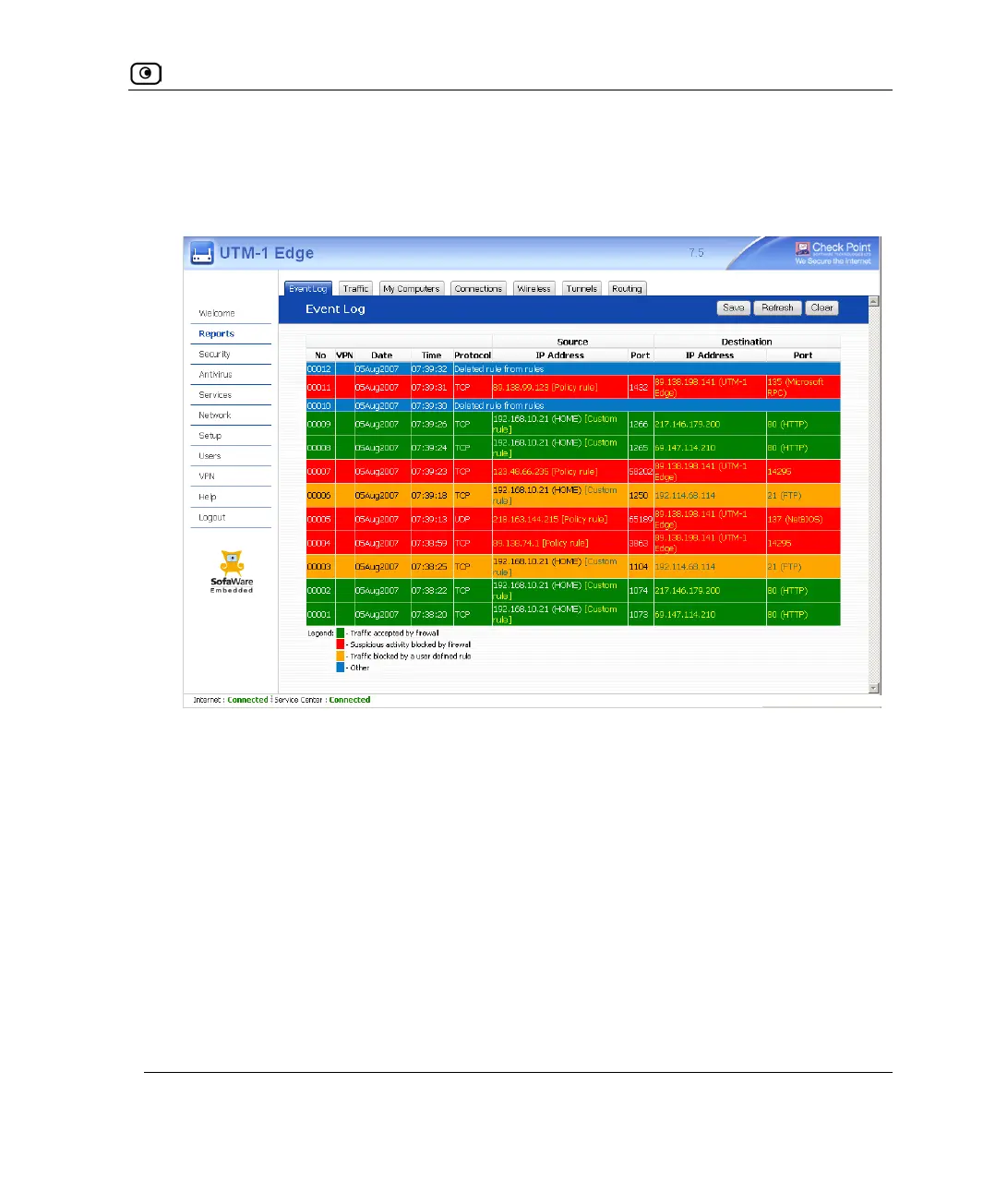
Viewing the Event Log
Chapter 11: Viewing Reports 307
To view the event log
1. Click Reports in the main menu, and click the Event Log tab.
The Event Log page appears.
2. If an event is highlighted in red, indicating a blocked attack on your network,
you can display the attacker’s details, by clicking on the IP address of the
attacking machine.
The UTM-1 appliance queries the Internet WHOIS server, and a window displays the
name of the entity to whom the IP address is registered and their contact information.
This information is useful in tracking down hackers.
3. To refresh the display, click Refresh.
4. To save the displayed events to an *.xls file:
a. Click Save.
A standard File Download dialog box appears.
b. Click Save.















 To Next Page