Using Rules
Chapter 12: Setting Your Security Policy 335
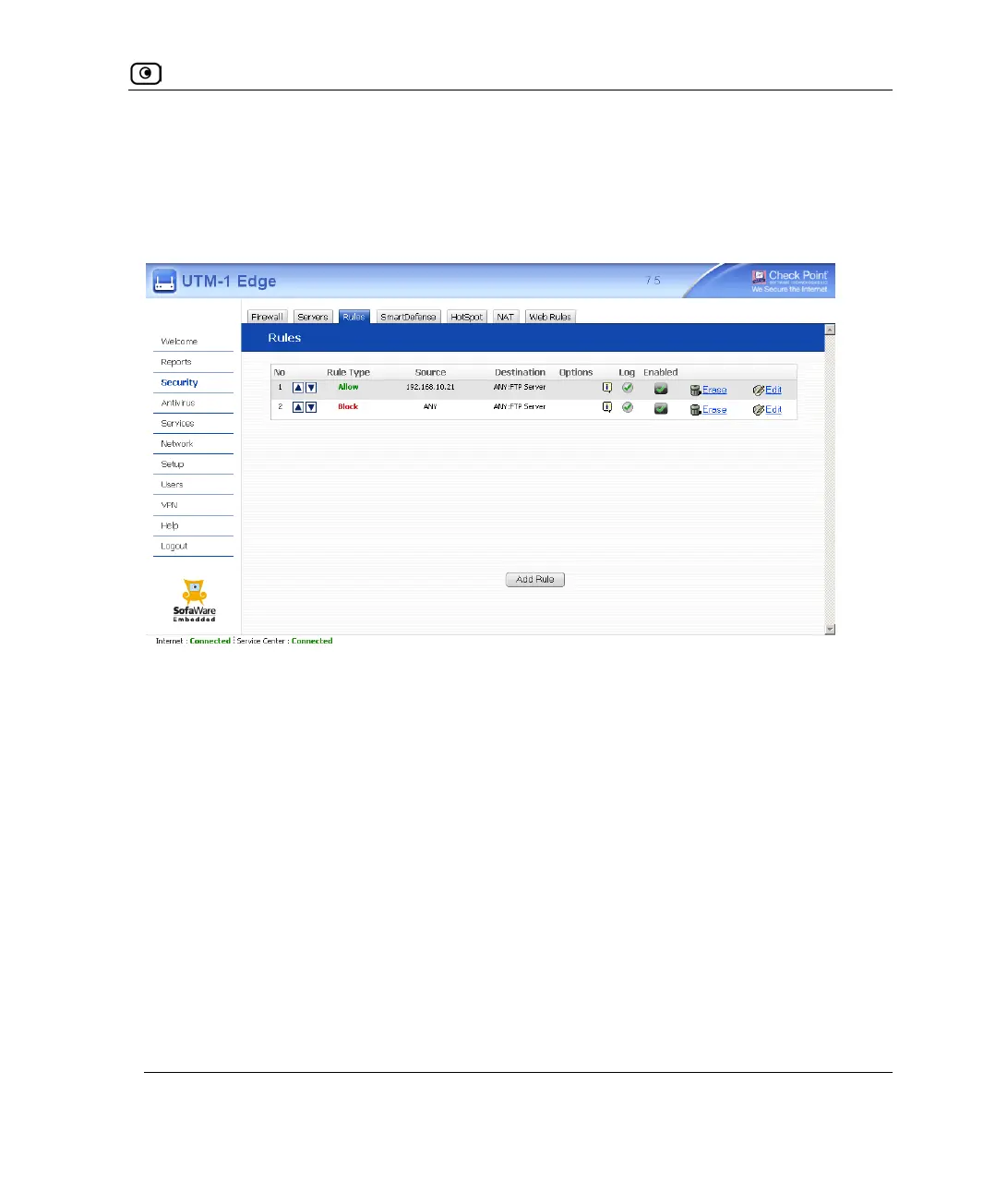
For example, if you want to block all outgoing FTP traffic, except traffic from a specific IP
address, you can create a rule blocking all outgoing FTP traffic and move the rule down in
the Rules table. Then create a rule allowing FTP traffic from the desired IP address and
move this rule to a higher location in the Rules table than the first rule. In the figure below,
the general rule is rule number 2, and the exception is rule number 1.
The UTM-1 appliance will process rule 1 first, allowing outgoing FTP traffic from the
specified IP address, and only then it will process rule 2, blocking all outgoing FTP traffic.
The following rule types exist:















 To Next Page