Using Secure HotSpot
352 Check Point UTM-1 Edge User Guide
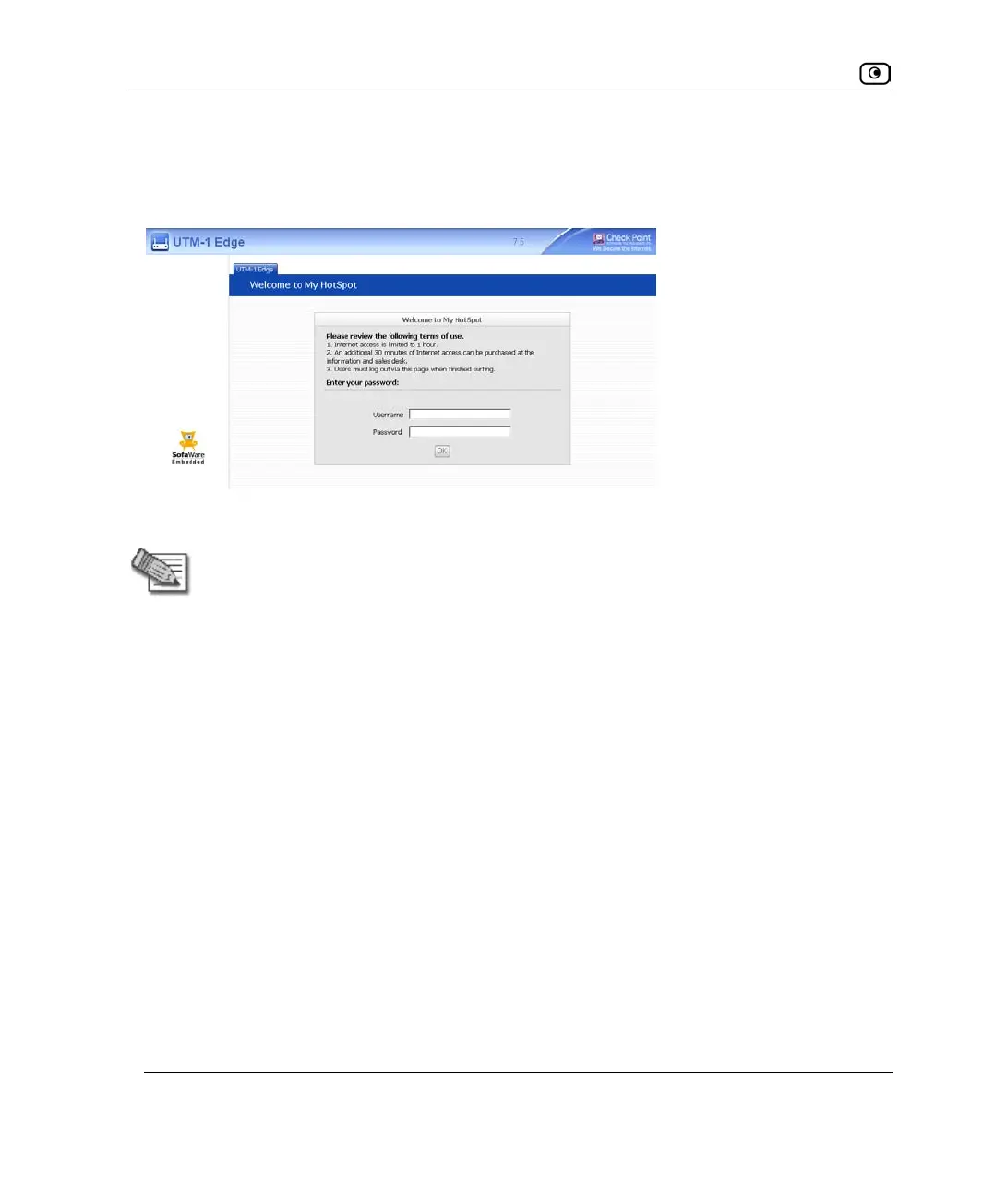
On this page, users must read and accept the My HotSpot terms of use, and if My HotSpot
is configured to be password-protected, they must log on using their UTM-1 username and
password. The users may then access the Internet or other corporate networks.
Users can also log out in the My HotSpot page.
Note: HotSpot users are automatically logged out after one hour of inactivity. If you
are using RADIUS authentication, you can change the Secure HotSpot session
timeout by configuring the RADIUS Session-Timeout Attribute. See Using RADIUS
Authentication on page
553.
UTM-1 Secure HotSpot is useful in any wired or wireless environment where Web-based
user authentication or terms-of-use approval is required prior to gaining access to the
network. For example, Secure HotSpot can be used in public computer labs, educational
institutions, libraries, Internet cafés, and so on.
The UTM-1 appliance allows you to add guest users quickly and easily. By default, guest
users are given a username and password that expire in 24 hours and granted HotSpot
Access permissions only. For information on adding quick guest users, see Adding Quick
Guest Users on page
550.
You can choose to exclude specific network objects from HotSpot enforcement. Excluded
network objects will be able to access the network without viewing the My HotSpot page.
Furthermore, users will be able to access the excluded network object without viewing the
My HotSpot page. For information on excluding network objects from HotSpot
enforcement, see Using Network Objects on page
188.















 To Next Page