Using NAT Rules
360 Check Point UTM-1 Edge User Guide
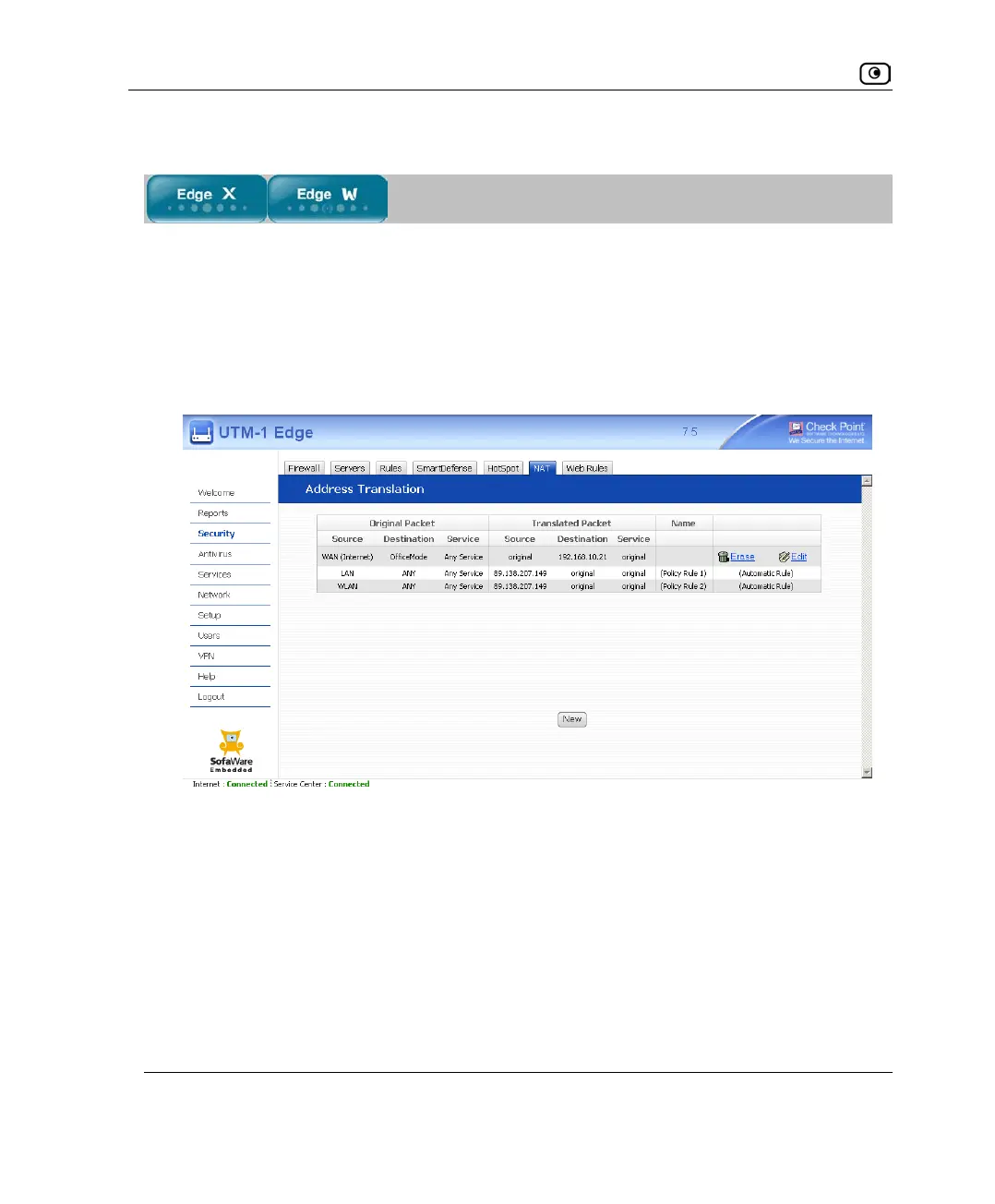
Adding and Editing NAT Rules
This procedure explains how to add and edit custom NAT rules. You cannot add or edit an
implicitly defined NAT rule directly.
To add or edit a custom NAT rule
1. Click Security in the main menu, and click the NAT tab.
The Address Translation page appears.
2. Do one of the following:
• To add a new rule, click New.
• To edit an existing rule, click the Edit icon next to the desired rule.














 To Next Page