Configuring SmartDefense
382 Check Point UTM-1 Edge User Guide
To configure a SmartDefense node
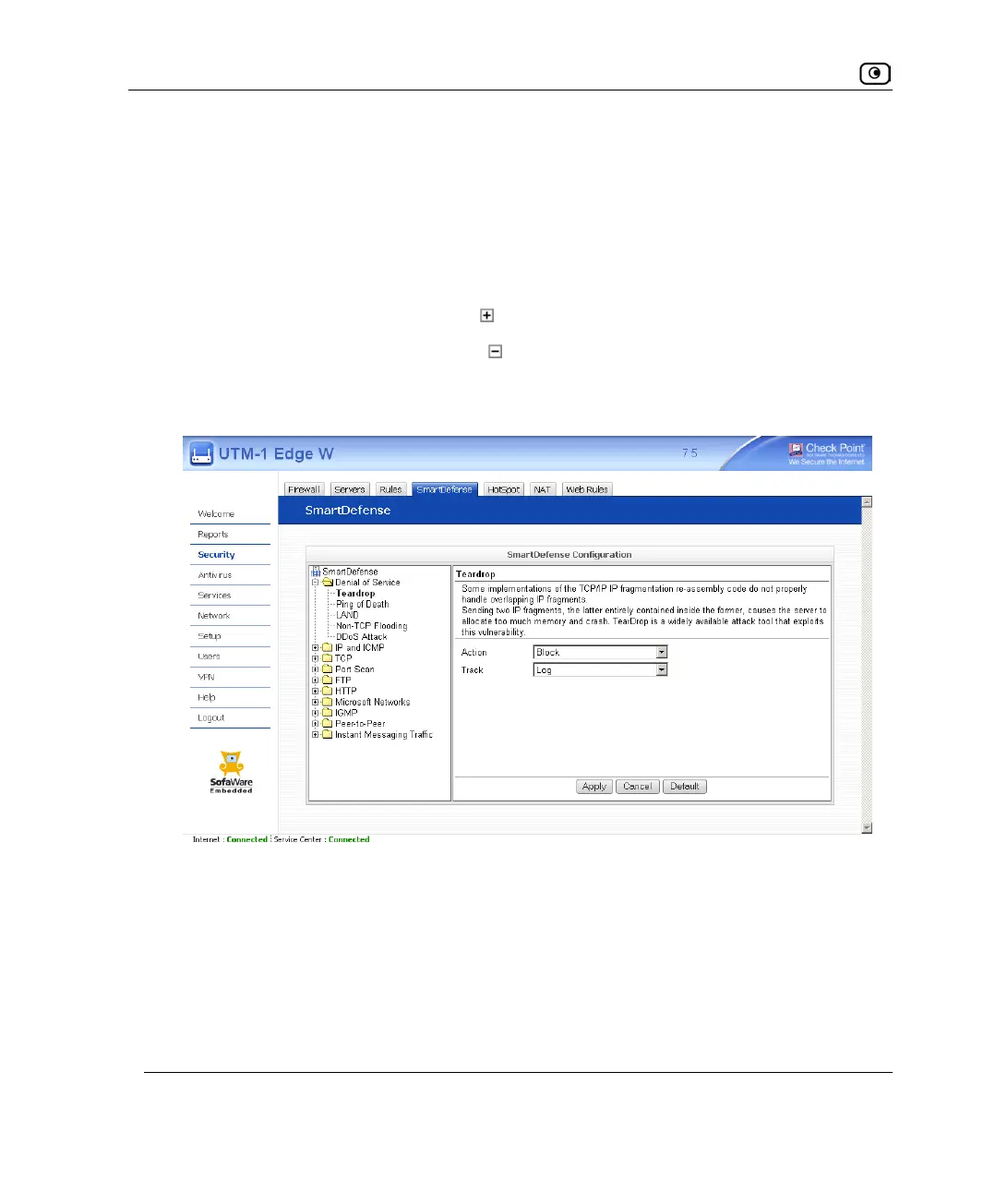
1. Click Security in the main menu, and click the SmartDefense tab.
The SmartDefense page appears.
The left pane displays a tree containing SmartDefense categories.
• To expand a category, click the
icon next to it.
• To collapse a category, click the
icon next to it.
2. Expand the relevant category, and click on the desired node.
The right pane displays a description of the node, followed by fields.
3. To modify the node's current settings, do the following:
a) Complete the fields using the relevant information in SmartDefense
Categories on page
383.
b) Click Apply.
4. To reset the node to its default values:
a) Click Default.















 To Next Page