The UTM-1 Edge X Series and UTM-1 Edge W Series
30 Check Point UTM-1 Edge User Guide
Network Requirements
• 10BaseT or 100BaseT Network Interface Card installed on each computer
• CAT 5 STP (Category 5 Shielded Twisted Pair) Straight Through Ethernet cable
for each attached device
• An 802.11b, 802.11g or 802.11 Super G wireless card installed on each wireless
station
• A broadband Internet connection via cable or DSL modem with Ethernet
interface (RJ-45)
Rear Panel
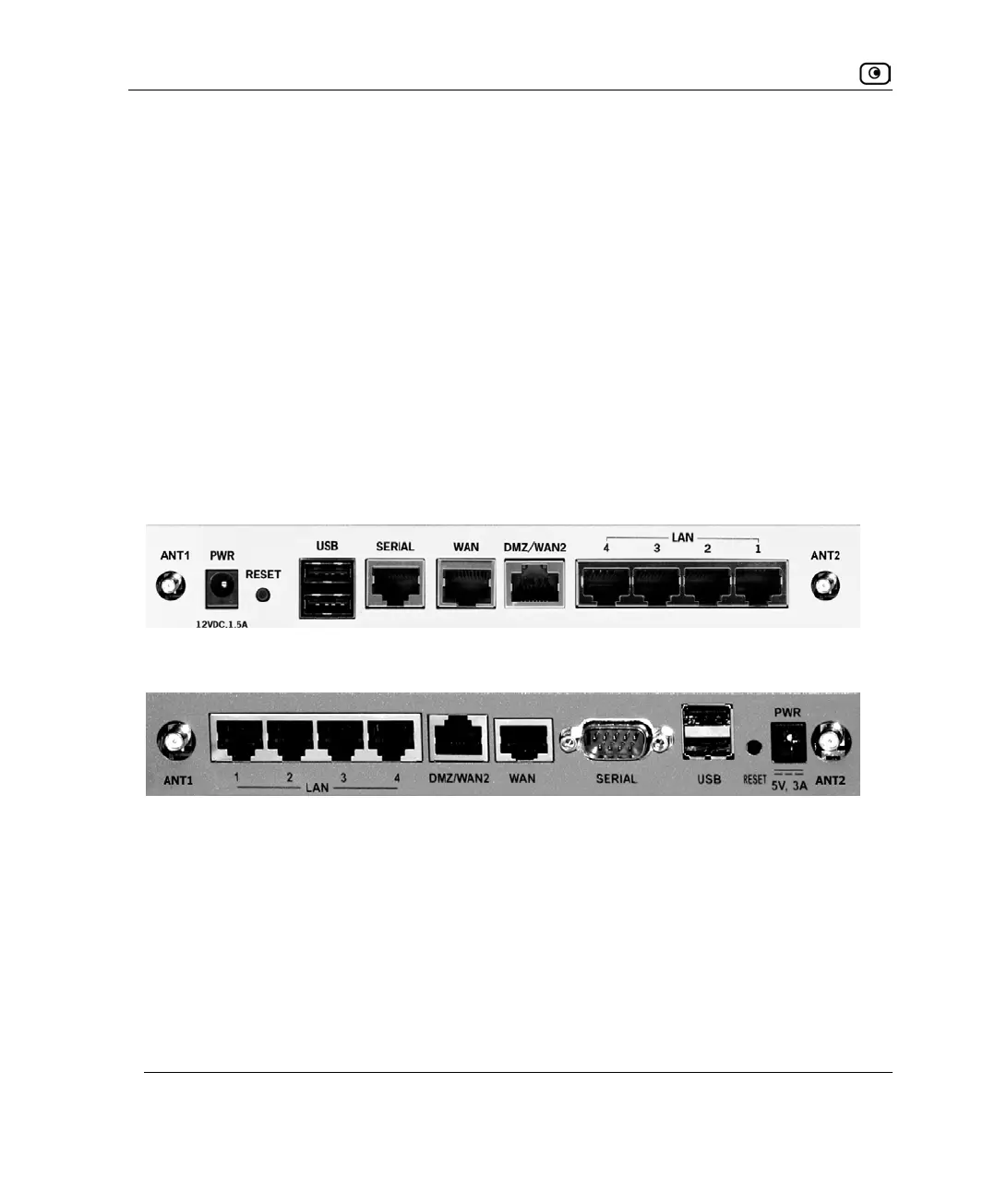
All physical connections (network and power) are made via the rear panel of your UTM-1
appliance.
The following table lists the UTM-1 Edge W appliance's rear panel elements.
Figure 7: UTM-1 Edge W SBXW-166LHGE-5 Appliance Rear Panel
Figure 8: UTM-1 Edge W SBXW-166LHGE-6 Appliance Rear Panel















 To Next Page