Configuring VStream Antivirus
Chapter 14: Using VStream Antivirus 431
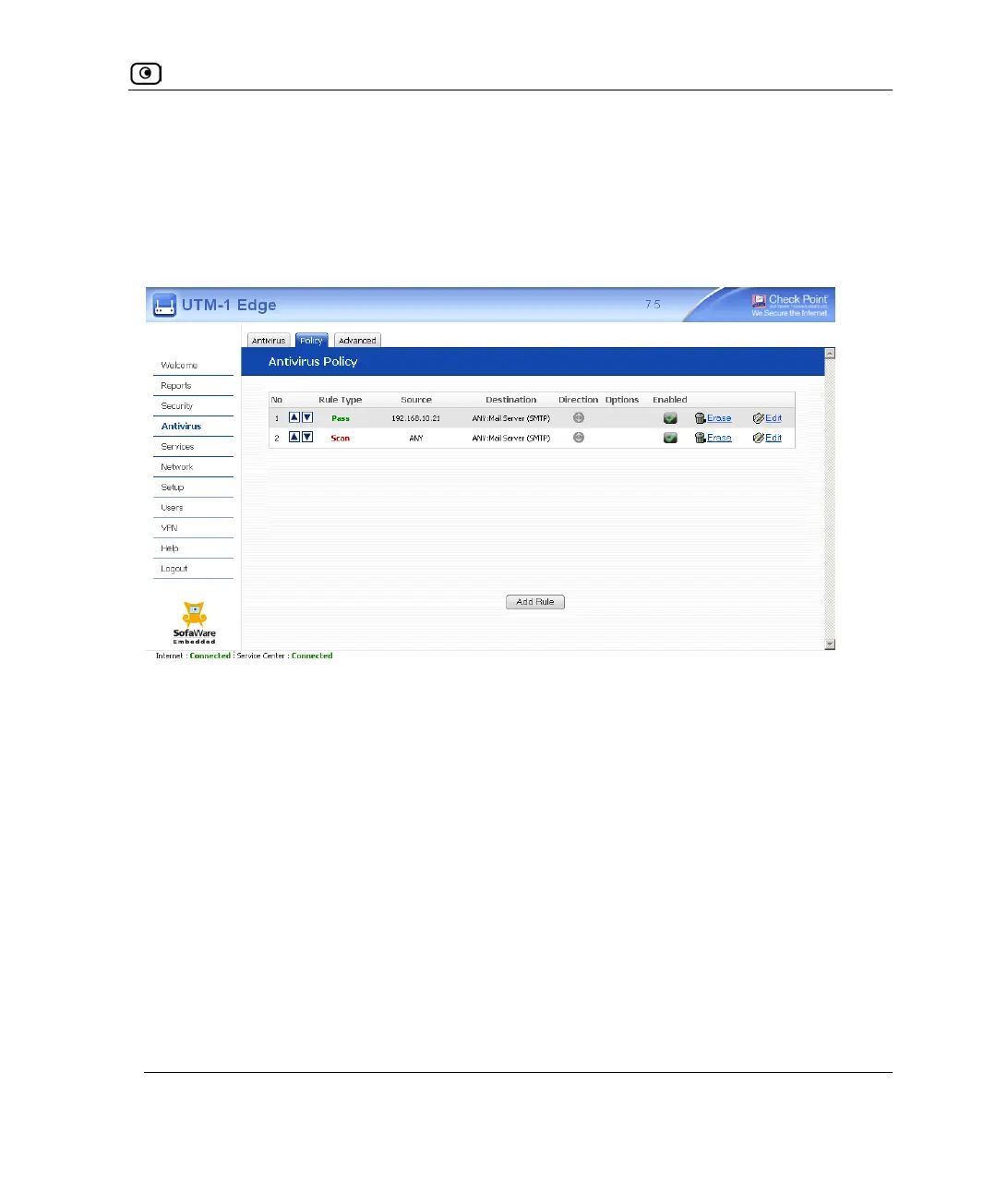
For example, if you want to scan all outgoing SMTP traffic, except traffic from a specific
IP address, you can create a rule scanning all outgoing SMTP traffic and move the rule
down in the Antivirus Policy table. Then create a rule passing SMTP traffic from the
desired IP address and move this rule to a higher location in the Antivirus Policy table than
the first rule. In the figure below, the general rule is rule number 2, and the exception is
rule number 1.
The UTM-1 appliance will process rule 1 first, passing outgoing SMTP traffic from the
specified IP address, and only then it will process rule 2, scanning all outgoing SMTP
traffic.
The following rule types exist:















 To Next Page