The UTM-1 Edge X Series and UTM-1 Edge W Series
Chapter 1: Introduction 35
• If desired, you can connect your appliance to an external broadband Internet
connection via a cable or DSL modem with an Ethernet interface (RJ-45).
• An 802.11b, 802.11g or 802.11 Super G wireless card installed on each wireless
station
Rear Panel
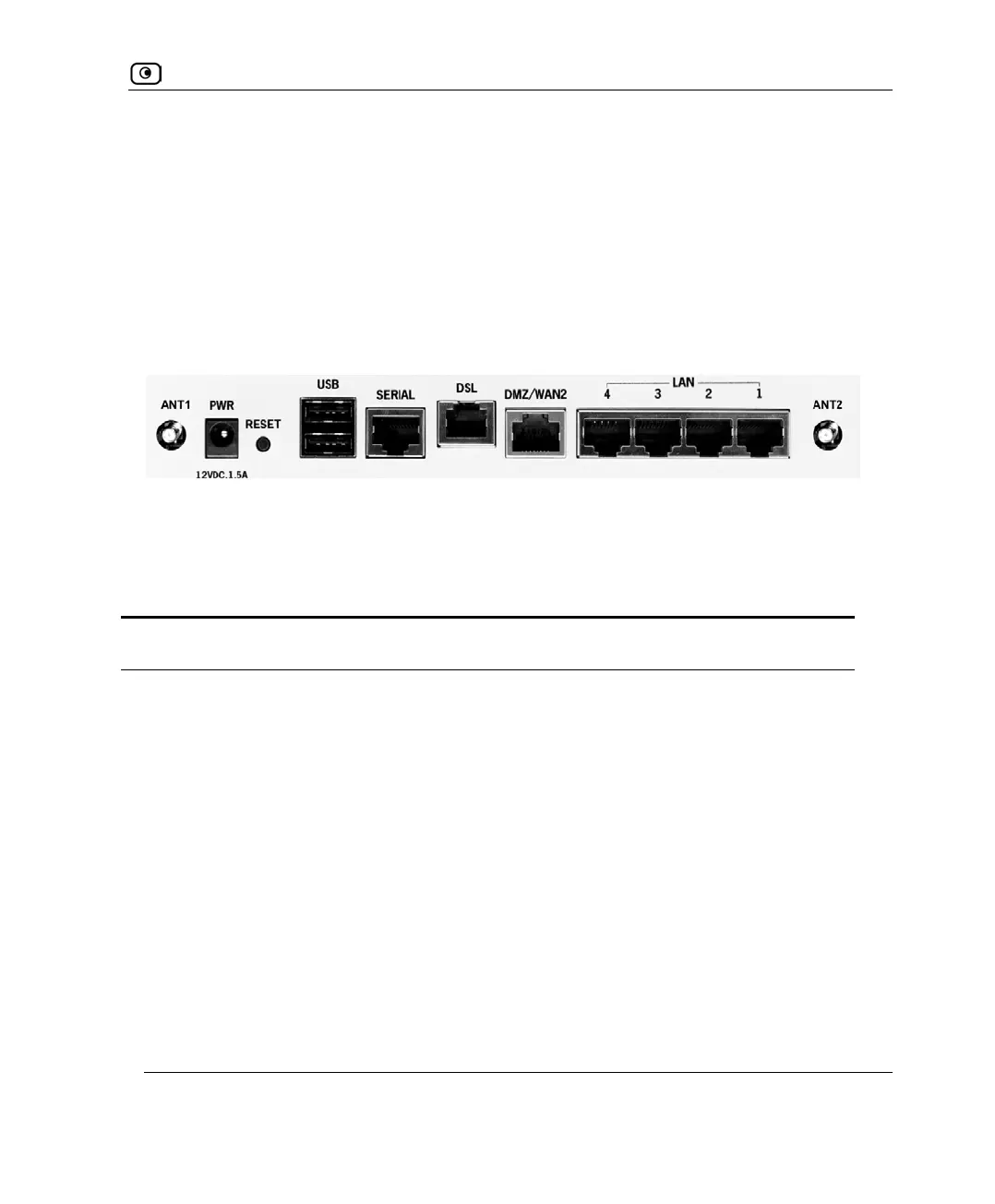
All physical connections (network and power) are made via the rear panel of your UTM-1
appliance.
The following table lists the UTM-1 Edge W ADSL appliance's rear panel elements.
Table 14: UTM-1 Edge W ADSL Appliance Rear Panel Elements
Label Description
PWR A power jack used for supplying power to the unit. Connect the supplied power
supply to this jack.
RESET A button used for rebooting the UTM-1 appliance or resetting the UTM-1
appliance to its factory defaults. You need to use a pointed object to press this
button.
• Short press. Reboots the UTM-1 appliance
• Long press (7 seconds). Resets the UTM-1 appliance to its factory
defaults, and resets your firmware to the version that shipped with the
UTM-1 appliance. This results in the loss of all security services and
passwords and reverting to the factory default firmware. You will have
to re-configure your UTM-1 appliance.
Do not reset the unit without consulting your system administrator.
Figure 10: UTM-1 Edge W ADSL Appliance Rear Panel















 To Next Page