Setting Up Your UTM-1 Appliance as a VPN Server
Chapter 16: Working with VPNs 483
Configuring L2TP VPN Clients
If you configured the L2TP VPN Server, you must configure the L2TP VPN Client on all
computers that should be allowed to remotely access your network via L2TP connections.
This procedure is relevant for computers with a Windows XP operating system.
Note: The UTM-1 appliance supports the following authentication methods:
• PAP. For both local users and RADIUS users
• EAP-MD5, CHAP. For local users, but not for RADIUS users
To configure L2TP VPN Clients on Microsoft Windows
1. Click Start > Settings > Control Panel.
The Control Panel window appears.
2. Double-click the Network and Dial-up Connections icon.
The Network and Dial-up Connections window appears.
3. Click File > New Connection.
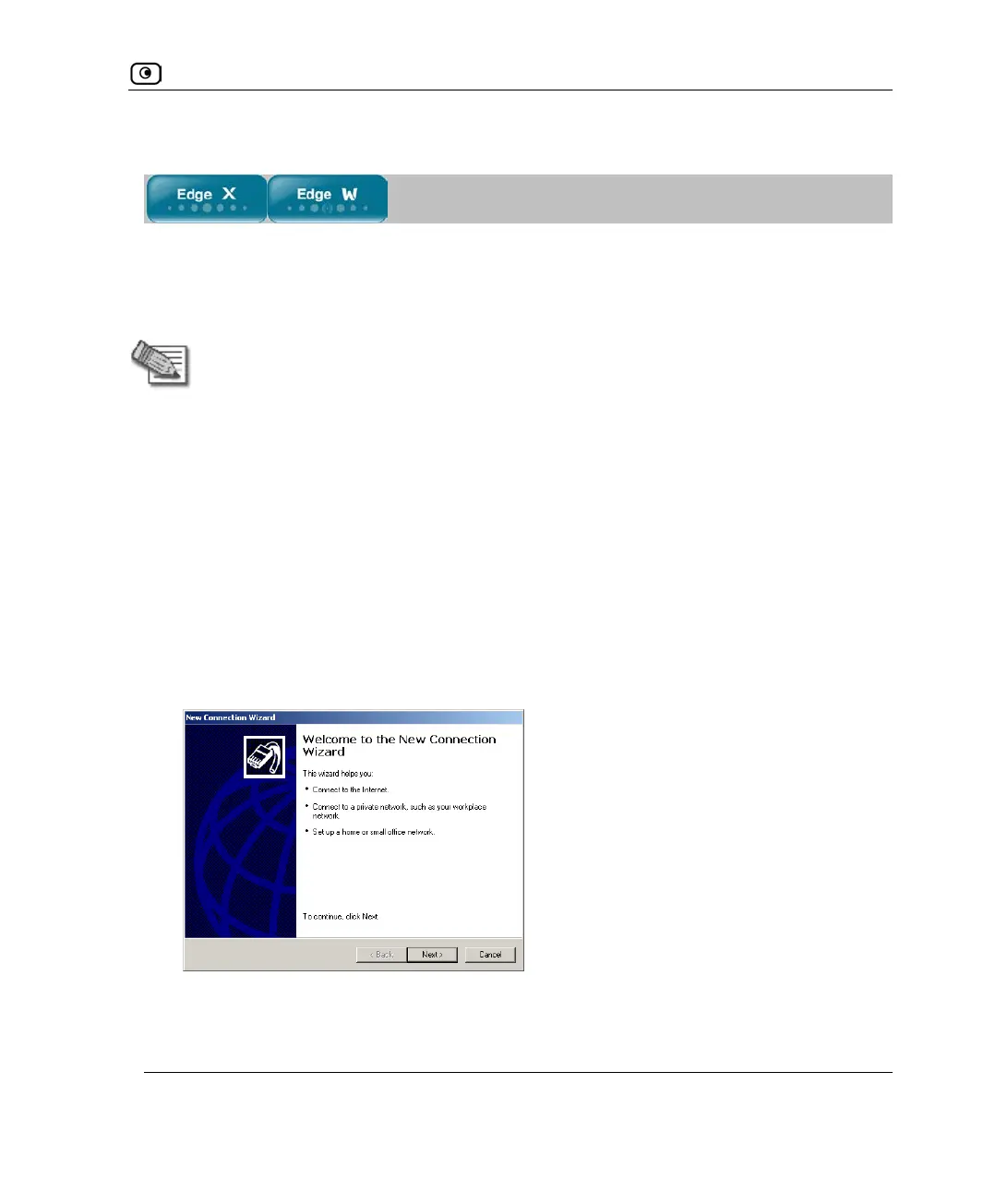
The New Connection Wizard opens displaying the Welcome to the New Connection
Wizard screen.
4. Click Next.















 To Next Page