The UTM-1 Firewall
Chapter 2: UTM-1 Security 49
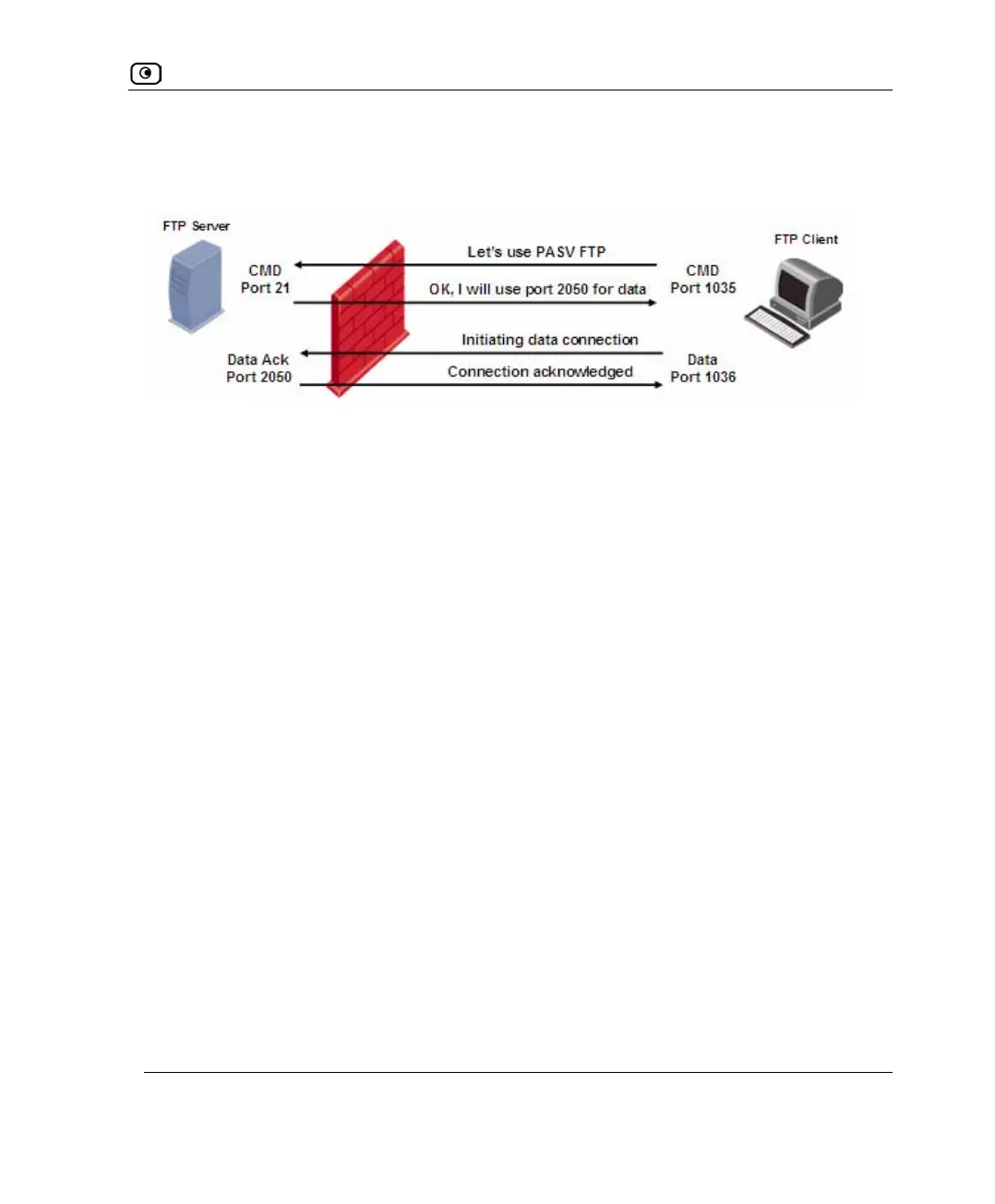
The following diagram demonstrates the establishment of a Passive FTP connection
through a firewall protecting the FTP server.
From the FTP server's perspective, the following connections are established:
• Command connection from the client on a port greater than 1023, to the server
on port 21
• Data connection from the client on a port greater than 1023, to the server on a
port greater than 1023
The fact that both of the channels are established by the client presents a challenge for the
firewall protecting the FTP server: while a firewall can easily be configured to identify
incoming command connections over the default port 21, it must also be able to handle
incoming data connections over a dynamic port that is negotiated randomly as part of the
FTP client-server communication. The following table examines how different firewall
technologies handle this challenge:
Figure 12: Establishment of Passive FTP Connection















 To Next Page