Configuring Computers to Use Network Printers
640 Check Point UTM-1 Edge User Guide
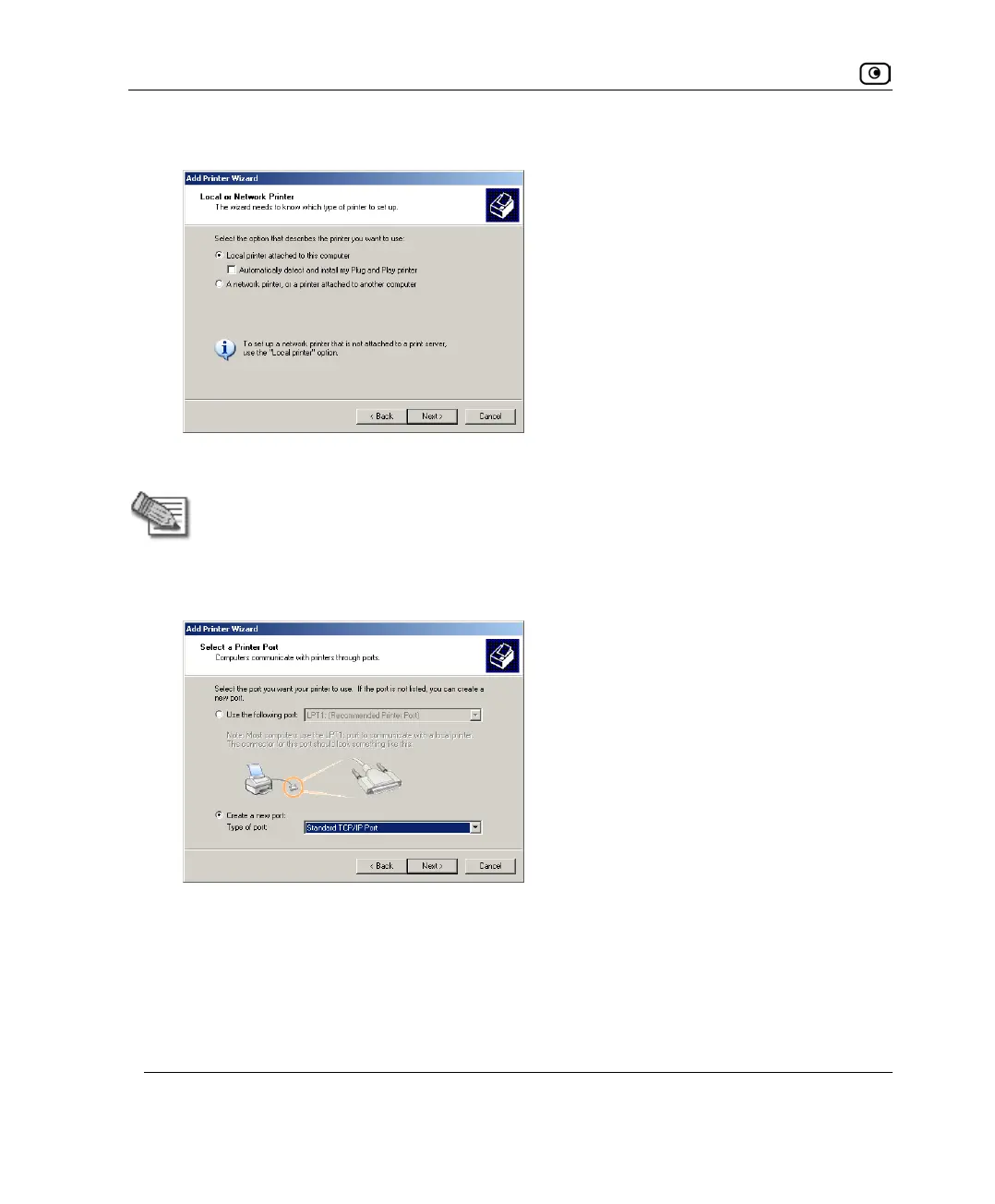
The Local or Network Printer dialog box appears.
6. Click Local printer attached to this computer.
Note: Do not select the Automatically detect and install my Plug and Play printer check
box.
7. Click Next.
The Select a Printer Port dialog box appears.
8. Click Create a new port.
9. In the Type of port drop-down list, select Standard TCP/IP Port.
10. Click Next.




 To Next Page