UTM-1 Edge X and UTM-1 Edge W Installation
Chapter 3: Installing and Setting Up UTM-1 69
4. Do one of the following:
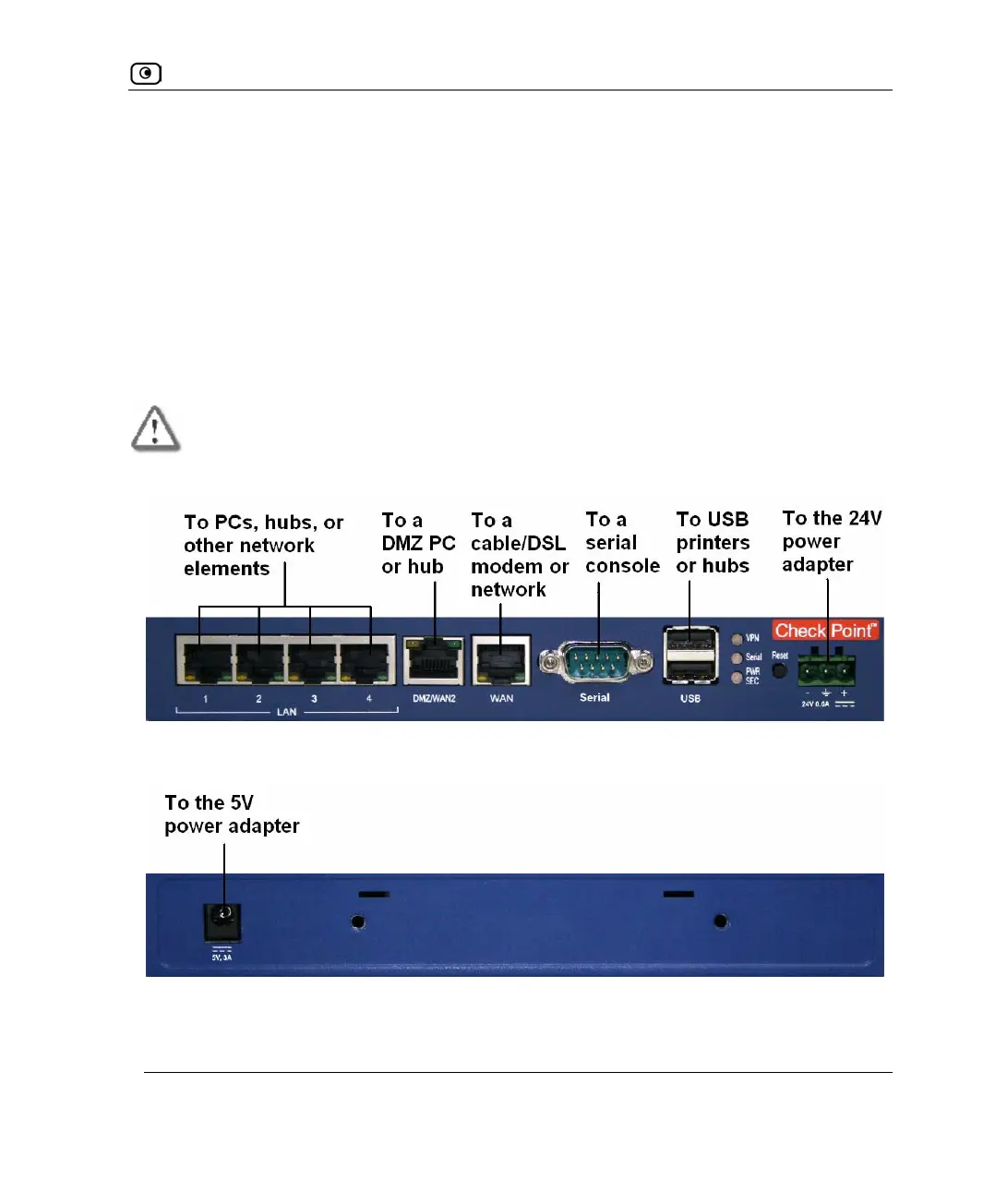
• To use 24V DC input power, see Connecting a 24V Power Supply on page
70.
You will need a 24V DC industrial power supply.
• To use 5V DC input power:
1) Connect the 5V power supply provided with the UTM-1 appliance to
the 5V power socket at the back of the unit.
2) Plug the power supply into the wall electrical outlet.
Warning: Verify that the wall outlet voltage is compatible with the voltage specified
on your power supply. Failure to observe this warning may result in injuries or
damage to equipment.
Figure 14: Front Panel Typical Connection Diagram
Figure 15: Rear Panel Typical Connection Diagram















 To Next Page