UTM-1 Edge X and UTM-1 Edge W Installation
68 Check Point UTM-1 Edge User Guide
Installing UTM-1 Edge X Industrial
To install the UTM-1 appliance
1. Verify that you have the correct cable type.
For information, see Network Requirements on page
30.
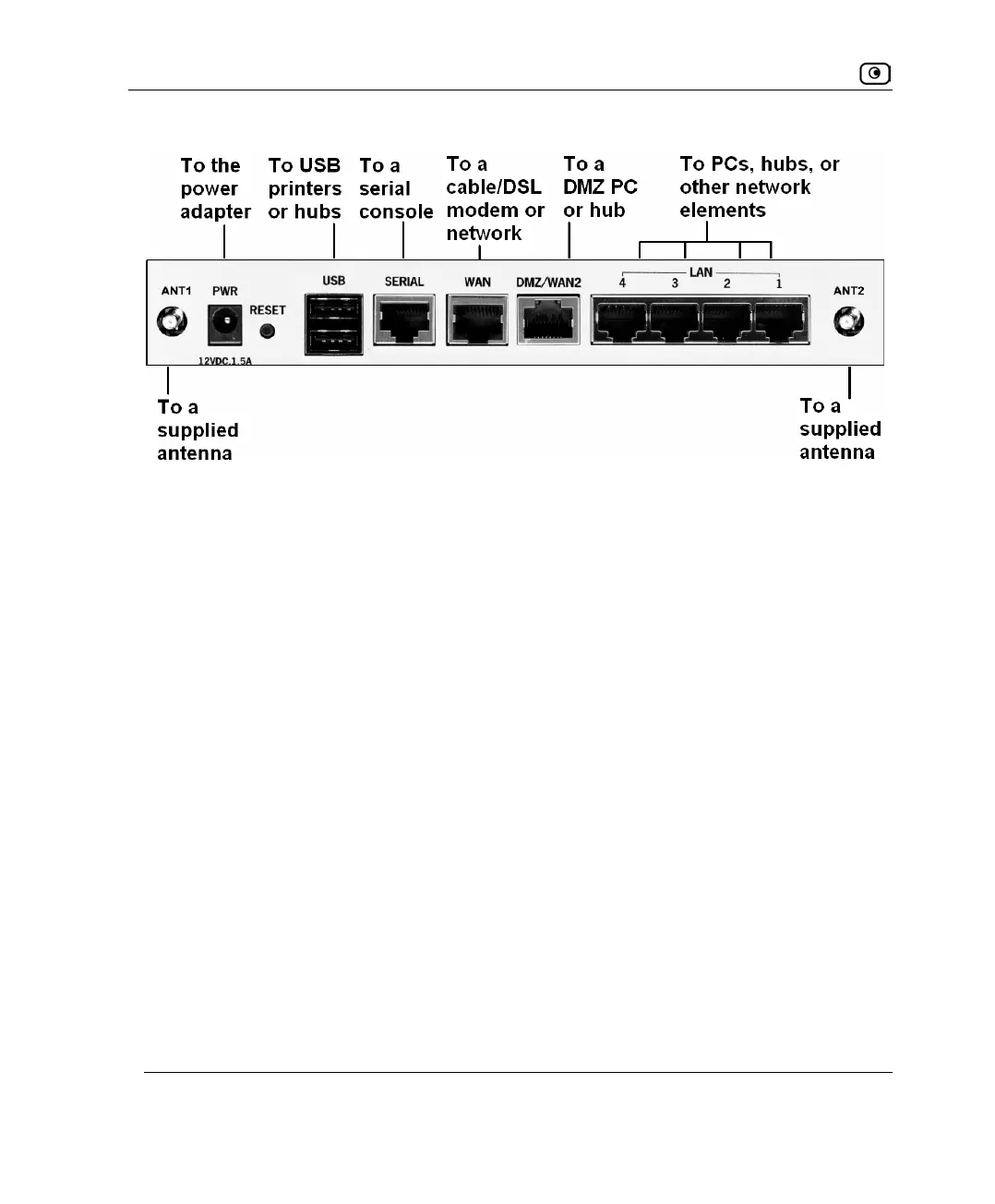
2. Connect the LAN cable:
a. Connect one end of the Ethernet cable to one of the appliance's LAN
ports.
b. Connect the other end to PCs, hubs, or other network devices.
3. Connect the WAN cable:
a. Connect one end of the Ethernet cable to the appliance's WAN port.
b. Connect the other end of the cable to a cable modem, DSL modem, or
office network.
Figure 13: Typical Connection Diagram















 To Next Page