6 - USE AND OPERATION
Schermate display (ME)
ME2000S - User Manual
62 - 133
Format name: F-02-PROTOCOL-CIM...
Tag type: standard
Tag material: Material 1
Tag number: 1
01 Variable1 JOHN DOE
02 Variable2 NEW YORK
03 Variable3 00120112544
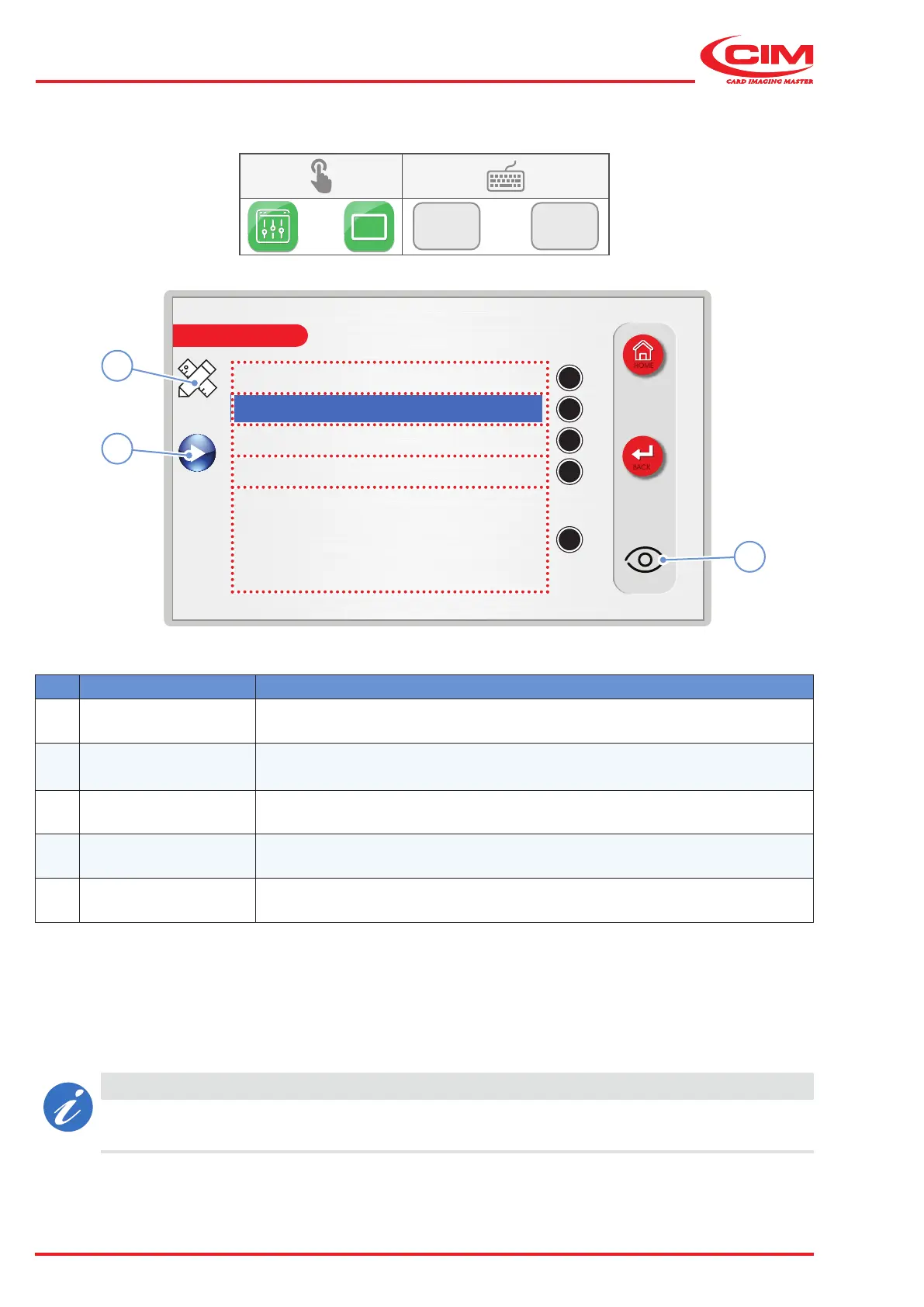
Edit Tag and Press Play button
LCD EDIT
HOME
BACK
A
B
C
D
E
3
1
2
6.9.1 TAG
F1
F1
Ref. Function Description
A Format name Name of the active format (non-modiable)
B Tag type
Select the type of tag from those available and set in the TAG TYPES menu (see
“6.10.6 TAG TYPES” )
C Tag material Type of material used to make the tag
D Tag number Number of the tag
E Variables area Lines of text to be printed on the tag
1) Go to the required line using the touch screen (or the arrow keys on the external keyboard).
2) Press the edit icon (1) to edit the eld.
3) Enter or select the value required depending on the eld and conrm (ESC to cancel).
4) Press icon (3) if you wish to preview the result of the processing (see “6.9.2 PREVIEW”).
5) Press icon (2) to start production.
CAUTION
The maximum number of characters that can be entered depends on the eld dened in the
"Formats" option (see “6.9.3 FORMATS”).



 To Next Page