6 - USE AND OPERATION
Schermate display (ME)
ME2000S - User Manual
67 - 133
1) F-01-PROTOCOL-MULTI Fi...
2) F-02-PROTOCOL-CIMSTD ...
3) F-03-PROTOCOL-CIMSTD ...
4) Open Fields: 26
5) Open2 Fields: 26
6) New format 1 Fields: 12
1234
LCD EDIT
HOME
BACK
1) F-01-PROTOCOL-MULTI Fi...
2) F-02-PROTOCOL-CIMSTD ...
3) F-03-PROTOCOL-CIMSTD ...
4) Open Fields: 26
5) Open2 Fields: 26
6) New format 1 Fields: 12
1234
LCD EDIT
HOME
BACK
Do you want to delete the selected format?
Yes
No
X
Qt
7
2
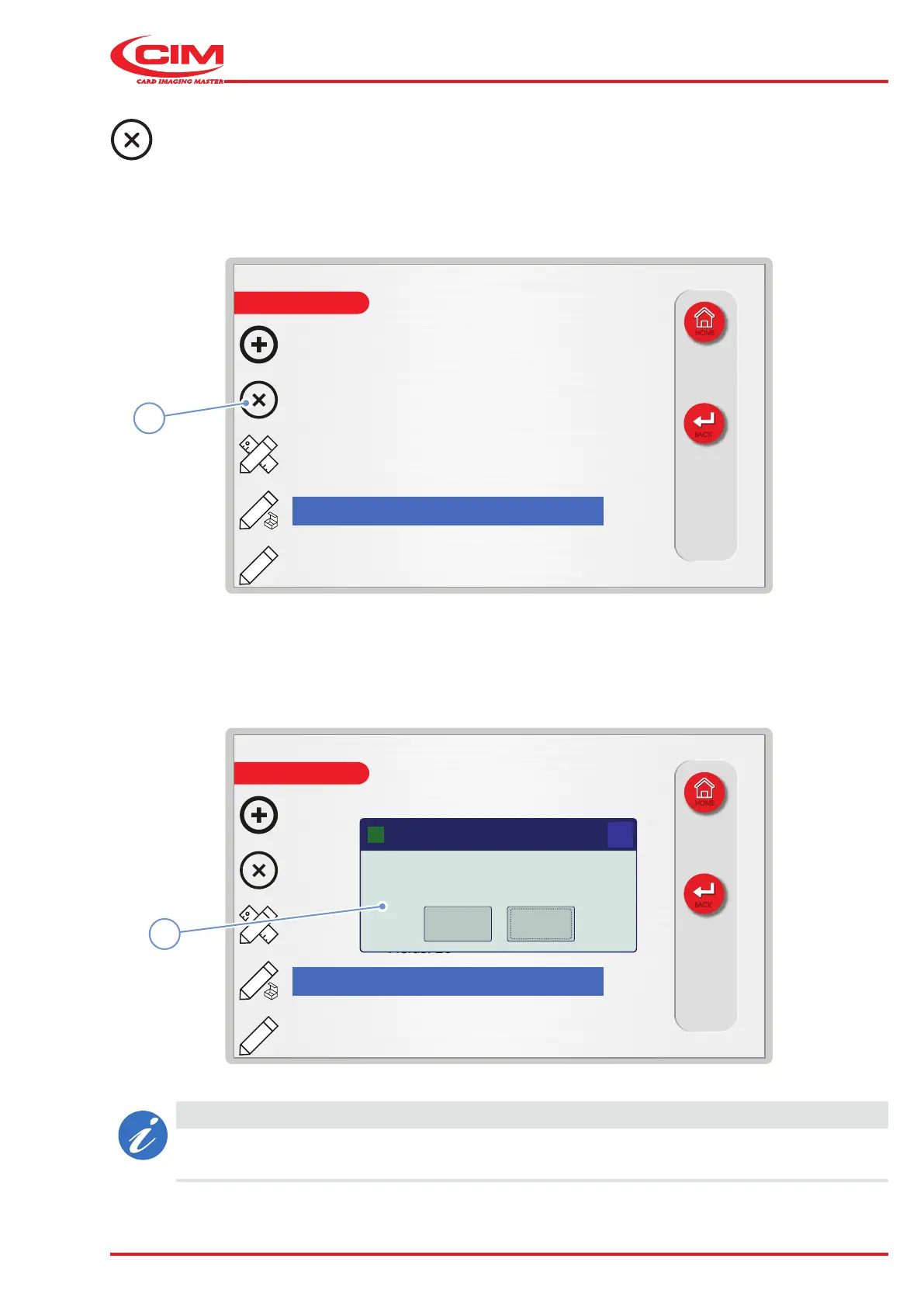
Deleting a format:
1) Go to the required line using the touch screen (or the arrow keys on the external keyboard).
2) Press the icon (2) or the [F2] key on the external keyboard to delete the selected format.
3) Conrm deletion in the conrmation popup (7).
CAUTION
If you wish to remove the active format, you have to enable another format to print in standalone
mode.



 To Next Page