104 Gateway and Gateway 4 Manual v1.2
© Tieline Research Pty. Ltd. 2021
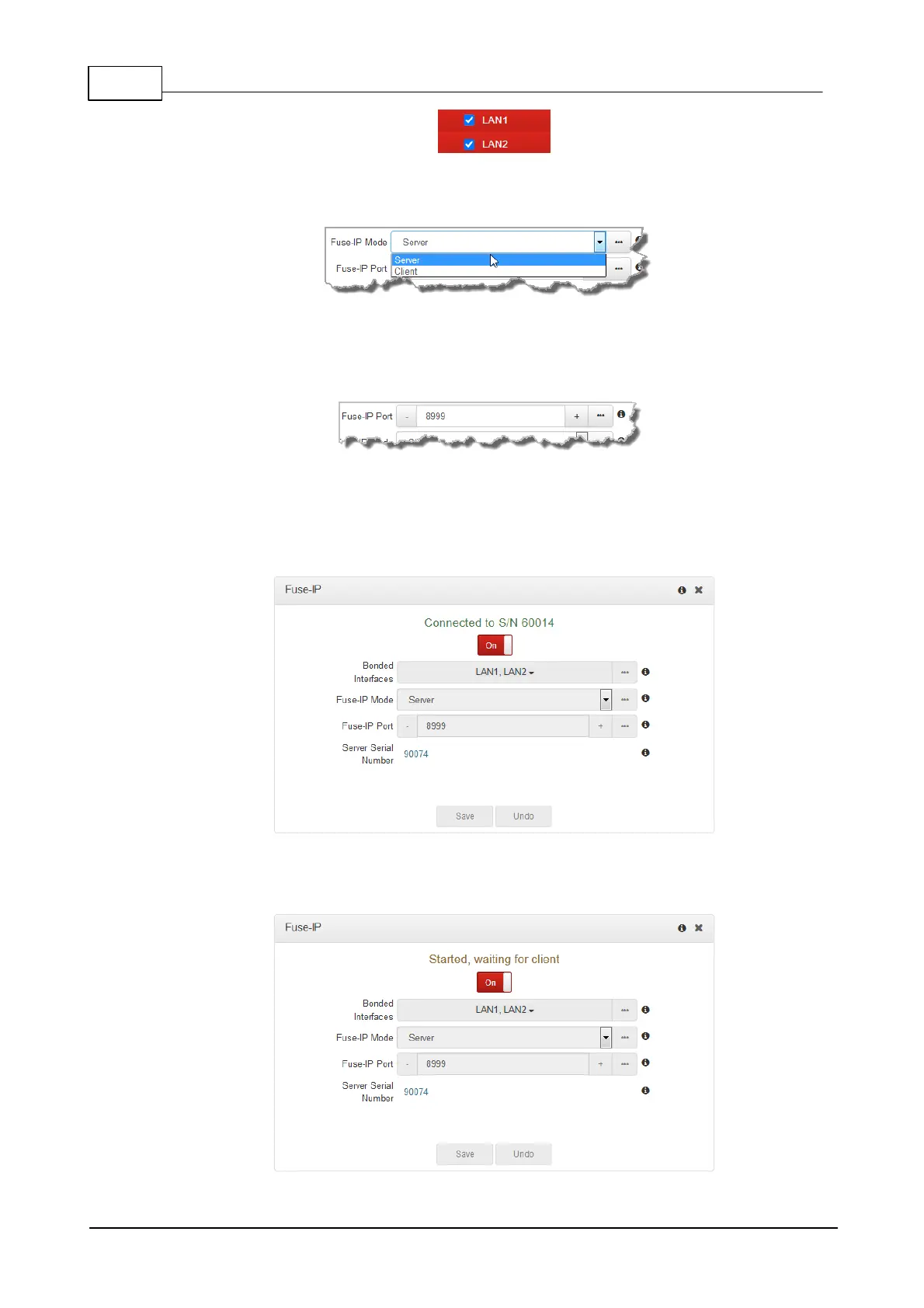
3. Click the Fuse-IP Mode drop-down menu and select Server if the codec is not initiating the
connection.
4. Leave the default Fuse-IP Port as 8999 in most situations unless this port is already in use,
e.g. you have multiple codecs behind a firewall using Fuse-IP, therefore you need to allocate
a different port for each Fuse-IP tunnel. Note: the port number on the client and server
codecs must be the same.
5. Click the Save button to store all settings.
6. Click the On/Off button to create a Fuse-IP tunnel between the server and client codecs.
Note: Connected should be displayed after a few seconds if both codecs are configured
correctly and Fuse-IP is enabled on both codecs.
7. Double-check all settings on both the server and client codecs if the message Started,
dialing server... persists after turning Fuse-IP On.



 To Next Page