35
© Tieline Research Pty. Ltd. 2021
Gateway and Gateway 4 Manual v1.2
13 Input Configuration, Levels and PPMs
8 PPMs on front panel display 4 channel inputs/outputs or
encoders/decoders
Inputs 1-4 can be configured as analog or digital inputs (AES3 or
AES67) in pairs
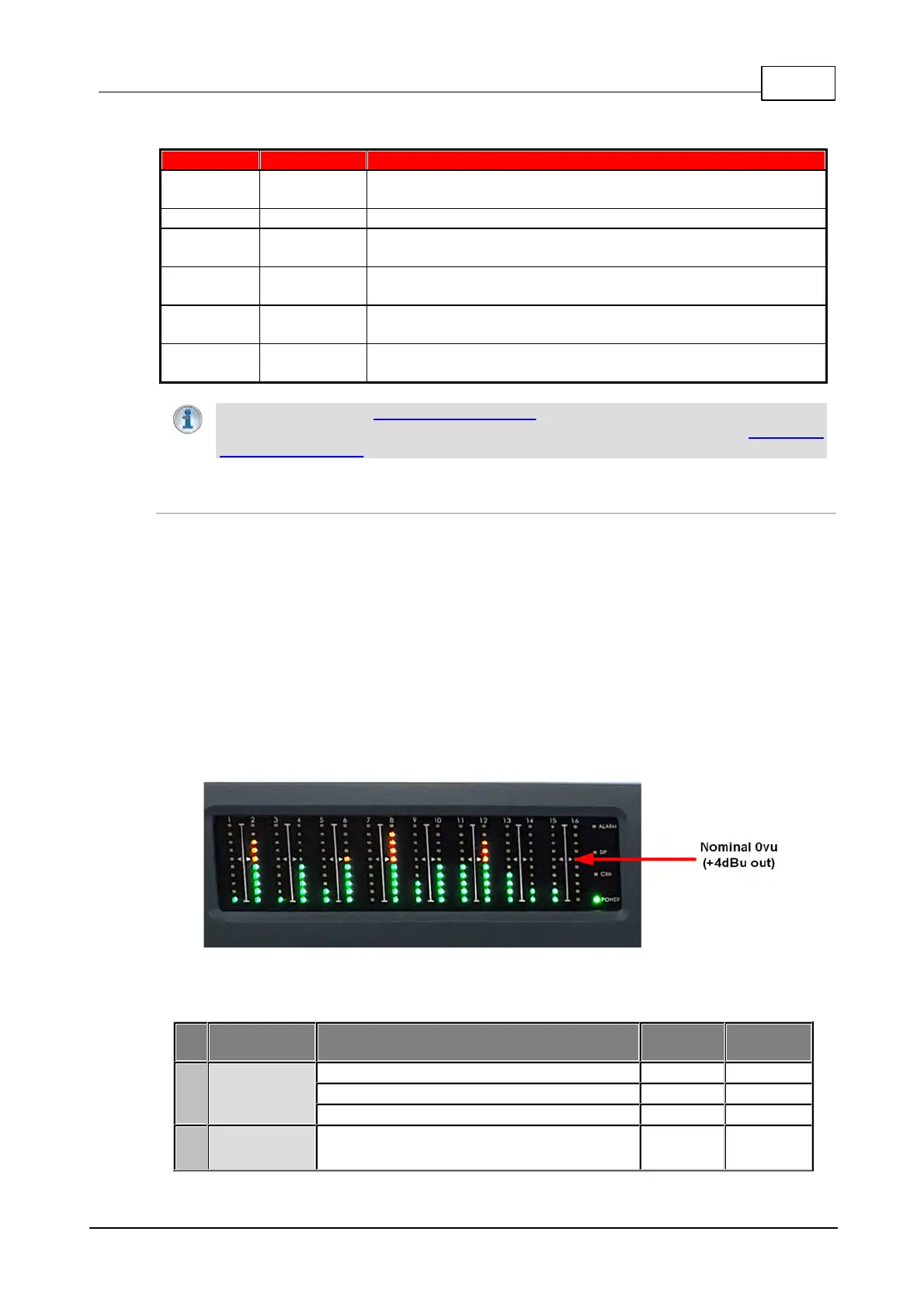
16 PPMs on front panel can display inputs, or outputs, or
encoders, or decoders
8-16 Channels In/Out (depending on configuration purchased)
Inputs 1-8 can be configured as analog or digital inputs (AES3 or
AES67) in pairs
Important Note: See Configuring AES3 audio for more information about digital in/outs.
Input audio functions can also be configured using the Toolbox Web-GUI; see Configuring
Input/Output Settings for more information.
Adjusting PPM Meter Reference Scale Settings
By default, the PPM METERS on the front of the codec, or in the HTML5 Toolbox Web-GUI, use
dBFS to express nominal operating, headroom and noise floor levels.
The codec can also automatically adapt to different Tieline reference scales. A Tieline codec with
proprietary Tieline session data enabled will automatically adjust the reference level to suit G5 and
G3 codecs, or Report-IT. When connecting to a non-Tieline codec, or a Tieline codec without
session data enabled, the codec will use the Tieline G6 reference scale setting.
The default Tieline G6 audio reference scale displayed on the PPMs when connecting to a Tieline
G6 codec is -40dBFS to 0dBFS. Using this reference scale audio peaks can safely reach 0dBFS
without clipping, providing 20dB of headroom from the nominal 0vu point. The comparison table
below outlines the reference scales for G6, G5, G3 codecs and Report-IT in dBFS, as well as the
equivalent dBU scale.
Gateway-16 Codec PPMs Displayed
The audio reference level settings in the codec are:
Tieline G6
(Gateway,
Gateway 4)
Nominal 0vu reference level
Level at which audio will clip/distort



 To Next Page