236 Gateway and Gateway 4 Manual v1.2
© Tieline Research Pty. Ltd. 2021
24.4
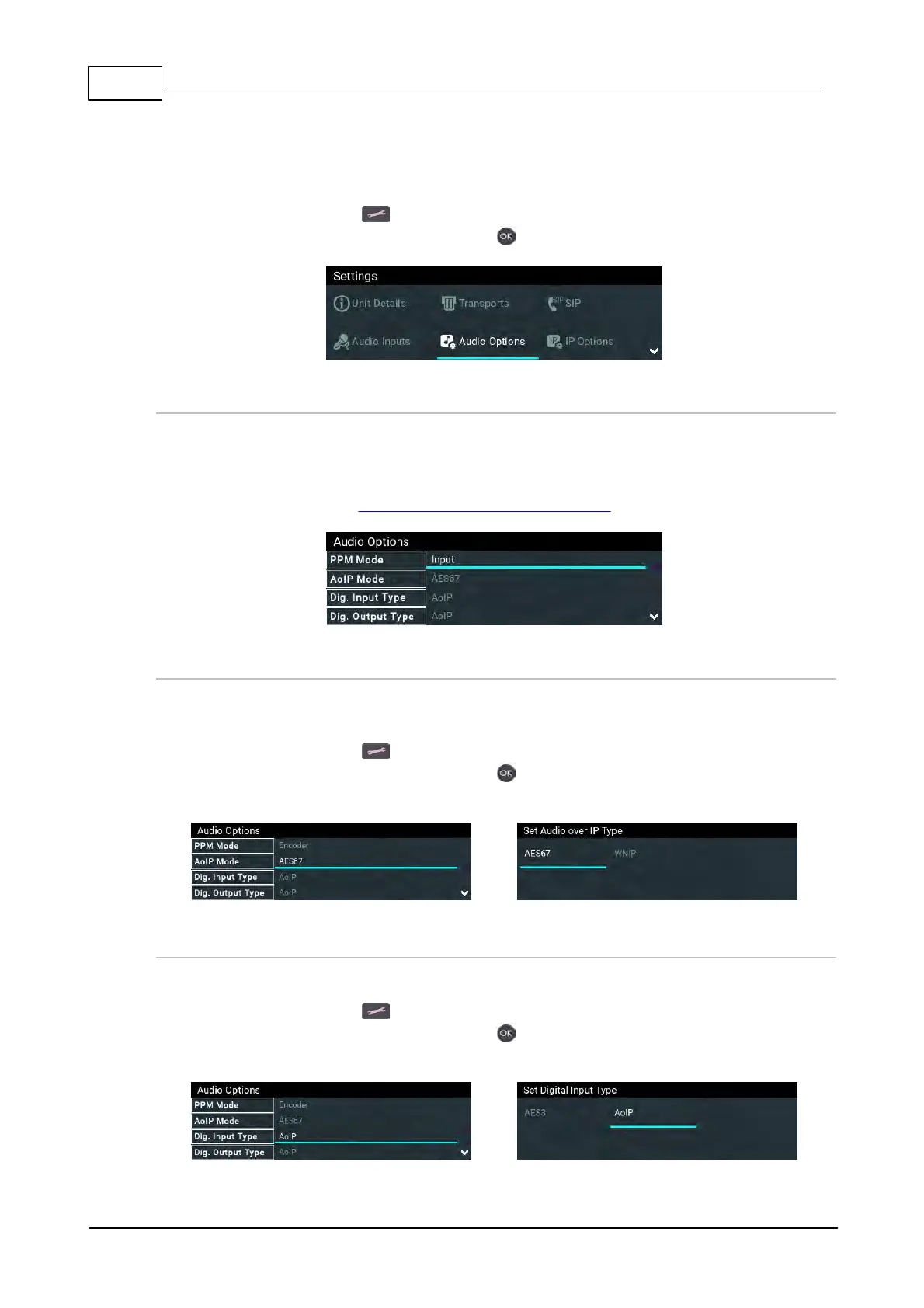
Configure Audio Options
A range of input, output, PPM, synchronization, metering and reference options are configurable
within the Audio Options menu.
1. Press the SETTINGS button.
2. Navigate to Audio Options and press the button.
PPM Mode
PPM metering can be adjusted to display inputs, outputs, encoders and decoders and can be
adjusted via Settings > Audio Options > PPM Mode. Note: Gateway 4 has 4 inputs, 4 encoders,
4 decoders, and 8 PPMs only; Gateway has 16 PPM meters and between 8 and 16 inputs
depending on configuration purchased; encoders and decoders available will match input
availability/configuration. See Input Configuration, Levels and PPMs for more details.
AoIP Mode
All codecs support AES67 AoIP streaming. This setting selects whether the codec will stream using
either AES67 or WheatNet-IP when an optional WheatNet-IP card is installed.
1. Press the SETTINGS button.
2. Navigate to Audio Options and press the button.
3. Select AoIP Mode.
Digital Input Type
The codec supports configuration of all inputs as digital AES3, or digital AoIP inputs.
1. Press the SETTINGS button.
2. Navigate to Audio Options and press the button.
3. Select Dig. Input Type.



 To Next Page