260 Gateway and Gateway 4 Manual v1.2
© Tieline Research Pty. Ltd. 2021
24.12
Monitor Control Port I/O Status
Supports 8 control port inputs and 8 opto-isolated outputs via a
single DB25 CONTROL PORT I/O connectors
Supports 16 control port inputs and 16 opto-isolated outputs via
dual DB25 CONTROL PORT I/O connectors
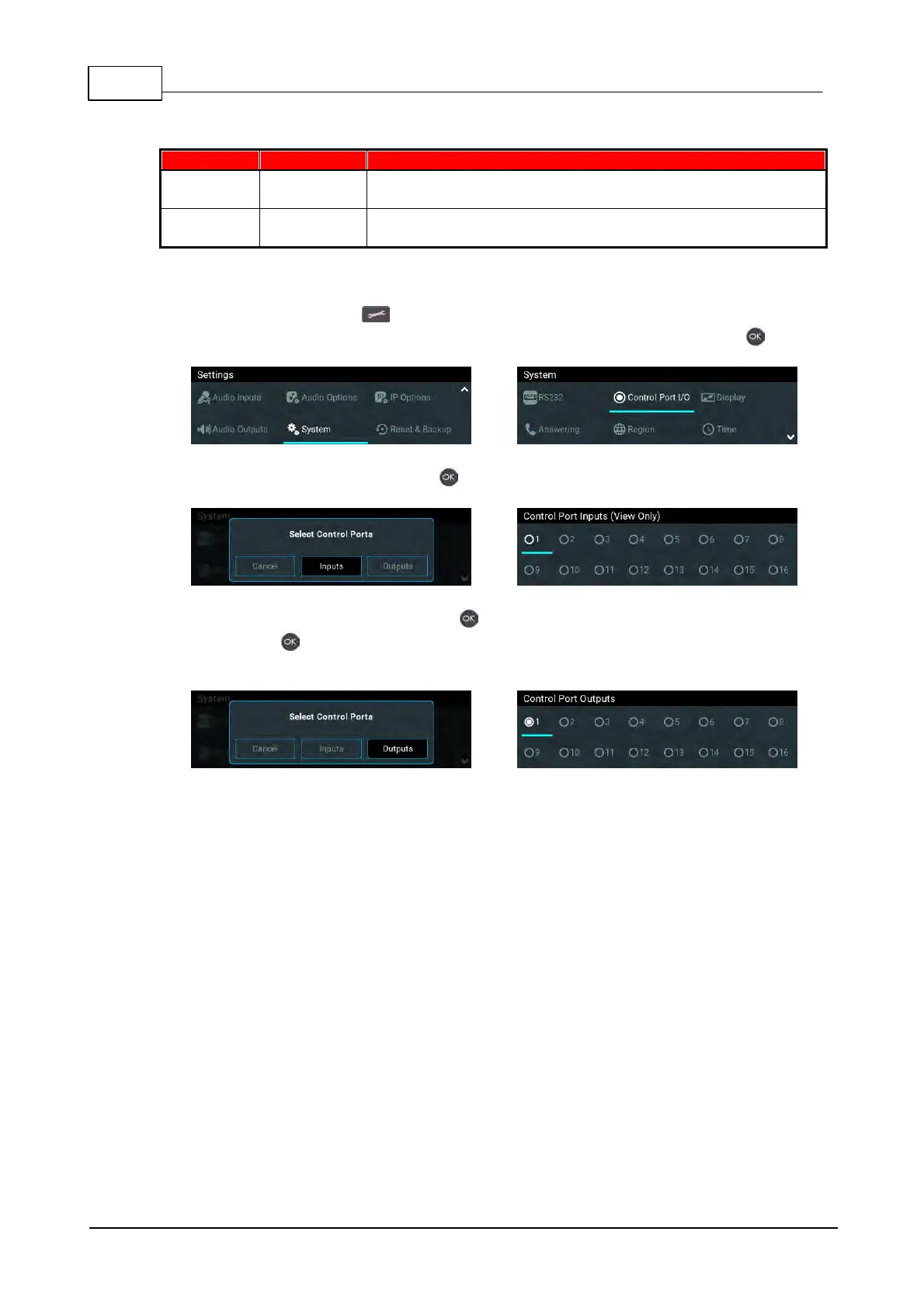
To monitor the status of DB25 CONTROL PORT I/O relay inputs and opto-isolated outputs:
1. Press the SETTINGS button.
2. Use the navigation buttons to select System > Control Port I/O and press the button.
3. Select Inputs and then press the button to view input status.
4. Select Outputs and then press the button to view output status. Select an output and
press the button to toggle the output state from Off to On. Note: Input states cannot be
changed in this way.



 To Next Page