93
© Tieline Research Pty. Ltd. 2021
Gateway and Gateway 4 Manual v1.2
23.2
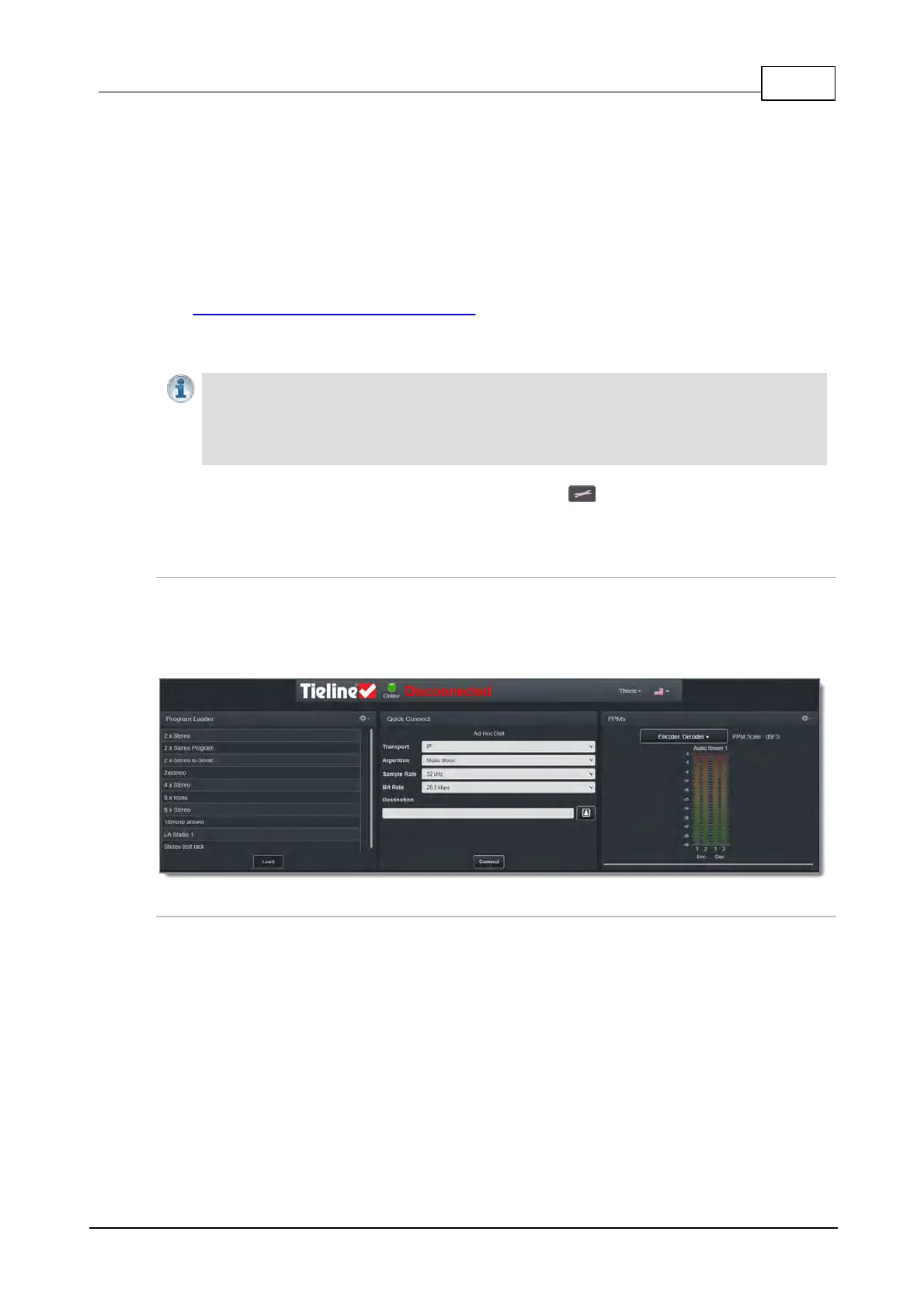
Using the HTML5 Toolbox Quick Connect Web-GUI
The HTML5 Quick Connect Web-GUI is designed for simple peer-to-peer connections and non-
technical users. It has a reduced feature-set and allows users to:
1. Load existing programs in a codec via the Program Loader panel and then dial via the
Quick Connect panel.
2. Use the Quick Connect panel to create and dial a simple peer-to-peer connection using
IP/SIP.
See Opening the HTML5 Web-GUI and Login for details about launching the standalone HTML5
Quick Connect Web-GUI. The Quick Connect panel can also be launched from the Connect
menu in the HTML5 Toolbox Web-GUI.
Important Notes:
· Simple peer-to-peer connections configured in the Quick Connect panel are not saved
as programs with unique names.
· Details of the last ad hoc dial are retained in the Quick Connect panel, even after a
program is loaded and unloaded using the Program Loader panel.
To enable the Quick Connect panel press the SETTINGS button, then navigate to WebGUI
> IP Options > Quick Connect > Enabled.
Launching the HTML5 Quick Connect Web-GUI
1. Type the codec IP address in your web-browser.
2. Click to launch the HTML5 Toolbox Quick Connect Web-GUI.
3. Enter the authentication Password for the codec and click OK.
4. The panels in the Quick Connect Web-GUI will automatically be displayed.
Loading and Unloading an Existing Program
If programs are saved in the codec they are displayed in the Program Loader panel.
1. Click to select a program in the Program Loader panel and click the Load button to load
it in the codec.



 To Next Page