266 Gateway and Gateway 4 Manual v1.2
© Tieline Research Pty. Ltd. 2021
Restoring Data from a Backup File
1. Insert a single partition FAT 32 formatted SD card with a backup .tgz file into the SD CARD
SLOT on the front of the codec.
2. Press the SETTINGS button.
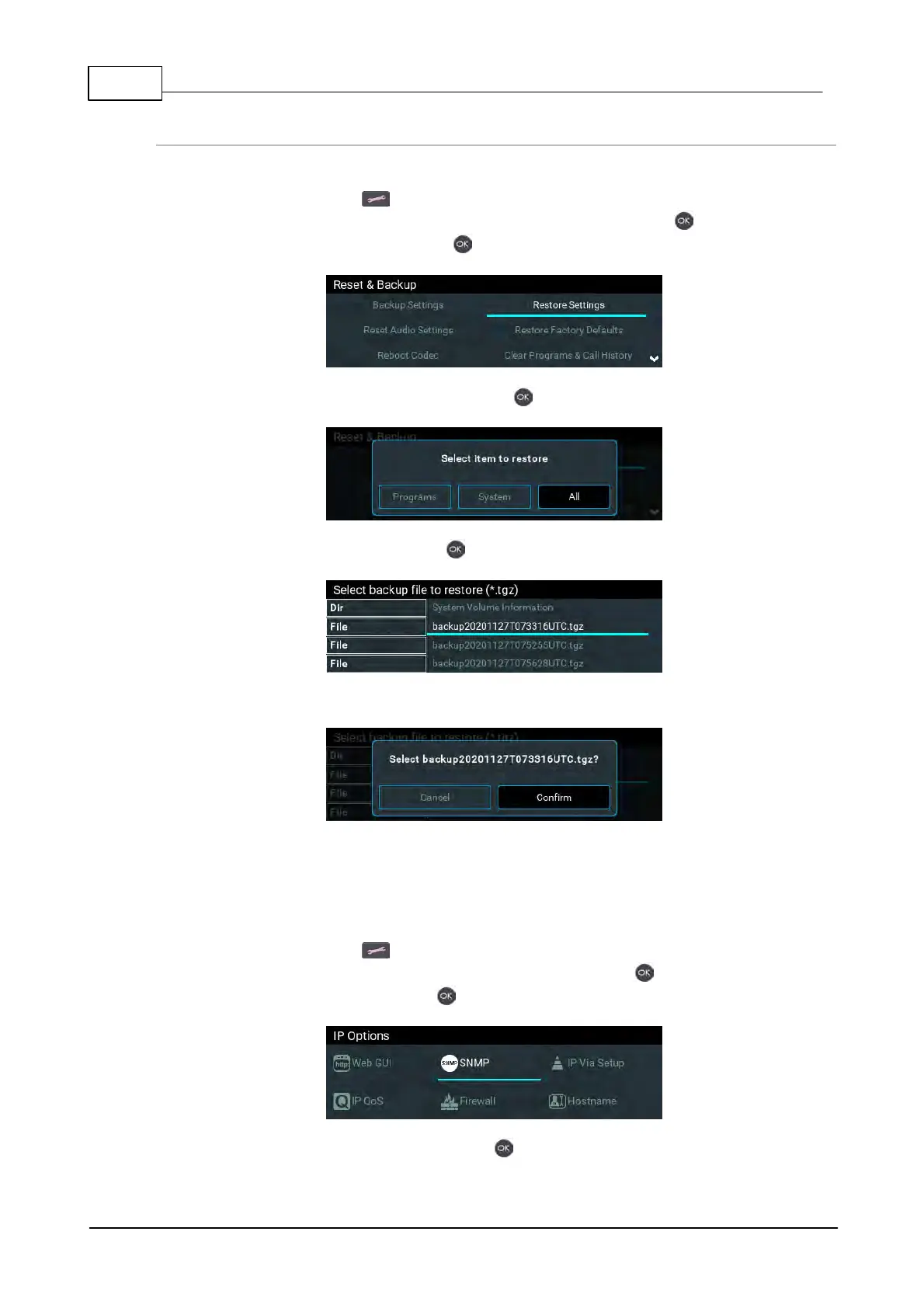
3. Use the navigation buttons to select Reset & Backup and press the button.
4. Select Restore Settings and press the button.
5. Select the preferred restore option and press the button.
6. Select the file to restore and press the button.
7. A dialog confirms data has been restored successfully.
24.17 Configuring SNMP Settings
The codec supports Simple Network Management Protocol (SNMP) for managing devices on IP
networks. To configure SNMP settings:
1. Press the SETTINGS button.
2. Use the navigation buttons to select IP Options and press the button.
3. Navigate to SNMP and press the button.
4. Navigate to each setting in turn and press the button to adjust and save each new setting.



 To Next Page