59
© Tieline Research Pty. Ltd. 2021
Gateway and Gateway 4 Manual v1.2
21.1 Monitoring Connections
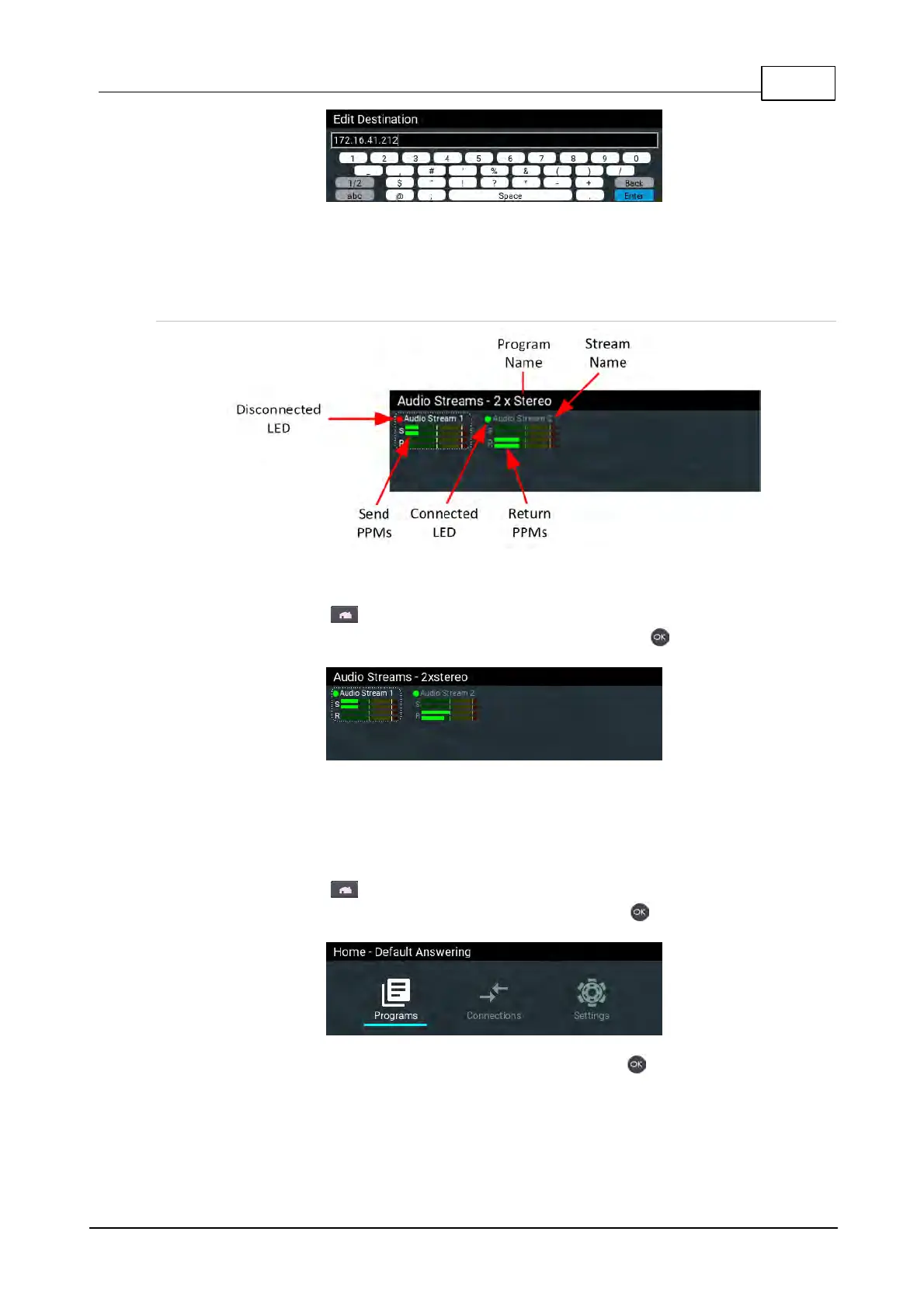
Connections Screen Explained
Connection status of up to 16 audio streams can be monitored using the Connections screen.
1. Press the HOME button to return to the Home screen.
2. Use the navigation buttons to select Connections and press the button.
21.2 Load and Dial Custom Programs
Custom programs stored on the codec are simple to load and dial from the codec front panel.
1. Press the HOME button to return to the Home screen.
2. Use the navigation buttons to select Programs and press the button.
3. Use the navigation buttons to select a program and press the button to load it.



 To Next Page