23
© Tieline Research Pty. Ltd. 2021
Gateway and Gateway 4 Manual v1.2
7 Purchase and Install Channel Licenses
Order 8 Channels Now and Upgrade Later…
Customers can order a Gateway 8 and immediately have access to 8 input and output channels and
stream up to 8 mono or 4 stereo streams of IP audio. If you need to expand channel and stream
capacity, simply purchase an upgrade license and expand capacity in pairs up to 16 channels in
total. Options include:
· Gateway: 8 channels in/out with the following license options or combination thereof:
· 2 Channel Upgrade: TLR6200-LIC1ST
· 4 Channel Upgrade: TLR6200-LIC2ST
· 8 Channel Upgrade: TLR6200-LIC4ST
Contact Tieline or your favorite dealer for pricing and to purchase an upgrade license. To install a
license using the codec front panel use the following procedure, or to install using the Toolbox
HTML5 Web-GUI see Software License Installation.
Updating Licensing Using TieServer
To update a codec after purchasing a channel license upgrade:
1. Connect the codec to the internet so it can communicate with Tieline's TieServer.
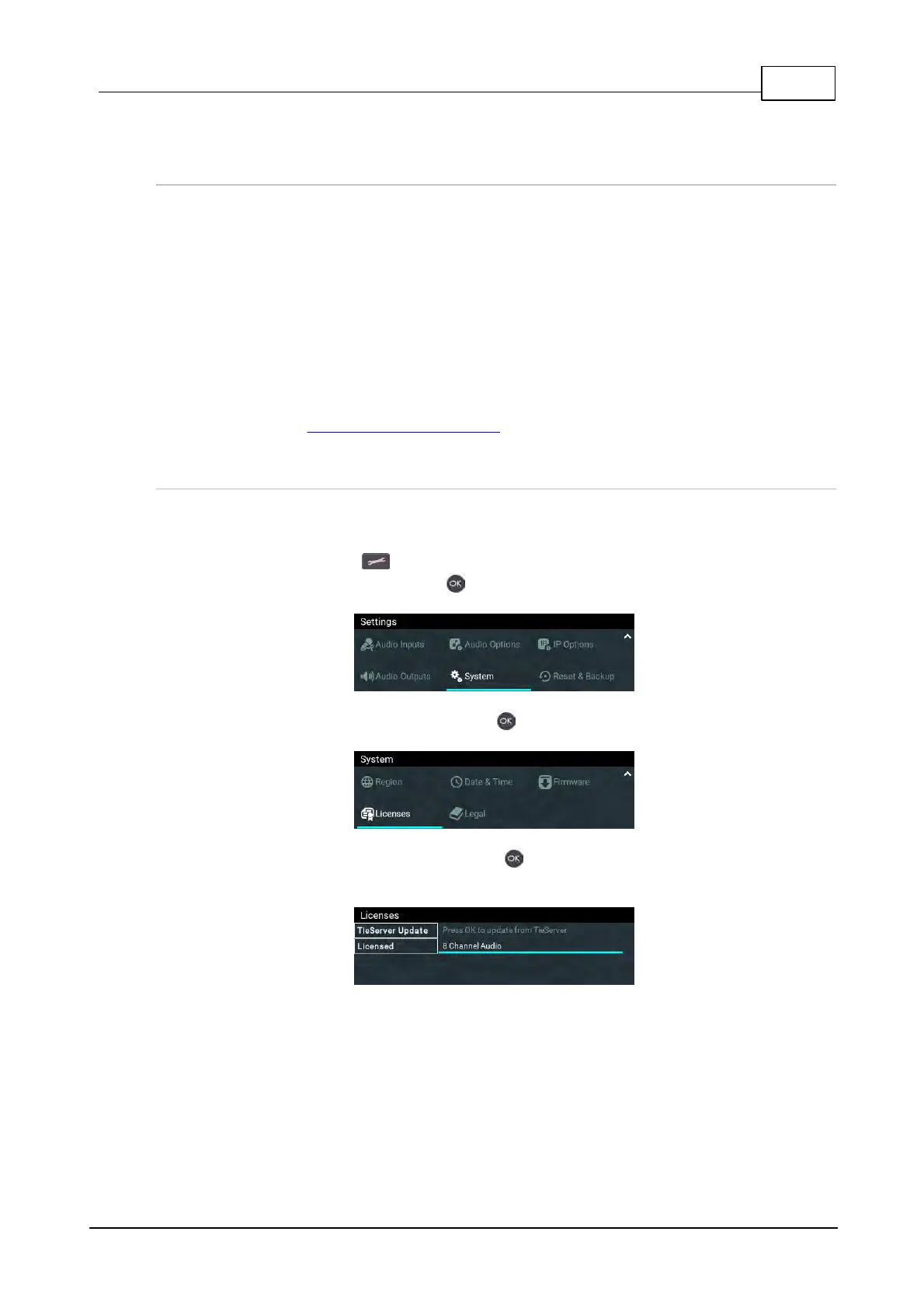
2. Press the SETTINGS button.
3. Navigate to System and press the button.
4. Navigate down to Licenses and press the button.
5. Select TieServer Update and press the button to update the codec license through
TieServer. The number of channels licensed in a codec is also displayed in this menu.



 To Next Page