164 Gateway and Gateway 4 Manual v1.2
© Tieline Research Pty. Ltd. 2021
o Commander G3 Rack TLR300 = Model Number TLR300
o Commander G3 Rack TLR300B = Model Number TLR350
o Commander G3 Field TLF300 = Model Number TLF300
o i-Mix G3 TLM600 = Model Number TLM600
Using Regular Expressions
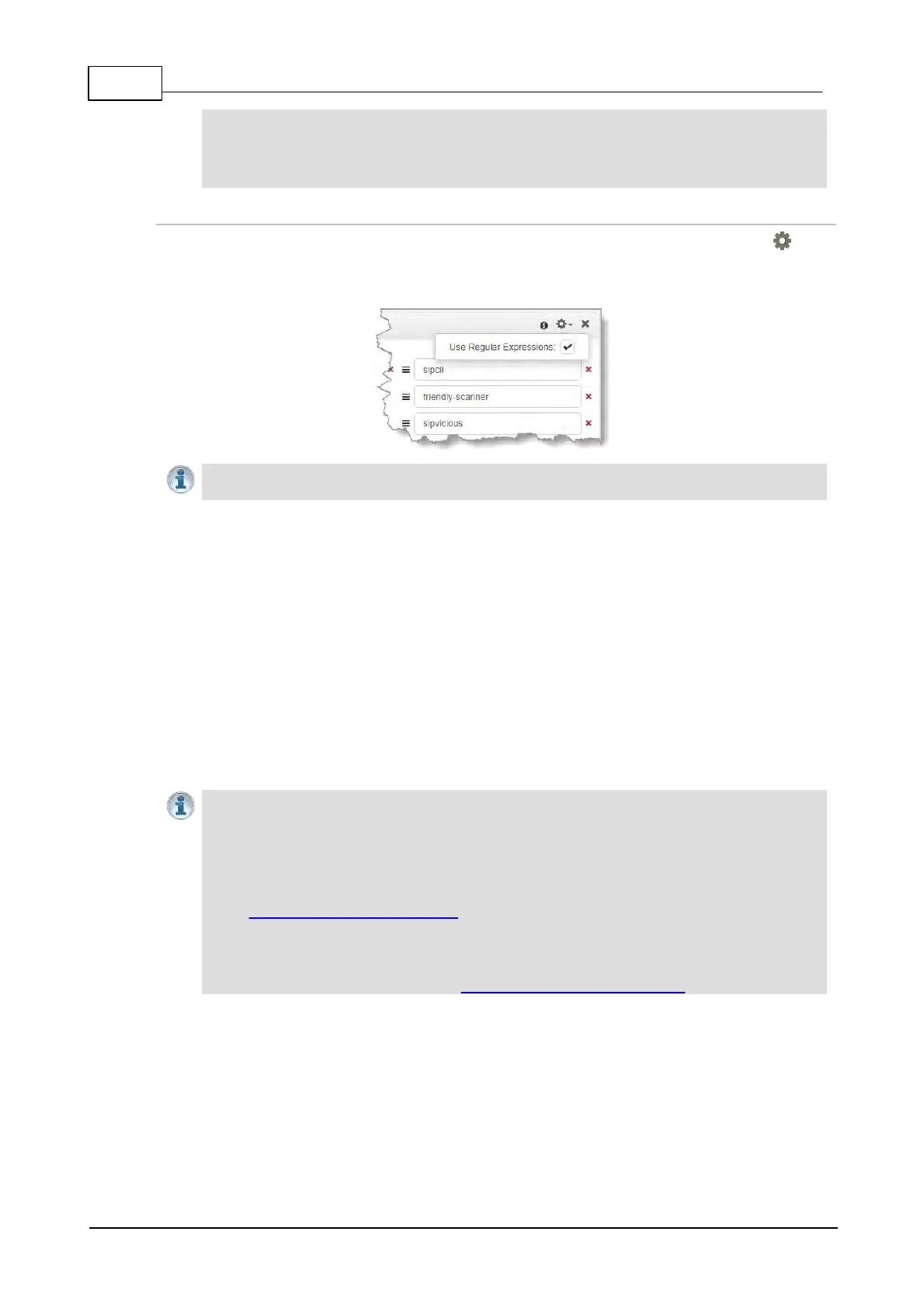
To filter using regular expressions in the SIP Filter Lists panel, click the Options symbol in the
top right-hand corner of the panel and then click to select the Use Regular Expressions check-
box.
Important Note: Regular expressions should not use ^ and $ anchors because searches
implicitly try to match anywhere in the line.
23.18 Configure Peer-to-Peer SIP Programs
SIP programs are very similar to how a normal Tieline IP program is configured. The codec supports
dialing over SIP using a registered SIP server account, or peer-to-peer using one of the two SIP
interfaces SIP1 and SIP 2. It is also necessary to select SIP as the Session Protocol.
To configure a SIP multiple stream program simply create a new program and configure each SIP
audio stream like a single SIP Peer-to-Peer program. The codec is capable of registering up to 16
SIP accounts, each of which has an associated Answer Route field, which can be matched to a
loaded answering program's audio stream Answer Route. Without using SIP accounts, each SIP
interface also has an Answer Route field. However, only 2 SIP interfaces are supported, limiting
this method of routing configuration to a maximum of 2 audio streams. Note: An account's Answer
Route setting is applied first.
Important Notes: Before commencing program configuration please note:
· You cannot edit a program when it is currently loaded in the codec.
· Some drop-down menus and settings may be greyed out intentionally depending on
features available.
· Failover is not available with SIP and SmartStream PLUS redundant streaming is not
available with SIP or sessionless IP.
· Lock a loaded custom program or multistream program in a codec to ensure it cannot
be unloaded by a codec dialing in with a different type of program. For example, if a
multistream program is not locked it will be unloaded by a mono or stereo call.
· Ensure the appropriate TCP and UDP audio ports are open in your firewall to allow SIP
audio streams to connect. See Installing the Codec at the Studio for more information.
1. Open the HTML5 Toolbox Web-GUI and click Connect in the Menu Bar, then select Program
Manager to launch the Program Manager panel.
2. Click the New Program button to open the wizard and:
· Click in the text box to name the new program.
· Click the Mix drop-down arrow to associate a custom matrix mix with the program if required.
· Select Mono/Stereo Peer-to-Peer, or if you want to use an existing program as a template,
select this option. Then click Next.



 To Next Page