132 Gateway and Gateway 4 Manual v1.2
© Tieline Research Pty. Ltd. 2021
23.11
Configure Phase Locked Surround Programs
Supports programs with up to 4 channels of audio.
Displays program types that support 4 channels in/out
Supports program connections using up to 16 channels of audio,
depending on codec configuration purchased (between 8 and 16
channels available for purchase)
The Gateway 8 displays program types that support 8 channels
in/out; the Gateway 16 displays program types that support 16
channels in/out.
The codec is capable of streaming multichannel phase-locked surround sound audio streams
according to SMPTE ST 2110-30 standards. Support is available for streaming 4, 6 and 8 digital
channels in phase-locked mode.
It is also possible to stream 6 channels of phase locked audio, plus a phase locked stereo IP
stream. This allows networks to deliver live content in both stereo and surround sound formats for a
variety of live broadcast applications and audiences, or STL and studio-to-studio applications. The
Gateway 16 also supports sending 6 + 6 + 2 + 2 channels of phase-locked streams, or 8 + 8
channels of phase-locked streams, or 4 + 4 + 4 + 4 channels of phase-locked streams.
Configuring Phase Locked Streaming Programs
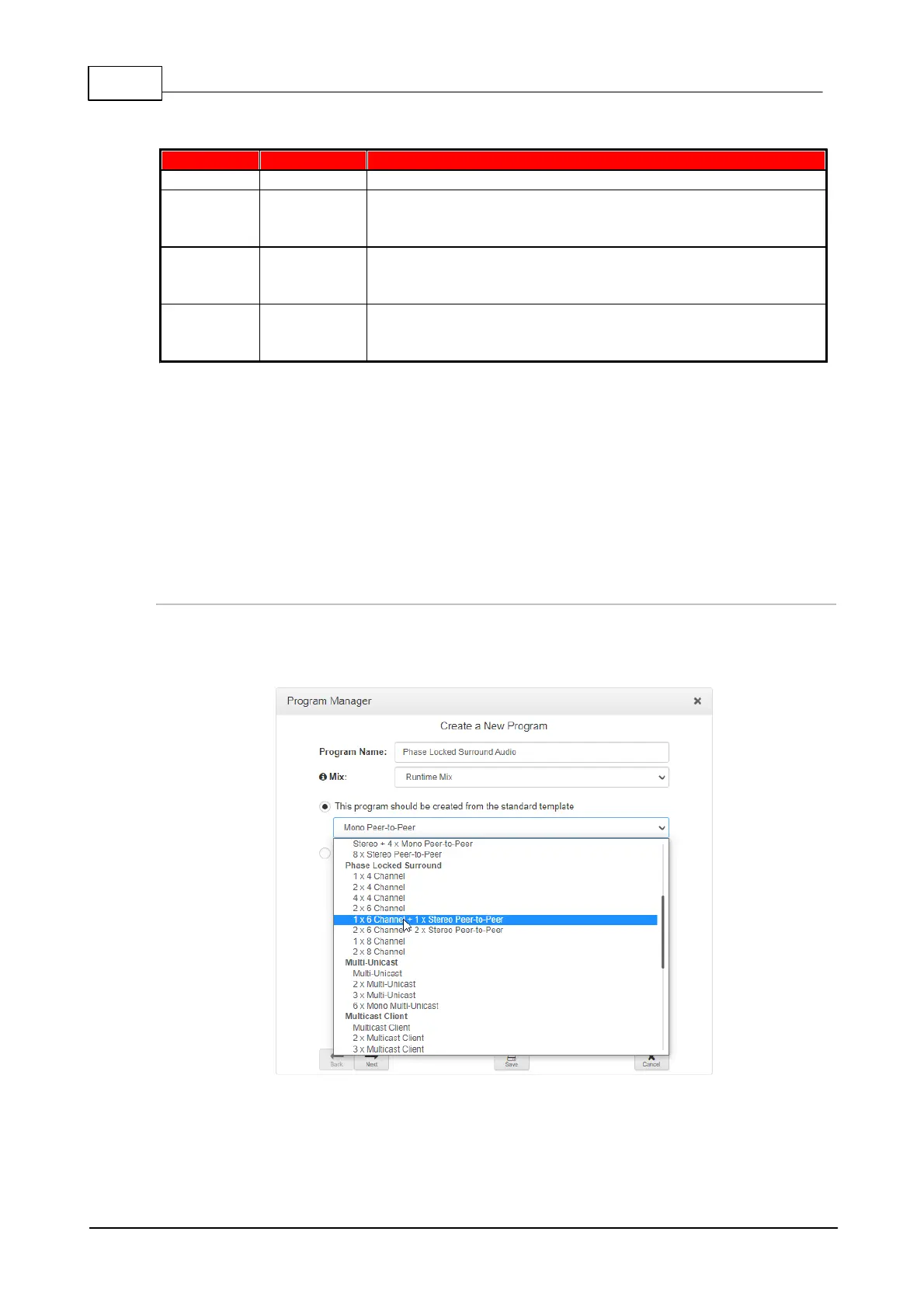
Configuration is similar to setting up a regular connection program. In the Program Manager panel
select the program with the preferred connection profile suiting a phase-locked 6 channel (5.1 or 6.0)
or 8 channel (7.1 or 8.0) surround sound stream, or a 4 channel audio stream.
Gateway-16 phase locked program options
Select a preferred encoding algorithm when configuring a program using the Program Manager
panel.



 To Next Page