269
© Tieline Research Pty. Ltd. 2021
Gateway and Gateway 4 Manual v1.2
24.20
Installing a Security Certificate
Tieline codecs support the installation of TLS/SSL (hereafter referred to as SSL) security certificates
to deliver an additional layer of security when connecting to IP networks. The digital SSL security
certificate authenticates the codec and provides more secure encrypted HTTPS browser
connections. The codec supports installing a private key as well as an intermediate and SSL
certificate.
Certificate Installation
To install certificates purchased from a reputable vendor:
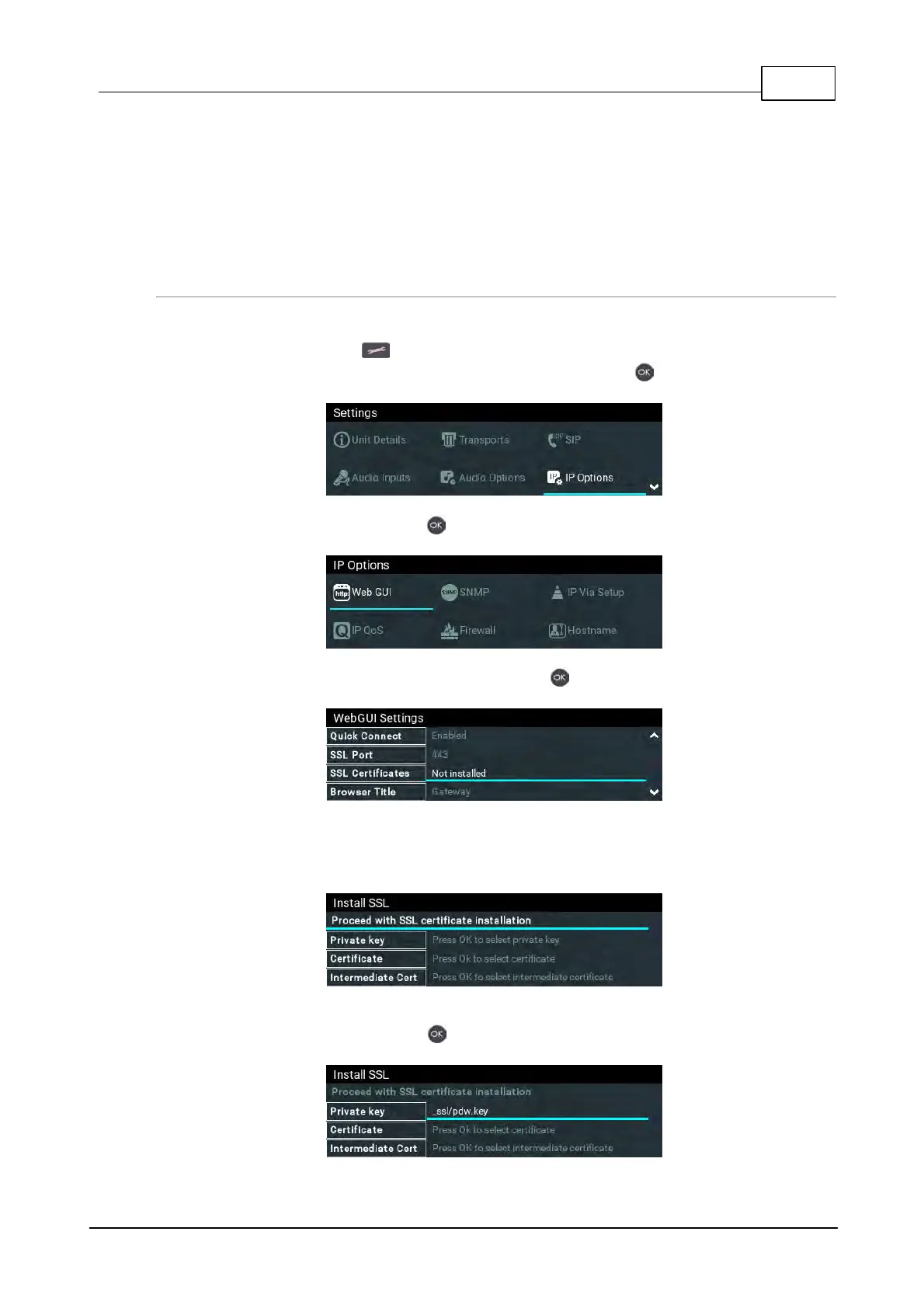
1. Press the SETTINGS button.
2. Use the navigation buttons to select IP Options and press the button.
3. Select Web-GUI and press the button.
4. Navigate down to SSL Certificates and press the button.
5. Ensure the Private Key, digital SSL Certificate and Intermediate Certificate (if required), are
loaded onto an SD card and then insert it into the front panel SD CARD SLOT. Note: A
single partition FAT32 formatted SD card must be used.
6. Select Private Key and navigate to the correct directory and .key (Private Key) file to install
from the SD card and press the button.



 To Next Page