88 Gateway and Gateway 4 Manual v1.2
© Tieline Research Pty. Ltd. 2021
Language Selection
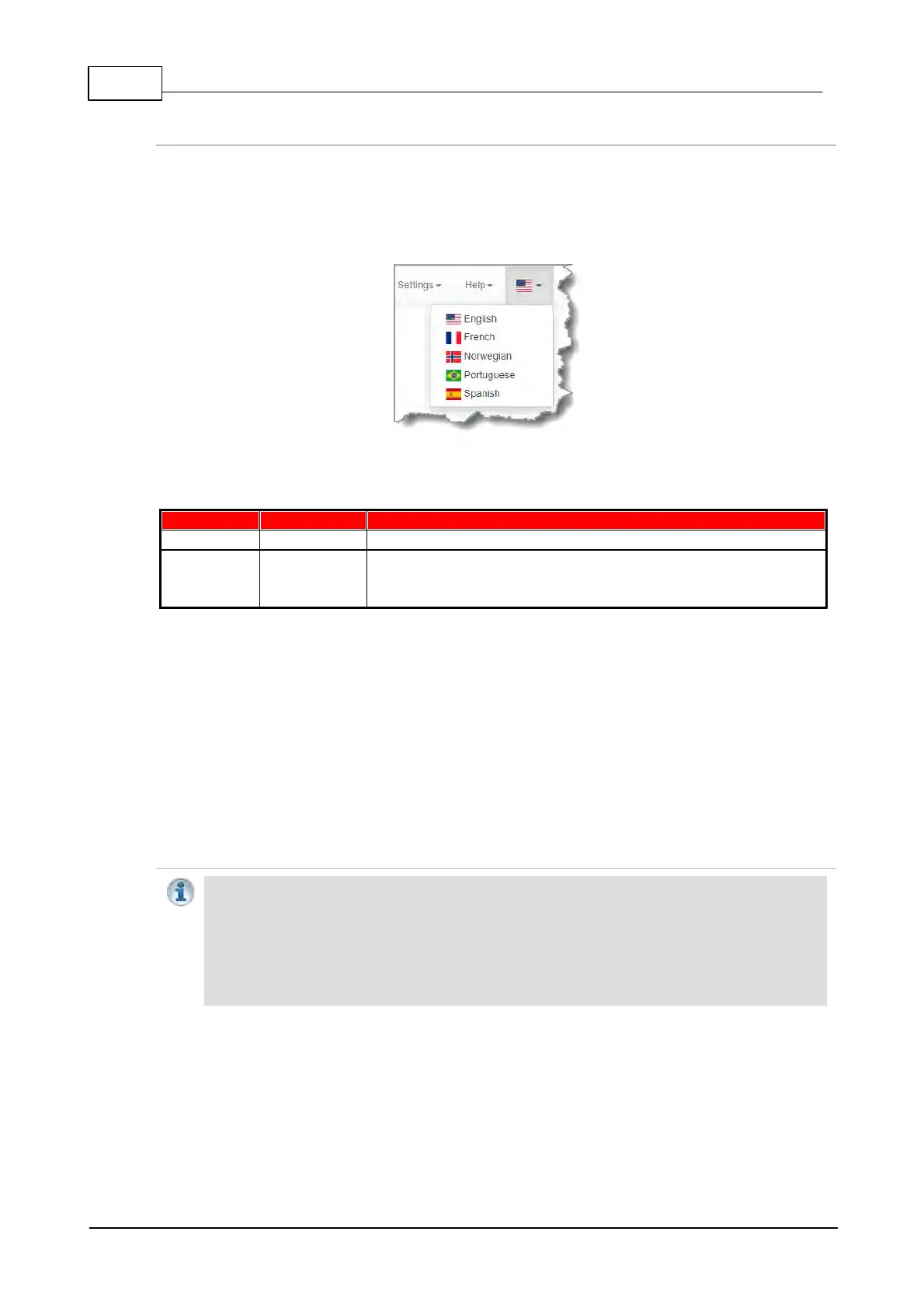
The HTML5 Toolbox Web-GUI offers language support for several languages.
1. Click on the Language drop-down menu arrow in the top right-hand corner of the Web-GUI
page.
2. Select the preferred language to display.
23.1 Configure Programs with the Connections Panel
Supports program connections using up to 4 channels of audio
Supports program connections using up to 16 channels of audio,
depending on codec configuration purchased (between 8 and 16
channels available for purchase)
The Connections panel allows:
· The configuration of new programs.
· Editing of existing programs.
· Loading and unloading of programs.
The Connections panel delivers the ability to edit destination settings for an audio stream when
other audio streams are connected, without unloading a program. Please note: If you need to use
an existing program as a template for a new program, or add a custom matrix mix to a program,
please use the Program Manager panel to create a program.
Configuring New Programs
Important Note: There are some limitations when creating and editing programs using the
Connections panel in comparison to using the Program Manager panel. In the
Connections panel is not possible to:
· Name or rename a program.
· Apply a custom matrix.
· Manage program level Rules.
· Create a program from a copy of an existing program.
To configure new programs using the Connections panel:
1. Open the HTML5 Toolbox Web-GUI and click Connect in the Menu Bar, then select
Connections to launch the Connections panel.



 To Next Page