178 Gateway and Gateway 4 Manual v1.2
© Tieline Research Pty. Ltd. 2021
5. Click Save to store all edited speed dials.
Important Note: To view speed dial configurations using the front panel of the codec select
SETTINGS > Speed Dial and press the button.
23.22 Delete a Program
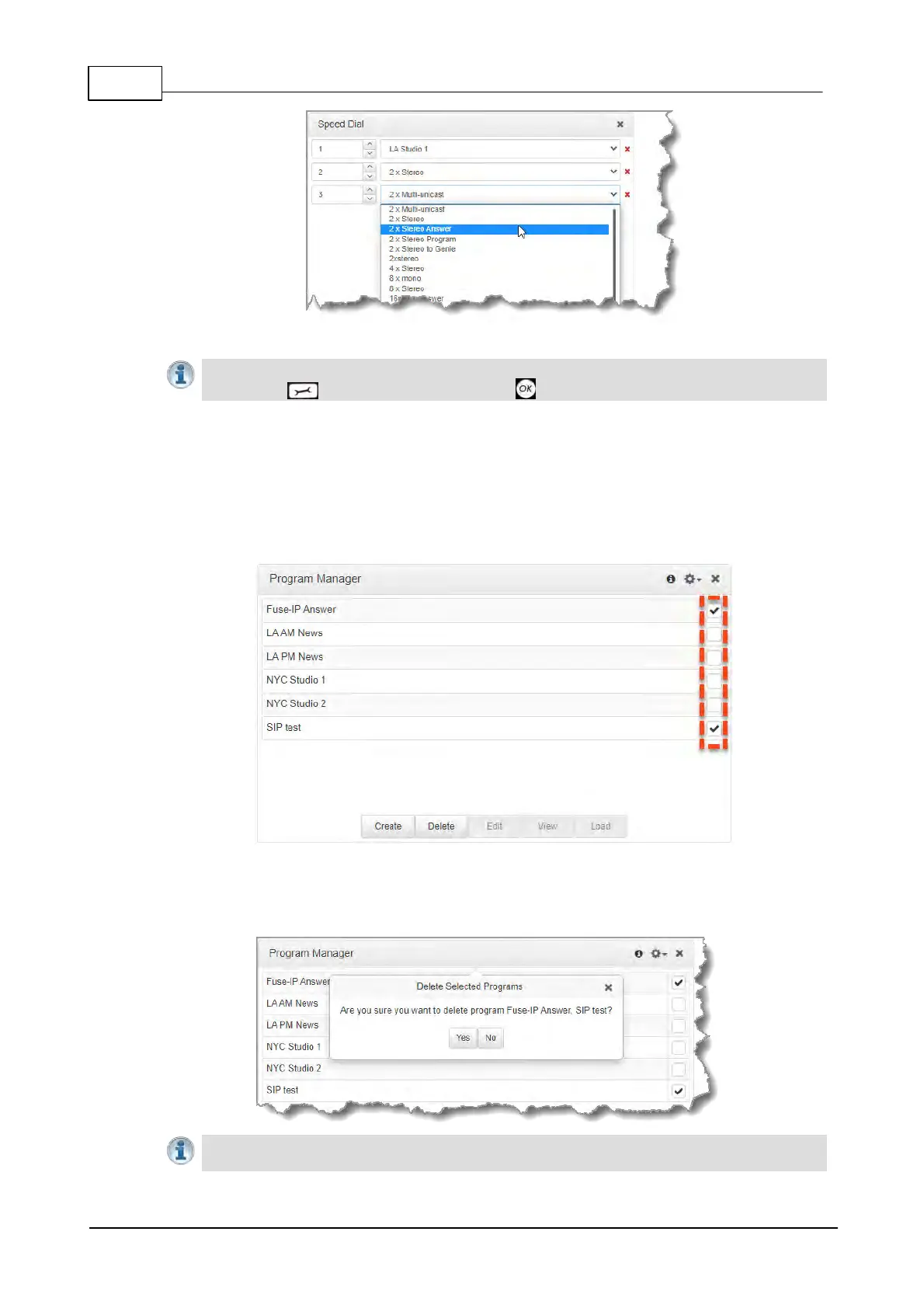
1. Open the HTML5 Toolbox Web-GUI and click Connect in the Menu Bar, then click Program
Manager to open the Program Manager panel.
2. Click to select the check-box for each program to be deleted. Note: multiple programs can be
selected and deleted simultaneously.
3. Click the Delete button.
4. Click Yes in the Delete Selected Programs confirmation dialog to delete all selected
programs.
Important Notes: Any program that is currently loaded or listed in the Scheduler Events
panel cannot be deleted.



 To Next Page