268 Gateway and Gateway 4 Manual v1.2
© Tieline Research Pty. Ltd. 2021
24.19
Upgrading Firmware
To download the latest codec firmware visit www.tieline.com. Copy the firmware file onto a FAT32
formatted SD card and then use the following procedure to perform a firmware upgrade. Note: A
single partition FAT32 formatted SD card must be used.
1. Insert the SD card into the SD CARD SLOT on the front panel of the codec.
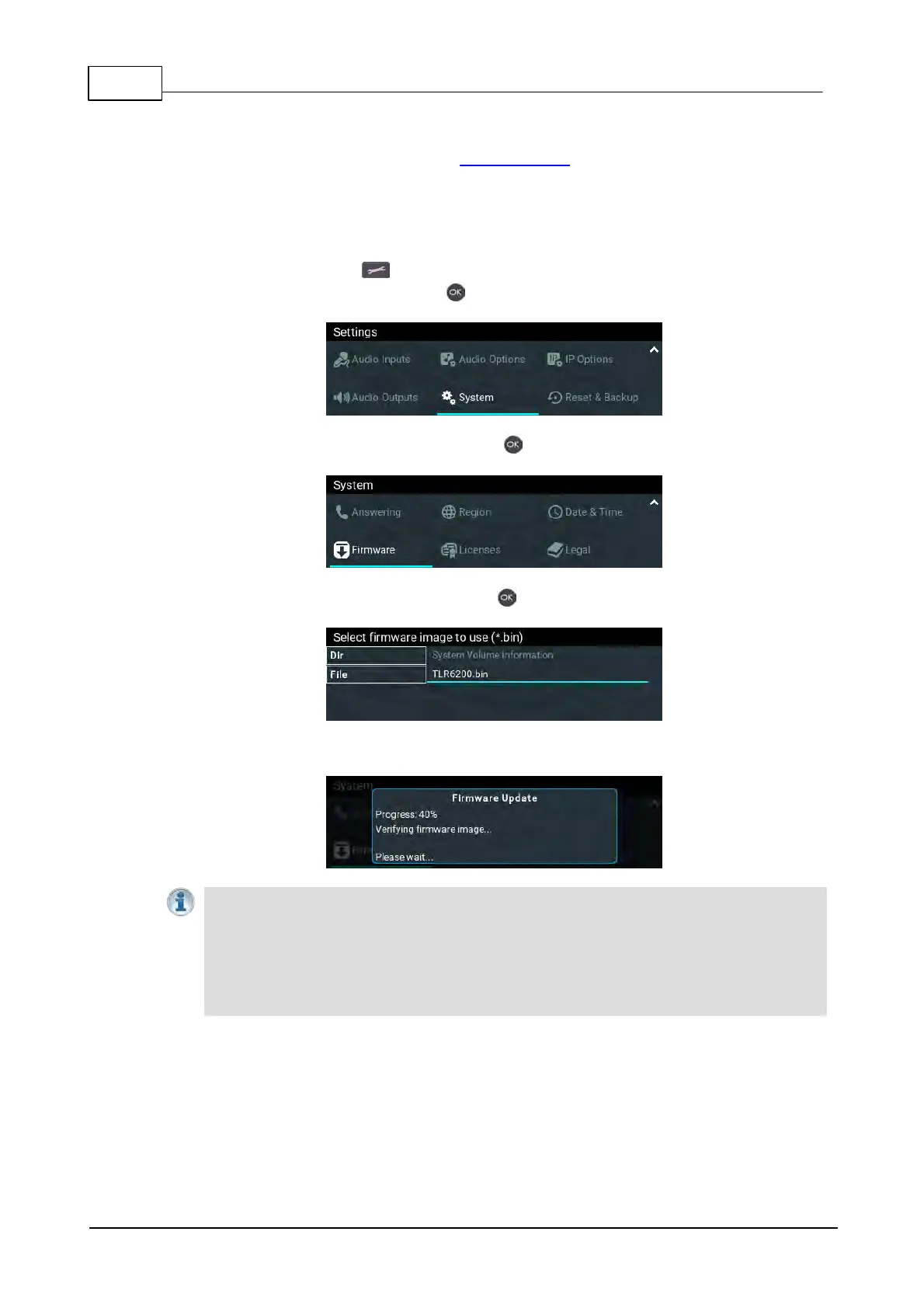
2. Press the SETTINGS button.
3. Navigate to System and press the button.
4. Navigate down to Firmware and press the button.
5. Navigate to the firmware file and press the button to commence the upgrade.
6. Progress of the update is displayed and when complete the codec will automatically reboot.
Important Note: We recommend clearing your browser cache after the upgrade is
complete when using the HTML5 Toolbox web-browser GUI to control codec functions. The
short cuts for this are:
· Google Chrome: shift+Ctrl+delete
· Mozilla Firefox: Ctrl+shift+delete
· Internet Explorer: Ctrl+shift+delete
· Safari: Ctrl+alt+e



 To Next Page