156 Gateway and Gateway 4 Manual v1.2
© Tieline Research Pty. Ltd. 2021
play out sequentially. Please note that "M3U" is the playlist file format supported by the
codec.
· File playback will occur automatically if the silence threshold parameters are breached;
if the codec is not connected for any reason file playback will commence. To stop file
playback open the Connections panel in the HTML5 Web-GUI, click to select the file
playback connection, then click Disconnect.
Configuring Rules
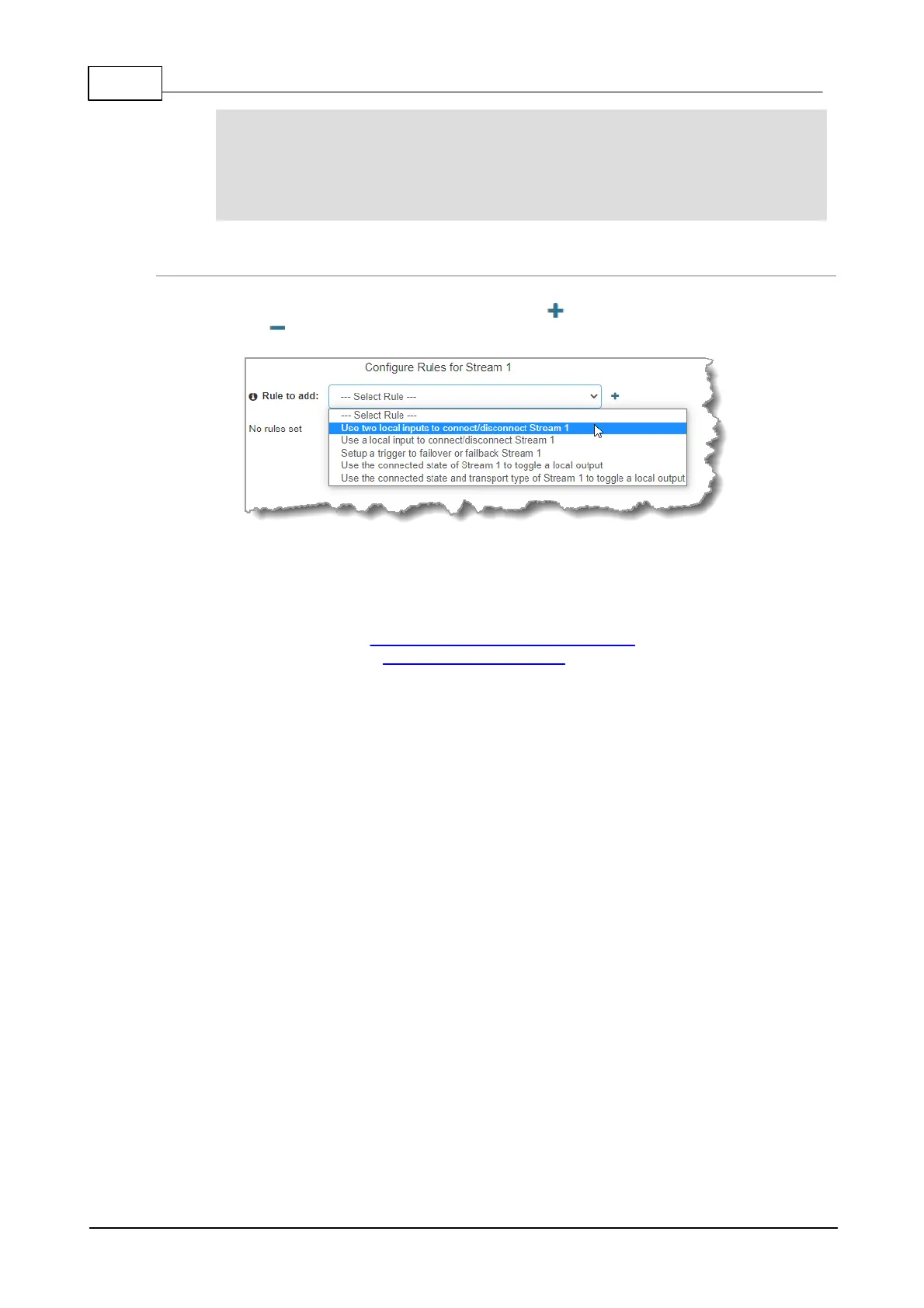
1. To configure new stream level rules click the drop-down arrow and select the preferred option
from those available. Click the blue Plus symbol to add a new rule and click the Minus
symbol to remove a rule.
2. Click Save to complete configuration of the program. Alternatively, continue through the
wizard to configure the codec to receive multiple audio streams as required, then click
Save.
3. Click Finish to exit the wizard or Load to load it.
4. Configure multicast server and multicast client programs and load all codecs with the
appropriate program. Select and connect audio streams in a program using the
Connections panel, or dial the program manually using the codec front panel. Dial the
multicast server program connection first and then connect multicast client codec programs
to begin receiving multicast streams.



 To Next Page