166 Gateway and Gateway 4 Manual v1.2
© Tieline Research Pty. Ltd. 2021
TieLink, and G3 profile or G3 channel information can not be used for SIP connections because
Tieline session data is replaced by SDP for SIP connections.
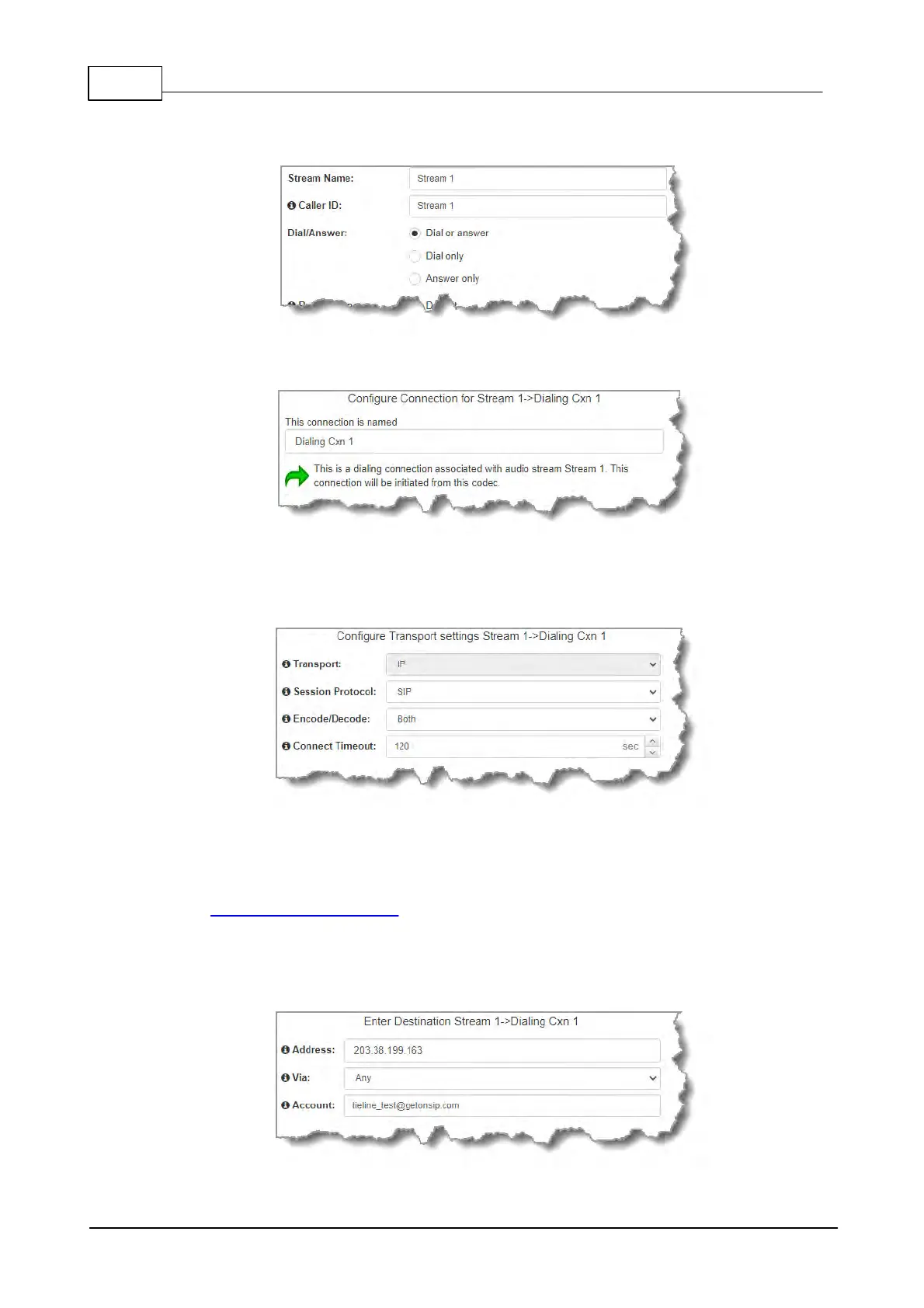
5. This audio stream connection in the wizard will allow the codec to dial. Enter the name of
the connection in the text box, then click Next.
6. Configure the transport settings for the connection. Ensure that you select:
· IP as the Transport.
· SIP from the Session Protocol menu option.
Then click Next.
7. Configure the destination codec Address if you are dialing peer-to-peer, then specify the
network interface used to dial the connection, e.g. Primary (Ethernet port 1). Enter the
name of a registered SIP account if you are using a SIP server to establish a connection. If
you wish to dial from one of the codec's registered accounts, then enter the account name in
the Account field using the format accountname@sipserverdomain, e.g.
tieline_test1@getonsip.com. In this configuration the account interface will be used rather
than the specified Via, e.g. if the account is using SIP2 and this is configured to use LAN2,
then the call will proceed using LAN2. If you do not wish to use an account for the dial then
leave the Account field blank and select the required interface. Note: the interface must be
associated with either SIP1 or SIP2 for the call to be able to proceed.



 To Next Page