170 Gateway and Gateway 4 Manual v1.2
© Tieline Research Pty. Ltd. 2021
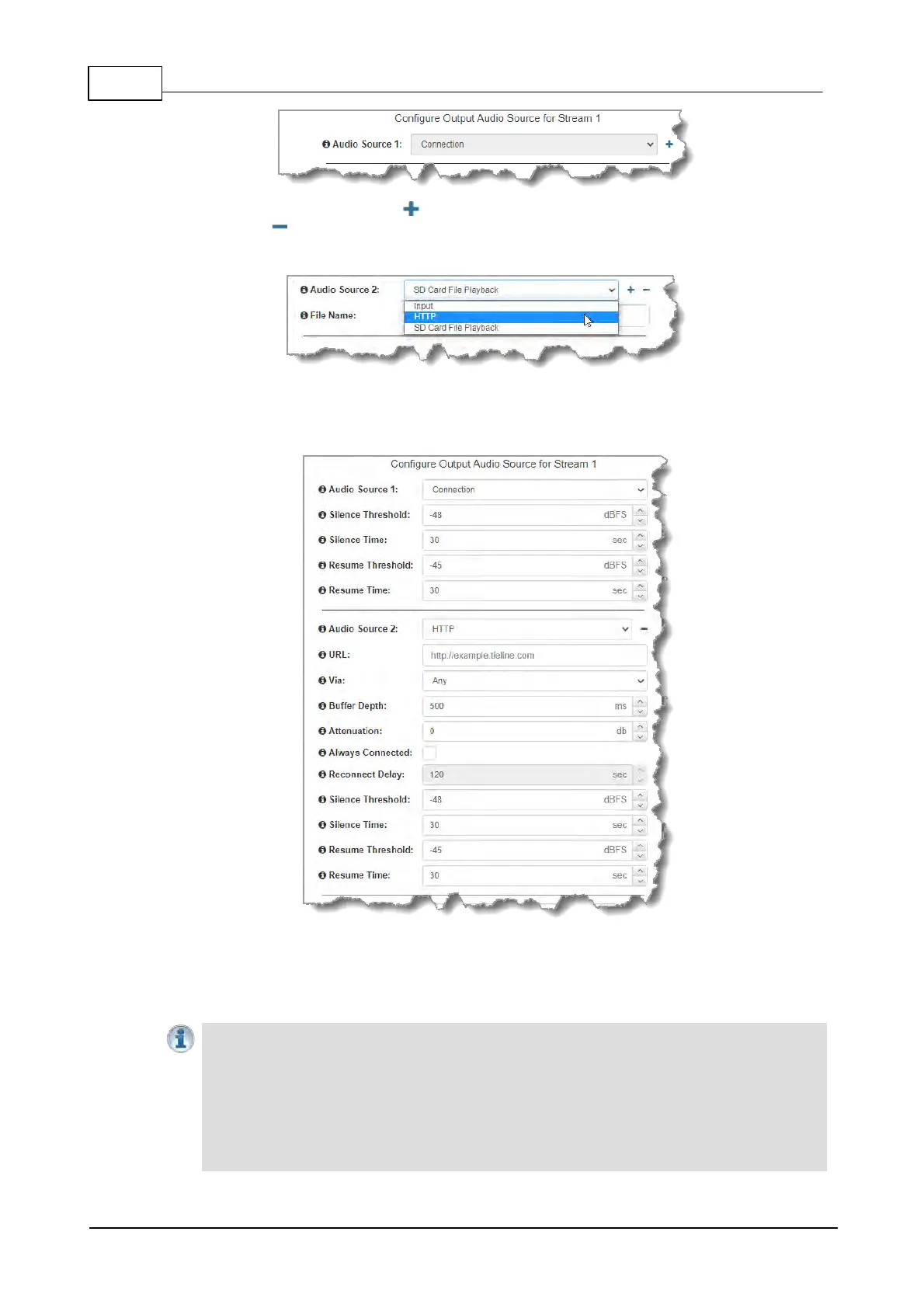
2. Click the blue Plus symbol to add a backup Output Audio Source, or click the Minus
symbol to remove an Output Audio Source. Click the drop-down arrow to select an
Output Audio Source option.
3. Configure silence threshold parameters for enabling a preferred backup option, as well as
resume thresholds for reactivating a previous source. Then click Save Program to save
program settings.
4. After configuring Output Audio Source options you can:
i. Click Save Program to save the program at this point.
ii. Click Next to configure rules options.
Important Notes for File Playback:
· Ensure MP3 recordings used are not variable bit rate files.
· File playback audio is sent directly to the codec outputs and therefore IGC is not
available. When you create your MP2 or MP3 files ensure the audio levels match the
audio reference level of your codec and that peaks average at the correct levels.
· USB backup audio is only sent to the outputs of the local codec to which a USB stick is
attached. USB file audio is not sent to encoders and cannot be transmitted via an audio
stream to another codec.



 To Next Page