180 Gateway and Gateway 4 Manual v1.2
© Tieline Research Pty. Ltd. 2021
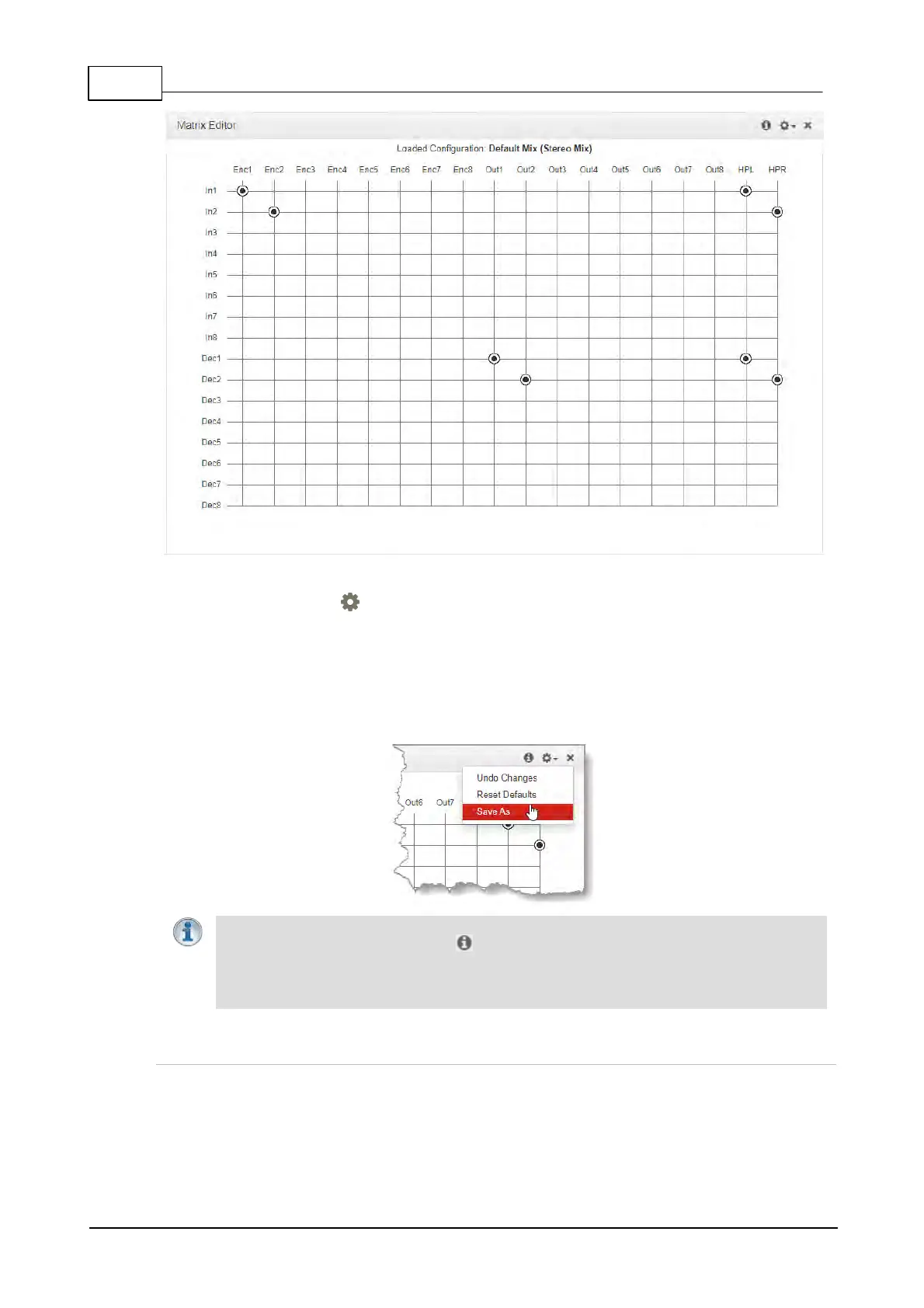
Default Stereo Matrix for Gateway Licensed for 8 Channel Streaming
Click the Options symbol to view other matrix editor options, including:
1. Undo Changes: Clears any changes that have not been saved.
2. Reset Defaults: Resets the matrix to defaults for the currently loaded program, e.g. mono,
stereo, mono/stereo plus IFB.
3. Save as: Save the current matrix settings as a new Custom Mix with a unique name
(includes headphone and Cue/TB matrices).
Important Notes:
· Click the Information symbol at the top of the panel to view details about the
current matrix.
· The number of channels available in the Matrix Editor depends on how many channels
are licensed. This can vary between 8 and 16 channels for a Gateway codec.
Using the Matrix Editor
Routing can be adjusted very simply in the Matrix Editor. To edit default matrix settings click a
crosspoint to select or deselect it. Note: Changes not yet saved as a custom mix are displayed in
orange. Runtime changes are audible in real-time and persist if the unit is powered down and
rebooted.



 To Next Page