186 Gateway and Gateway 4 Manual v1.2
© Tieline Research Pty. Ltd. 2021
23.25.1 Configuring ISDN Modules
ISDN settings in the Modules panel determine how each codec module operates at a particular
site. A user may copy similar programs between codecs installed at different locations and also
configure site-specific settings for how each ISDN module should connect. ISDN module settings
may need to be adjusted depending on country and network requirements.
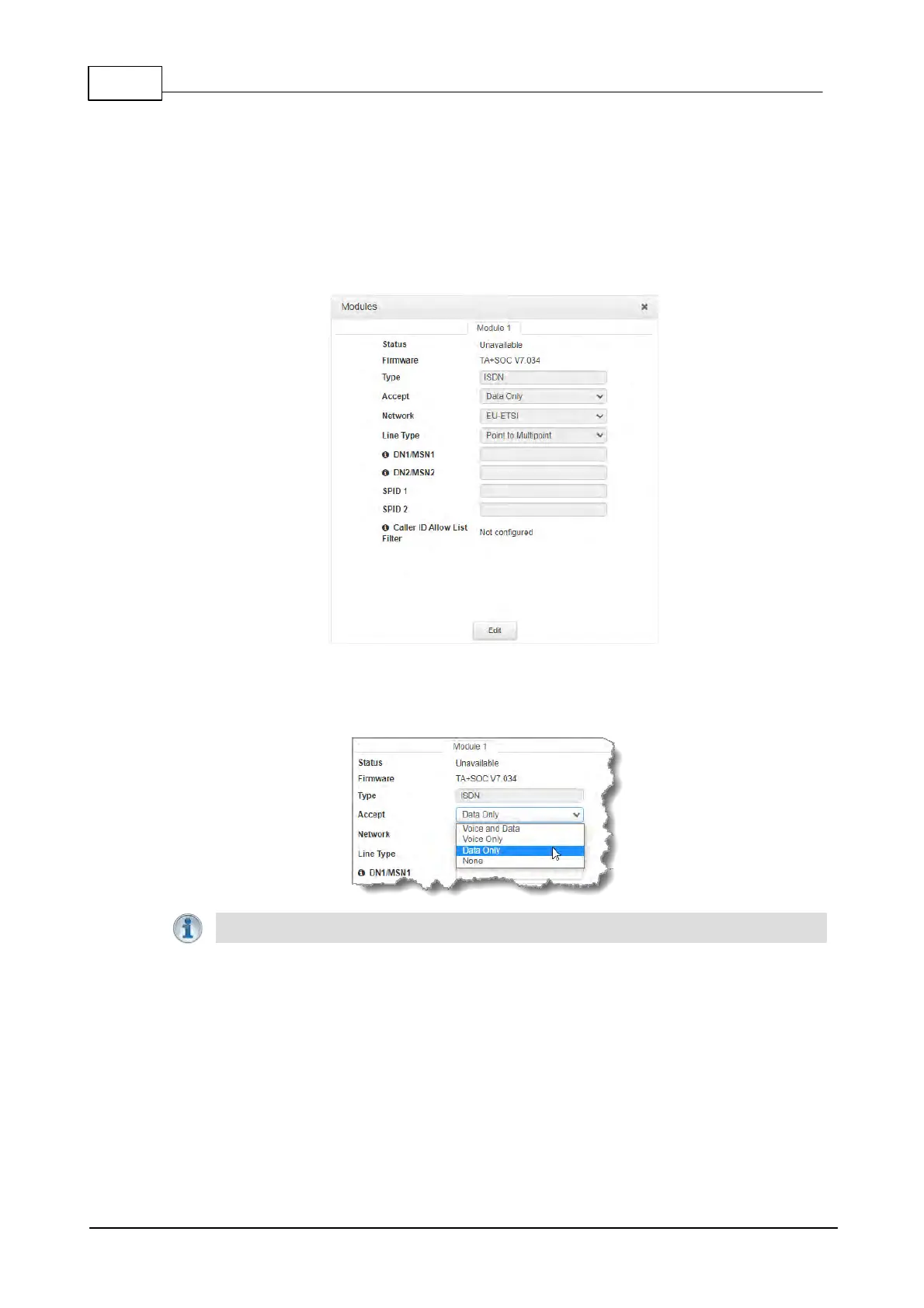
1. Open the HTML5 Toolbox Web-GUI and click Transport and then Modules to view and
configure ISDN site settings.
2. Click the Edit button to configure settings.
3. Click the drop-down arrow for Accept to select whether to allow or disallow circuit switched
voice and data calls. The default setting allows Data only.
Important Note: G.711 is the algorithm used when Voice Only is selected.
4. Click the drop-down Network arrow and select the Network Type corresponding to the
region in which you are using the codec.



 To Next Page