194 Gateway and Gateway 4 Manual v1.2
© Tieline Research Pty. Ltd. 2021
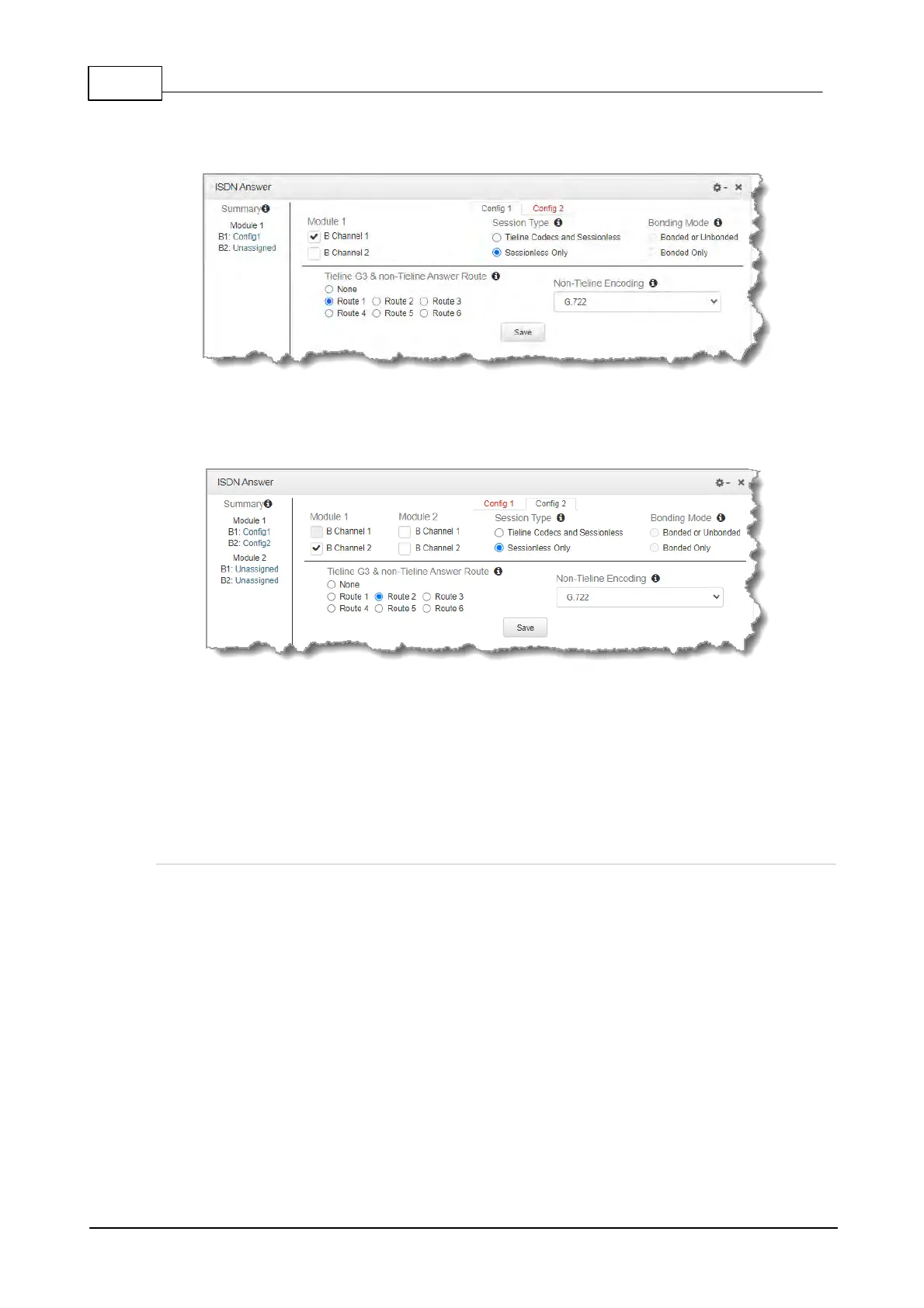
1. Select Config 1 and Sessionless Only and Route 1. Select your preferred algorithm, then
click Save. This means that Module 1 B channel 1 will answer a sessionless ISDN call
using these settings.
2. Next select Config 2 and Sessionless Only and Route 2. Select your preferred algorithm,
then click Save. This means that Module 1 B channel 2 will answer a sessionless ISDN call
using these settings.
Both ISDN B channels can now answer incoming sessionless ISDN calls. If it doesn’t matter which
incoming codec call is answered by which B channel then that’s all you need to do. If, however, you
want each non-Tieline codec to use the same B channel and be routed to the same codec output
consistently, you must configure this in the site config for the ISDN module via Settings >
Answering > ISDN Answer Configs, or via the Web-GUI using the Settings panel > Modules.
Step 3: Configuring the module to answer calls from a specific non-Tieline
codec consistently.
If a Directory Number (DN) or MSN number is not entered in the codec and multiple B channels are
available, the codec may use any channel to answer an incoming call. To ensure calls are routed
consistently, enter a DN/MSN number (without the country or area code) as the DN/MSN for a B
channel, then only that corresponding B channel will answer an incoming call to that number.
Enter the number for the first B channel into the field for Directory Number/MSN1. (This has been
allocated Route 1 previously.) Enter the number for the second B channel into the field for Directory
Number/MSN2. (This has been allocated Route 2 previously.) Next, click Save.



 To Next Page