208 Gateway and Gateway 4 Manual v1.2
© Tieline Research Pty. Ltd. 2021
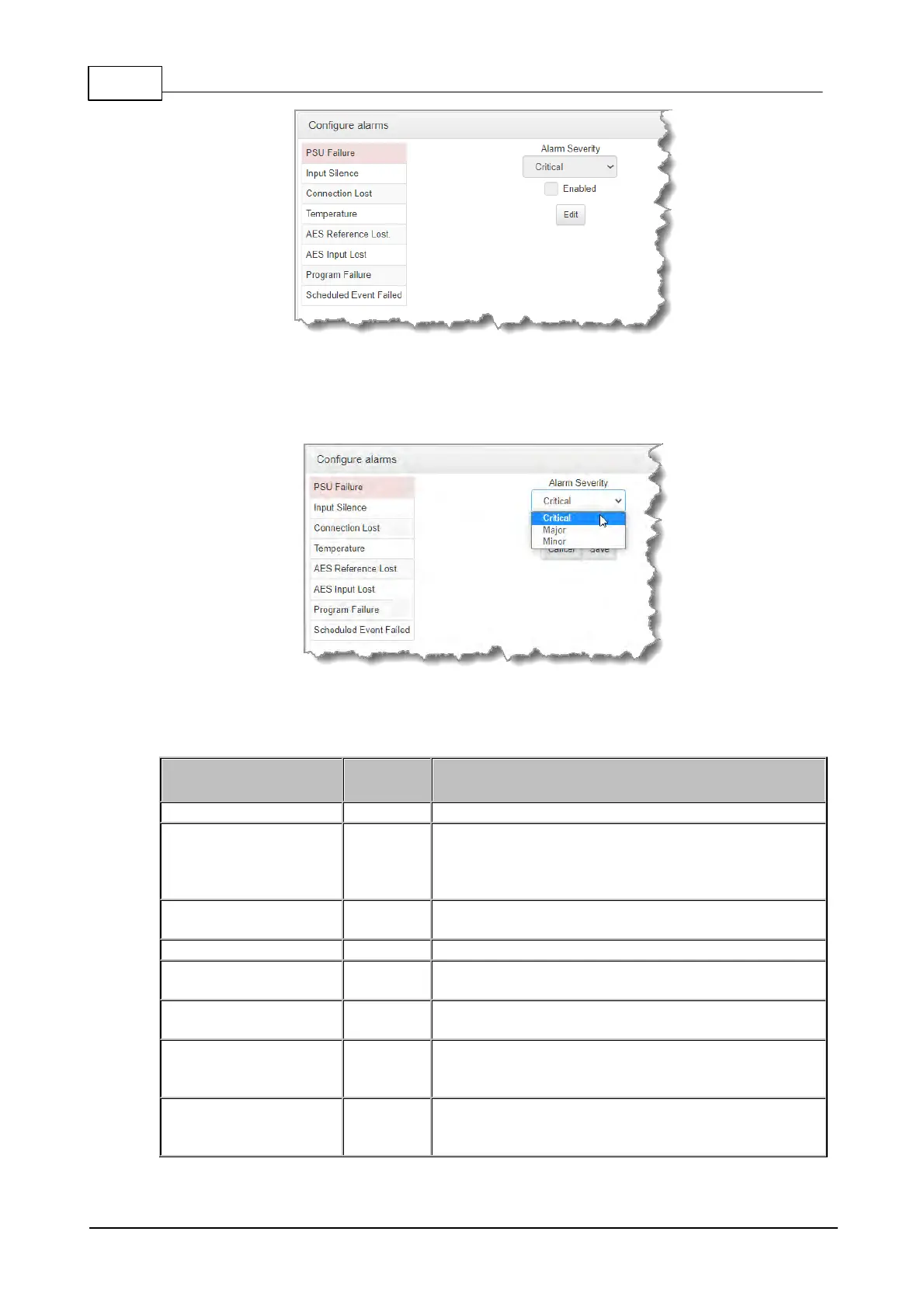
2. Click to select an alarm from the list on the left side of the panel.
3. Click Edit to configure alarm settings.
4. Click the Enabled check-box to activate the alarm and then select an Alarm Severity level
from the drop-down menu.
5. Click Save to store the new settings.
Note: The following System and Audio alarms are available:
Raises an alarm if one or both PSUs fail
Raises an alarm if input audio is lost based on whether
silence is detected on a single input, or pair of inputs
(according to preconfigured silence detection threshold
parameters)
Triggers and alarm whenever a streaming connection is
lost
Raises an alarm if the temperature is too low or too high
Raises an alarm if the AES reference clock signal is lost
(not available in WheatNet-IP capable codecs)
Raises an alarm if the AES input signal is lost (not
available in WheatNet-IP capable codecs)
An element within a configured program has failed and
has not been terminated manually. Note: the alarm is
cleared if the program is unloaded.
A scheduled event could not be started or stopped at the
specified time. Note: the alarm is only present for the
duration of the event.



 To Next Page