212 Gateway and Gateway 4 Manual v1.2
© Tieline Research Pty. Ltd. 2021
After acknowledging the alarm:
1. The State will change from Active to Acknowledged.
2. The red Alarm Symbol will stop flashing but remain visible in the toolbar of the HTML5
Toolbox Web-GUI screen.
3. The codec front panel ALARM LED will stop flashing and illuminate solid red.
4. The state of other alerts may change, as per Alarm Dissemination panel settings.
Stops flashing, remains solid red
Deactivating Alarms
An alarm is deactivated automatically when the alarm state is reversed. E.g. if power is restored
after a PSU Failure alarm, or if audio is restored after an Input Silence alarm.
Deactivating Input Silence Alarms
An Input Silence alarm is activated when the configured audio and duration thresholds have
been breached. To recover from this alarm state the codec must detect input audio higher than
the failure threshold. When audio at this level is detected, the codec monitors input audio to
ensure it doesn't drop below the recovery threshold setting more than 5 times within the
nominated Input Silence duration time. The alarm is then deactivated automatically.
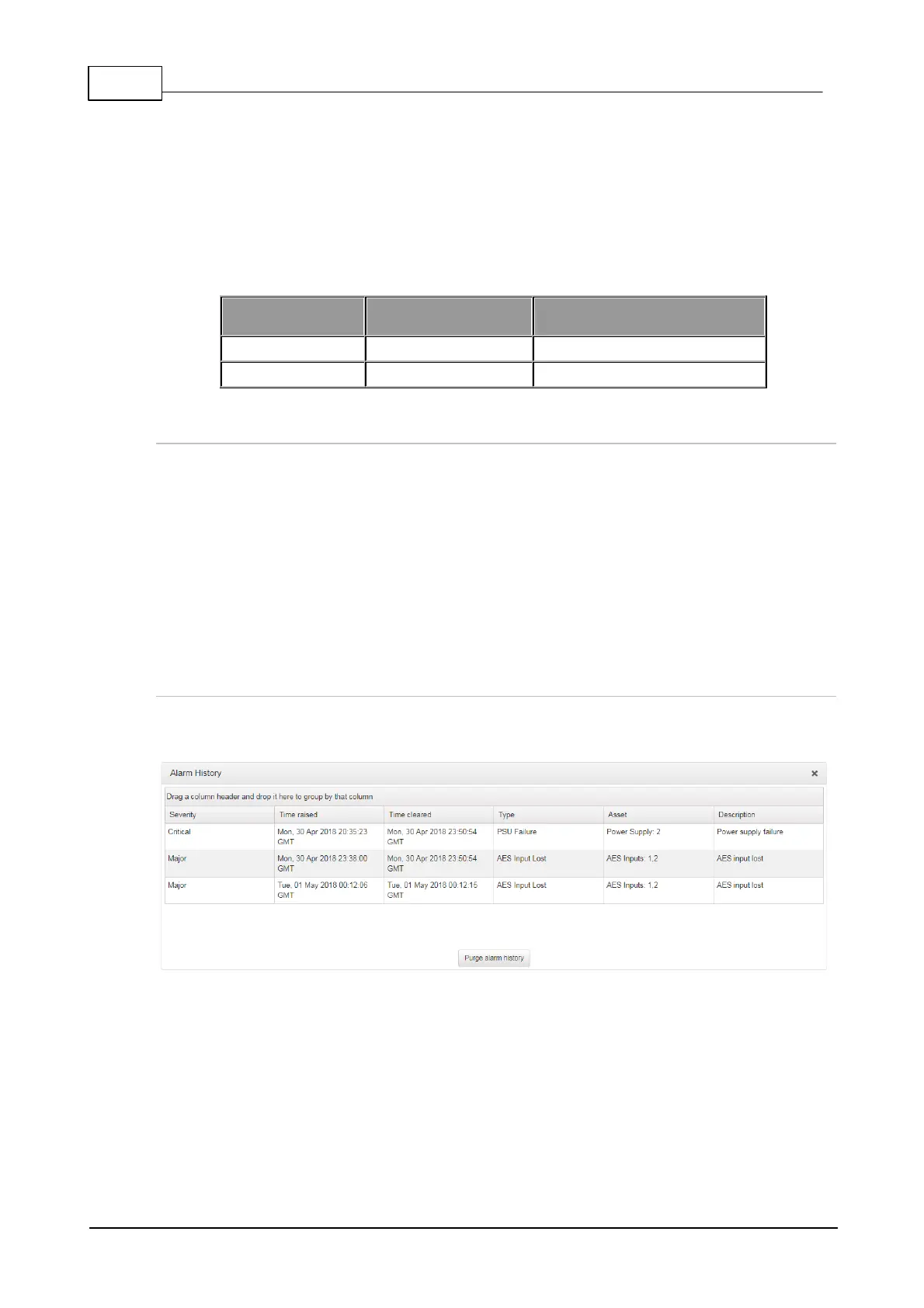
Alarm History
1. Open the HTML5 Toolbox Web-GUI and click Alarms, then click Alarm History to display a
record of all system alarms which have been raised.
Click the Purge alarm history button to clear all alarms from the Alarm History panel.



 To Next Page