47
© Tieline Research Pty. Ltd. 2021
Gateway and Gateway 4 Manual v1.2
dial and answer connections, dial connections only, or answer connections only. Each audio stream
includes:
· Name.
· Connection, Transport, and Destination settings.
· Backup configuration options.
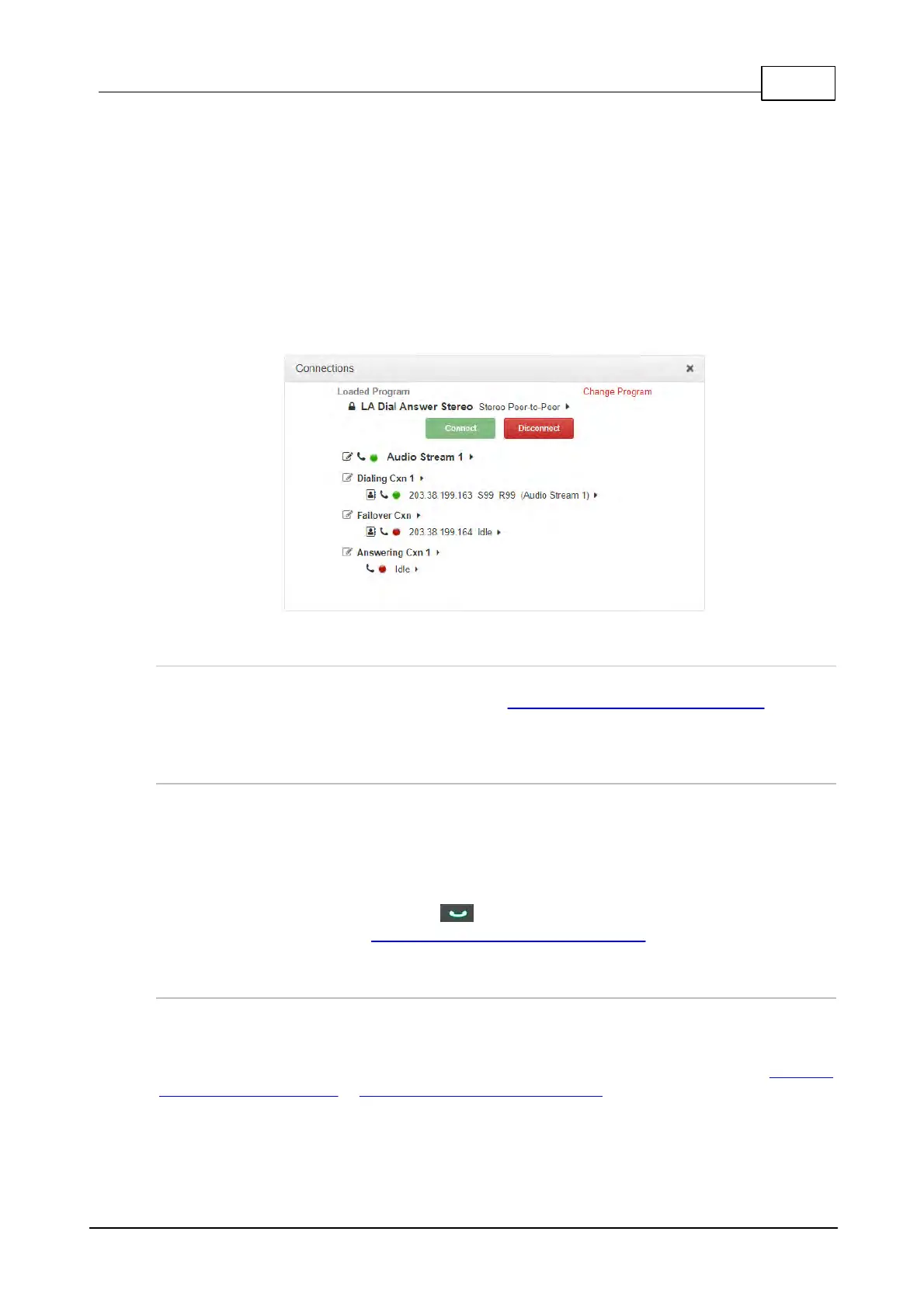
The following image displays a simple peer-to-peer program in the Program Manager panel within
the HTML5 Toolbox Web-GUI, which can be used to configure and edit all program parameters. The
following program is configured to send a single stereo audio stream and will allow the codec to both
answer and dial if required. A backup Failover dialing connection is configured in case the primary
connection fails.
Creating Programs
The HTML5 Toolbox Web-GUI contains a Program Manager panel with a wizard for configuring
program settings and backup connections. See Using the HTML5 Toolbox Web-GUI for more
detailed information on configuring programs. Edit settings easily at the touch of a button and use
existing programs as templates for creating other programs.
Multi-Unicast Programs
A multi-unicast program (also known as multiple unicast) can transmit a single audio stream with
common connection settings to a number of different destinations. All connections that are part of a
multi-unicast connection will automatically attempt to reconnect if they are terminated remotely.
Multi-unicasts are useful for distributing audio to several studios and can only be created using the
Program Manager panel in the HTML5 Toolbox Web-GUI. Once multi-unicast connections have
been created you can press CONNECT on the codec keypad to connect without using the
HTML5 Toolbox Web-GUI. See Configure Multi-unicast Dialing Programs for more info.
Multicast Programs
A multicast audio stream can be used to broadcast to unlimited numbers of 'subscriber' (client
codecs) wanting to receive a particular audio transmission. Multicast transmissions are broadcast
by a multicast server codec using a dedicated IP multicast address, which looks similar to a regular
IP address, and multicast subscribers request transmissions from this address. See Configure
Multicast Server Programs or Configure Multicast Client Programs for more info.



 To Next Page