53
© Tieline Research Pty. Ltd. 2021
Gateway and Gateway 4 Manual v1.2
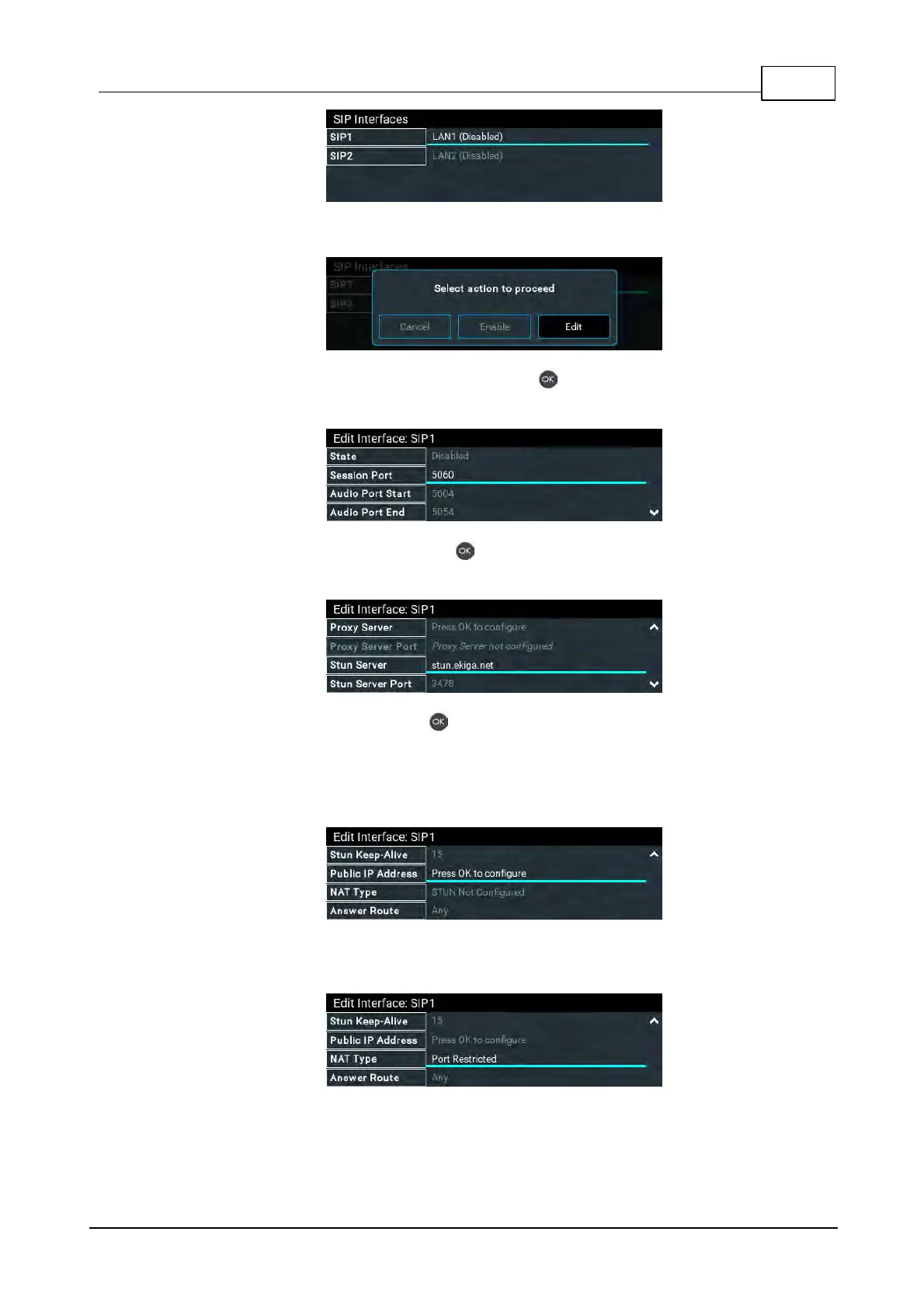
4. Select Edit in the dialog to edit the SIP interface settings.
5. Navigate to each setting in turn and press the button to edit SIP interface settings as
required.
6. Select STUN Server and press the button to enter server details if using STUN (Session
Traversal of User Datagram Protocol). Note: UDP Port 3478 is the default port assigned.
7. Select Public IP and press the button if you want to dial over SIP from behind a firewall.
Enter the public IP address and then configure port forwarding to route traffic to the codec's
local IP address behind your firewall. Note: Do not enter a Public IP address if STUN is
configured. They cannot be used together because both will attempt to use a public IP
address over SIP. STUN settings are prioritized and used if both are configured.
8. The NAT Type used by the firewall is updated if STUN has been enabled and the NAT Type
can be determined. Note: the SIP interface must be enabled to view this.
9. Select Answer Route and use the Change Interface Answer Route screen to route calls
using this SIP interface to a specific audio stream. The route setting in this menu must
correspond with the answering route configured in an audio stream within the loaded



 To Next Page