User Manual: WaveLinx Lite (4.0)
26
In a standalone area, the area will only contain devices that attach
to/control lighting loads as the device must operate
independent
Wallstations have no use case in a standalone
area and cannot be assigned to this area type.
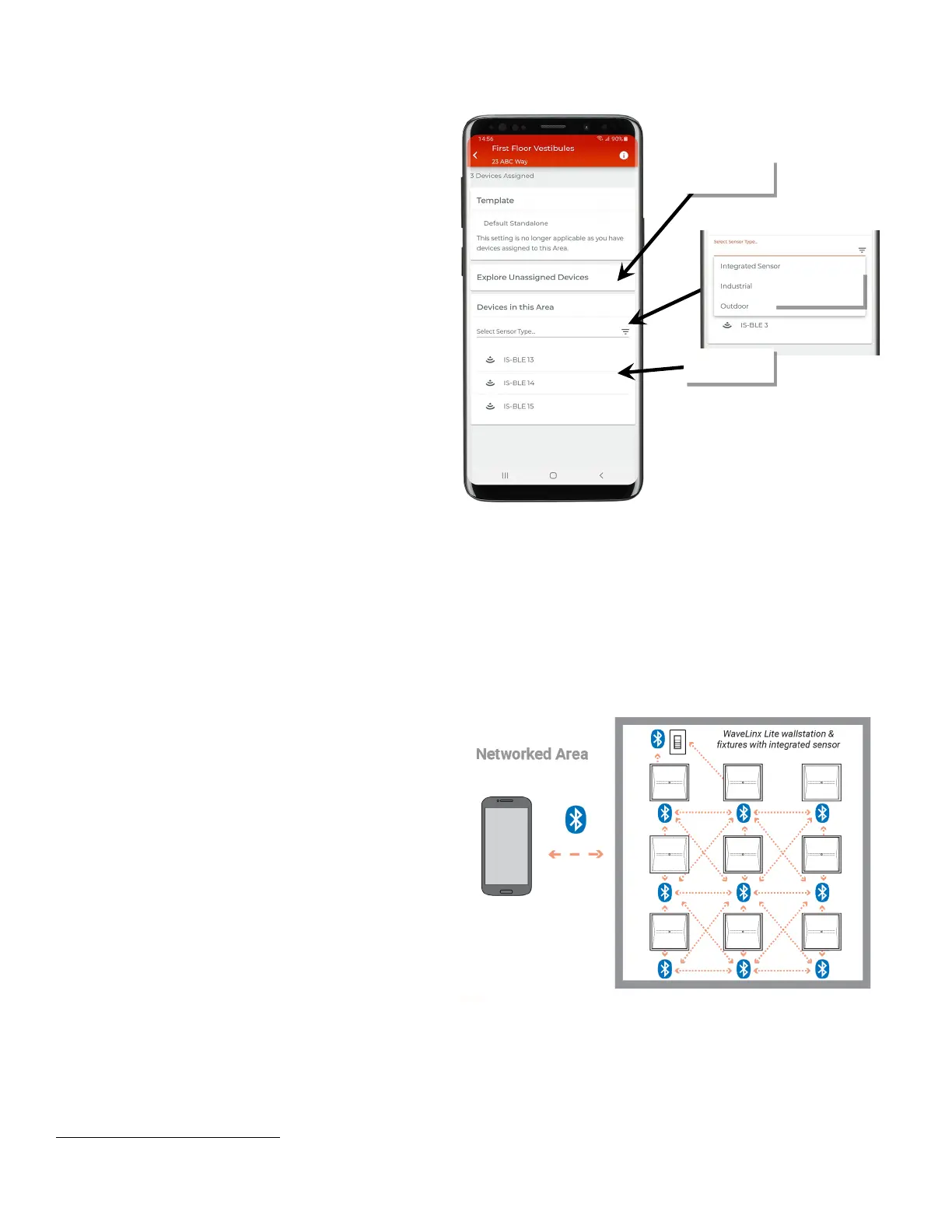
• Devices will show under the ‘Devices in this Area’ section.
• Filters can be used to limit displayed devices to a selected
device type.
•
Tap ‘Explore Unassigned Devices’ to perform a device scan to
refresh unprovisioned devices.
Bluetooth Communications
To make programming changes or view settings, a Bluetooth connection must be made between the WaveLinx Lite App mobile device and the
WaveLinx Lite device(s).
Networked Area
When opening a networked area, the mobile application will
automatically try to connect to the area’s Bluetooth mesh network. It
will connect
through any line-voltage WaveLinx Lite device within
range that is provisioned to the
area. The mobile device can then
communicate to any device
(line voltage or battery powered)
45
in
Bluetooth mesh network.
45
Once a battery powered wallstation is provisioned to a networked area, communication to the battery powered wallstation is routed through line voltage powered devices. At
least one line voltage powered device in the same area must be in range of the battery powered wallstation to modify wallstation settings.
devices
standalone area



 To Next Page