User Manual: WaveLinx Lite (4.0)
25
Zone
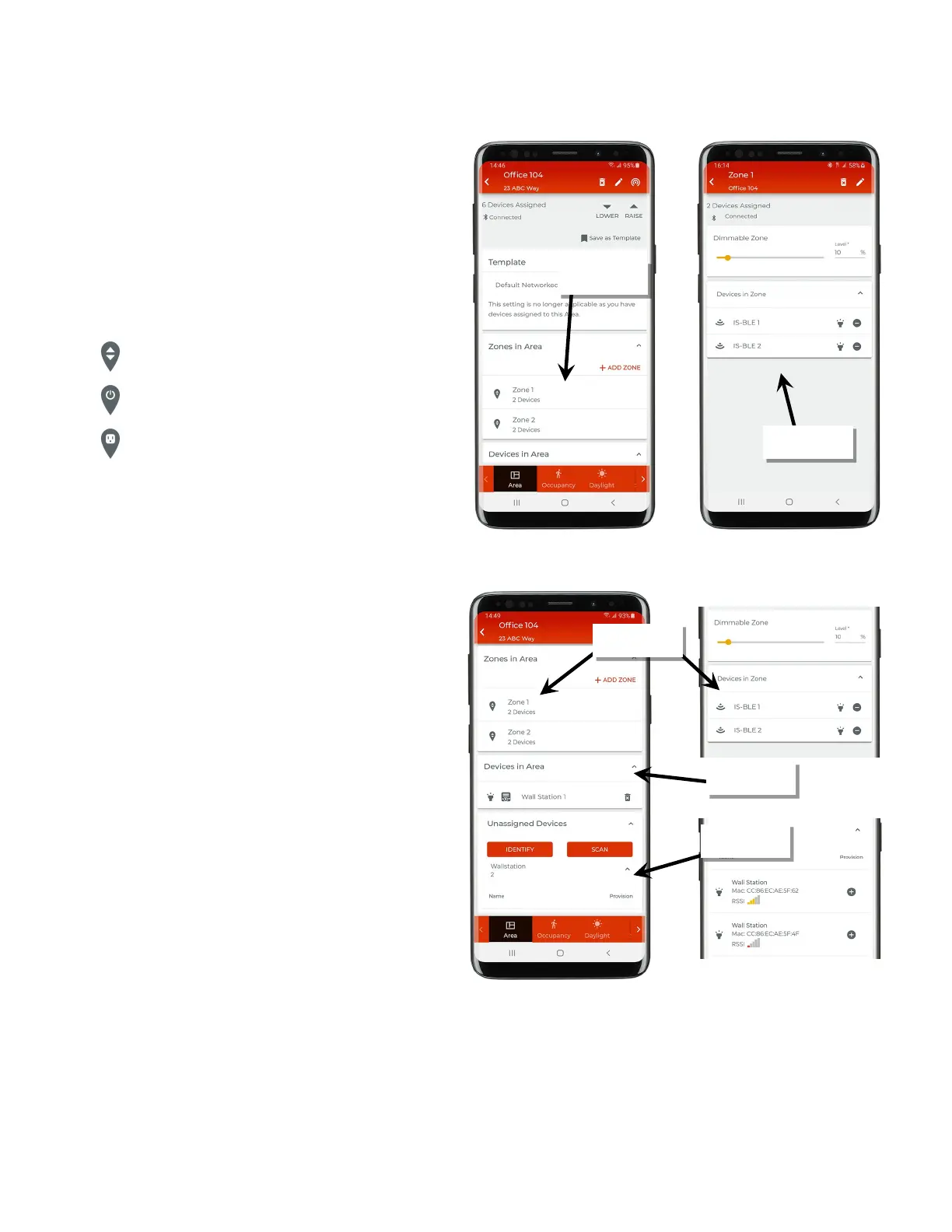
Select an area to view the area’s zones.
Zone
: A zone is a group of lighting loads that should operate
together in a networked area. For instance, fixtures in the same row
may be grouped into a zone to allow for uniform operation.
In a networked area, each de
vice that directly attaches to/controls
lighting loads will be assigned to a zone. The default networked area
contains one zone. Additional zones can be created. A networked
area is limited to no more than 16 zones.
dimmable devices, non-dimmable devices
-load control (receptacle). Each zone type is
associated with a different zone icon:
Dimmable Zone
Non-Dimmable Zone
Receptacle Zone
Standalone areas will not contain zones. Zones are not needed for
independent
device operation.
Device
In a networked area, provisioned devices will appear in the area
that they have been assigned to.
• Devices that directly attach to/control lighting loads will also
be assigned to a zone. Tap a zone to show the assigned
control devices.
• Other devices such as wallstations will be found in a
networked area in the ‘Devices in Area’ section.
• If the device refresh button is used, unprovisioned devices will
appear in the ‘Unassigned Devices’ section.
devices
in the area



 To Next Page